How to Manage WeChat Official Account Posts?
With MsgBox, you can synchronize and manage draft content for your WeChat Official Account directly from the backend, including previewing, publishing, or deleting posts.
Note
You need to create and edit post drafts in the Official WeChat Official Account Admin Platform first. Before performing any management operations in MsgBox, make sure to click "Sync WeChat Drafts."
Core Navigation Path
First, go to: Marketing > WeChat Official Account > Select your account > Content Management.
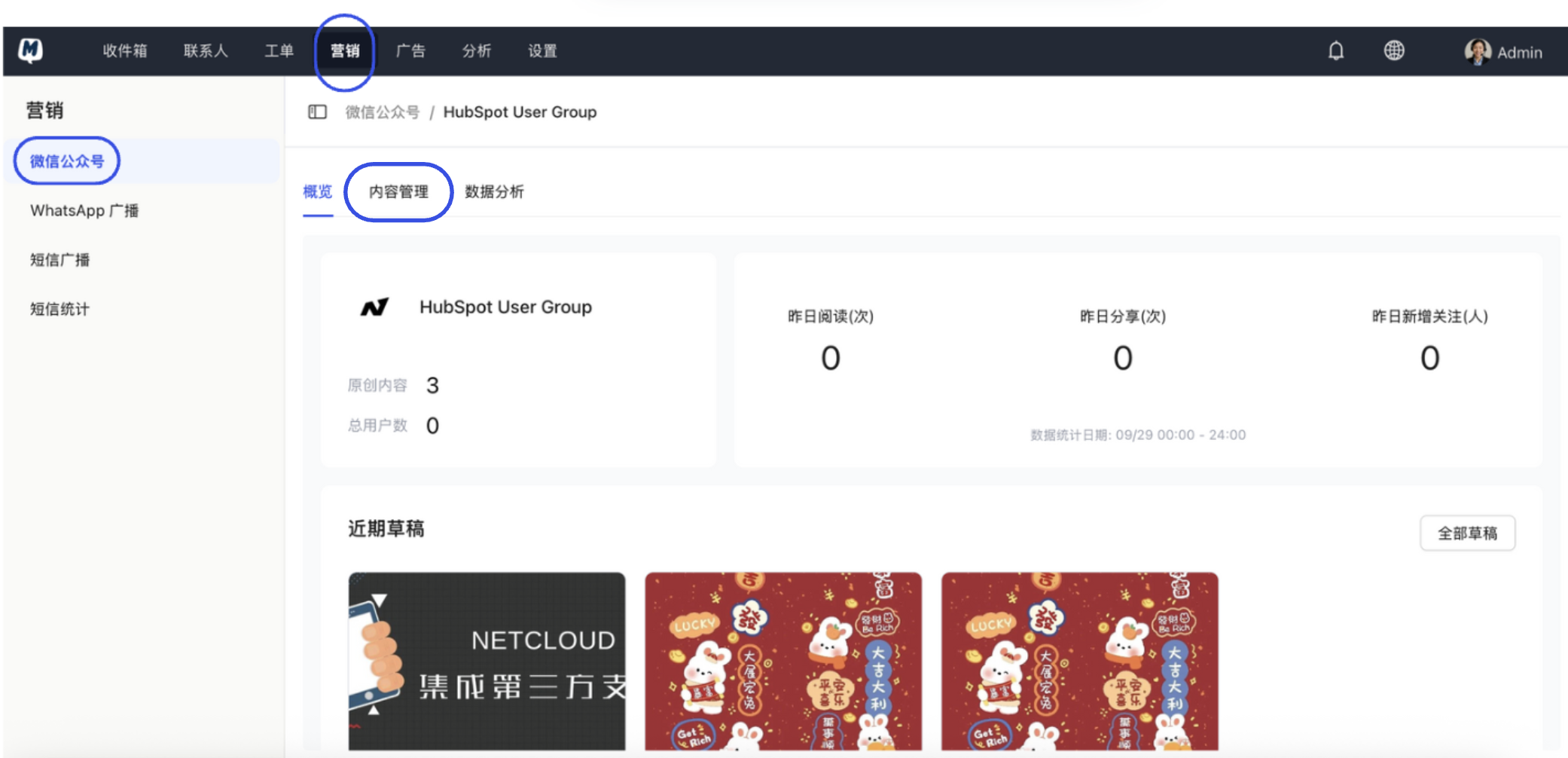
How to Publish a Post?
- On the Content Management page, click "Sync WeChat Drafts" to retrieve the latest draft content.
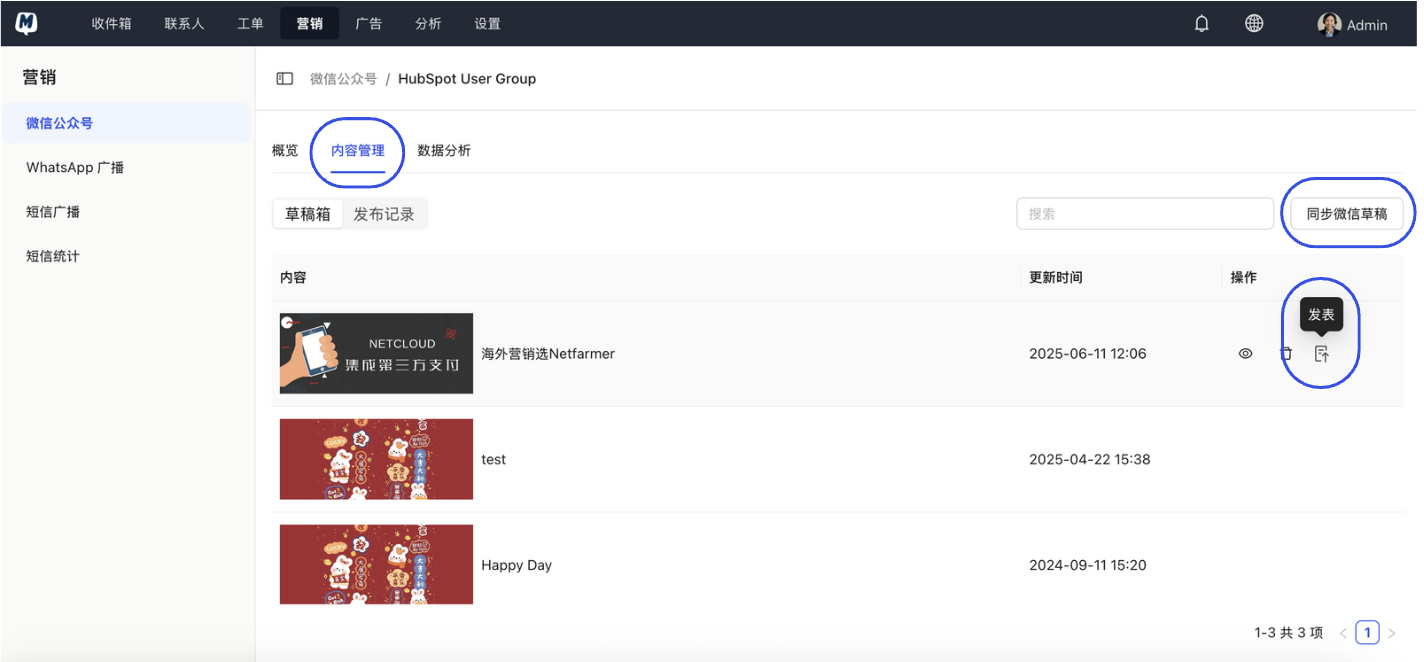
- In the operation column on the right side of the target draft, click "Publish".
How to Preview a Draft?
- Click "Sync WeChat Drafts" to update the list.
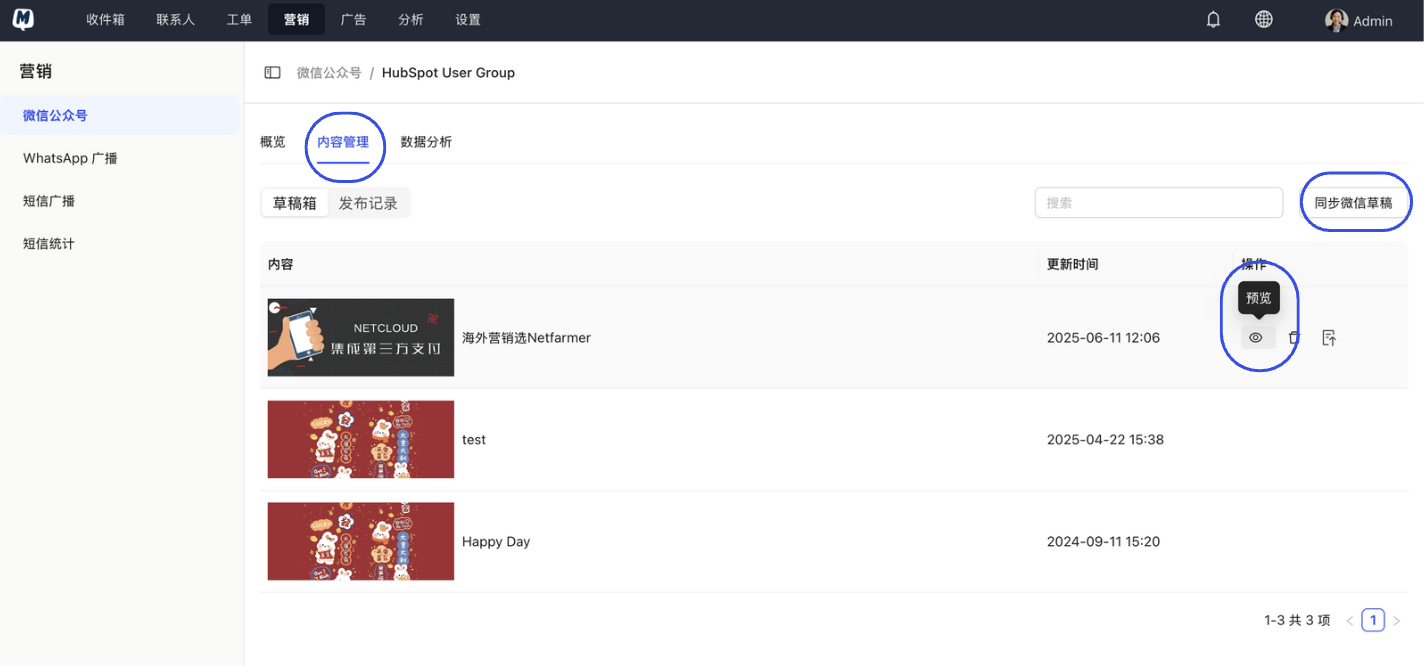
- Click "Preview" in the operation column to see how the post will actually look on a mobile device.
How to Delete a Draft?
- Click "Sync WeChat Drafts" to ensure the list is up to date.
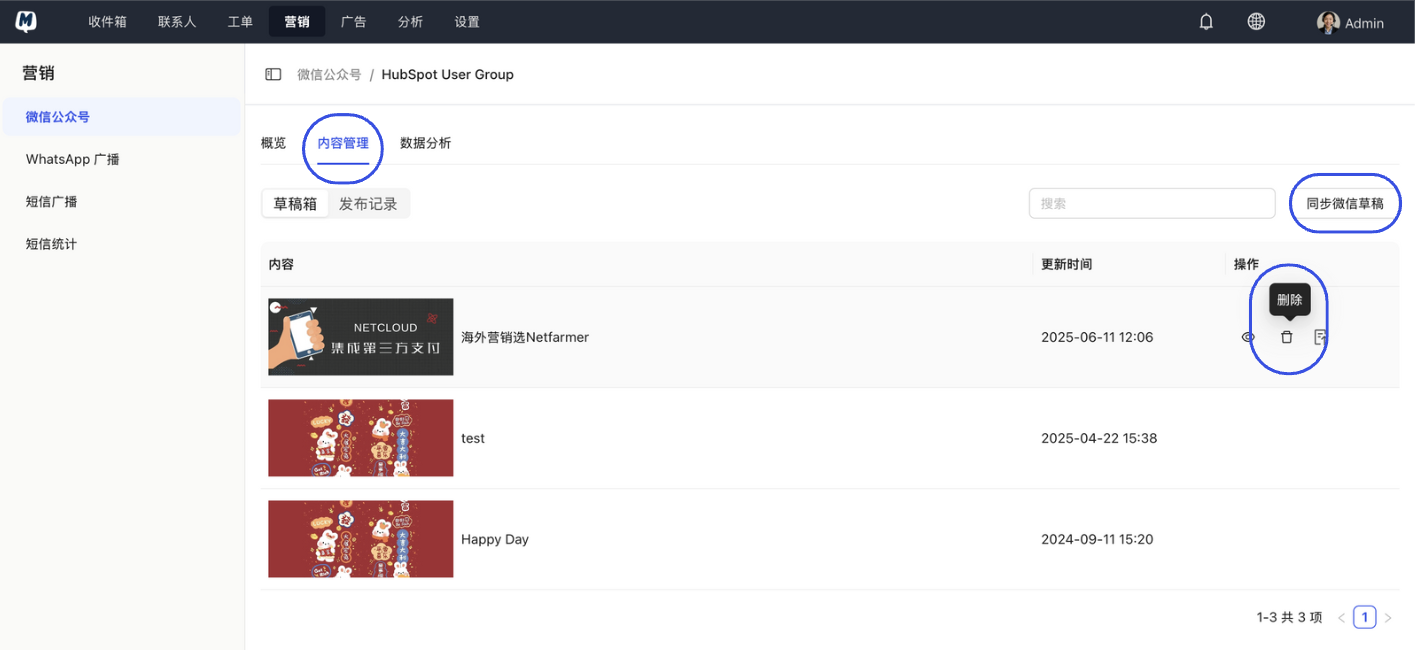
- Click "Delete" in the operation column to remove the draft.
Suggestion
Before performing "Publish" or "Delete" operations, it is recommended to click "Preview" to double-check the content and ensure the publishing effect meets your expectations.