Why Does Form Contact Synchronization Fail?
If you find that the contact list has not updated after a customer submits a form, or if the "Submitted Data" page shows a synchronization failure, it is usually caused by field mapping rules or data uniqueness validation.
How to Check the Specific Reason for Sync Failure?
The system records the synchronization status for every form submission.
- Enter the Target Form Go to Settings > Channels > Forms and click on the form you are using.
- Switch to the Data Tab
At the top of the form details page, click the "Submitted Data" tab.
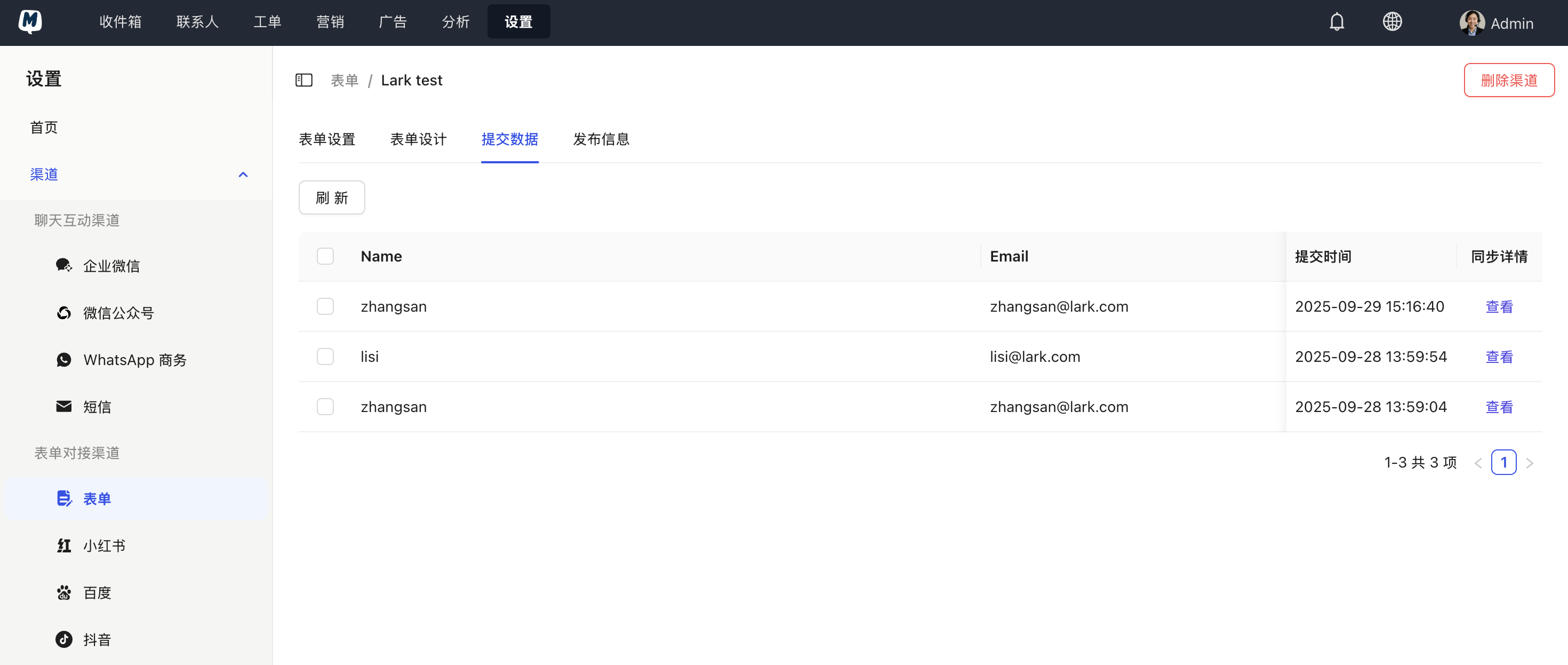
- View Sync Details
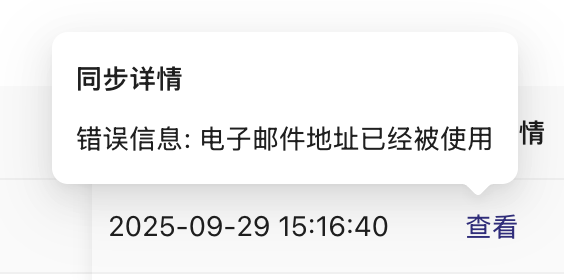
In the corresponding record row, locate the "Sync Details" column and click "View". A pop-up will display the specific error message (e.g., mismatched field types, missing required fields, etc.).
Common Failure Reasons and Solutions
Based on system feedback, you can refer to the following common causes for troubleshooting:
1. Field Mapping Type Mismatch
This is the most common reason. For example, if you collect data in a "Date" format in the form but map it to a "Single Select" field in MsgBox contacts, the data write will fail.
- Solution: Check Form Settings > Contact Sync Settings and ensure that the form fields and contact attribute fields have matching types.
2. Uniqueness Conflict (Phone/Email Already Exists)
MsgBox uses phone numbers or email addresses as unique identifiers for contacts by default. If the submitted phone number duplicates an existing contact and the sync rule is set to "Do not overwrite," an error will occur.
- Solution: Check your "Duplicate Data Handling Policy" in the sync settings. We recommend setting it to "Update Existing Contact."
3. HubSpot Sync Failure (Cascading Error)
If you have enabled HubSpot Sync but the form is missing a required field mandated by HubSpot, the synchronization will be interrupted.
- Solution: Ensure the form includes all mandatory fields required for syncing to the CRM.
If you modify the definition of a contact field, be sure to go back to the form settings and save the sync configuration again to refresh the mapping relationship.
Related Help Documents: