Other Add-on Services
To meet the advanced needs of enterprises in regulatory compliance, lead generation growth, and multi-channel outreach, MsgBox provides a range of value-added services related to WeCom and SMS.
1. WeCom Message Archiving
Message Archiving is a regulatory compliance feature provided officially by WeCom. Once enabled, enterprises can legally and compliantly store and inspect communication content (text, images, voice, recalled messages, etc.) between employees and customers.
Pricing Standards
- Basic Archiving Edition: $50 / user / year (includes archiving for internal/external text, images, etc.)
- Voice Call Edition: $100 / user / year (includes basic archiving plus voice call archiving)
- The above prices do not include tax.
- You must use the MsgBox Professional or Enterprise edition to enable this feature.
- Payments will be automatically converted and rounded based on real-time exchange rates.
How to Enable
- Go to Settings > Channels > WeCom.
- Click "+ Purchase" to the right of the "Version" section.
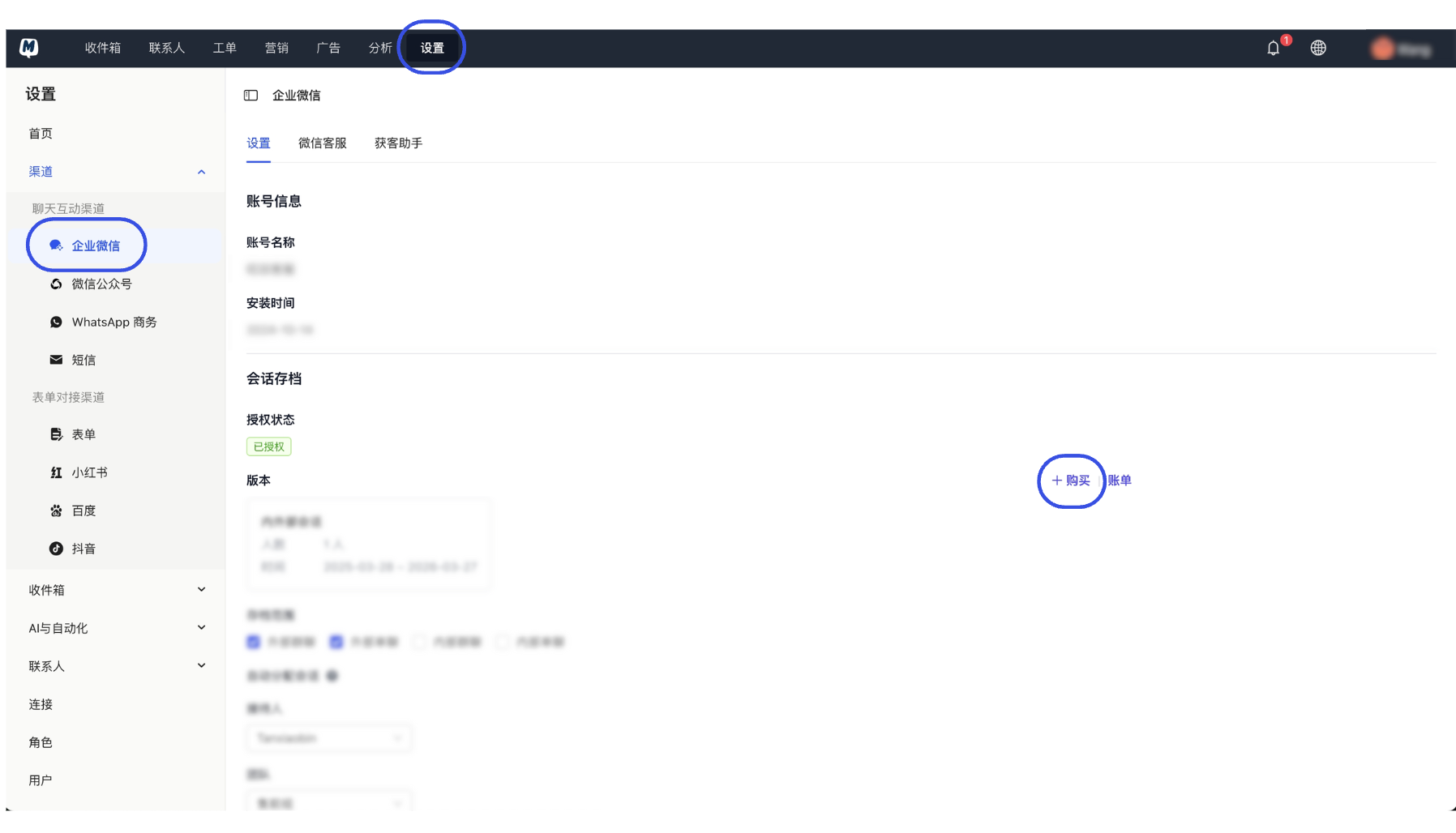
- Select the purchase type (New/Additional/Upgrade) and the number of users. Choose your payment method and click "Submit and Pay".
2. WeCom Interconnection Account
The Interconnection Account is the key to unlocking advanced customer acquisition capabilities within WeCom.
- Core Features: Unlocks the Acquisition Assistant feature; allows viewing the identity of specific message senders in group chat archives.
- Pricing Standard: $50 / user / year (exclusive of tax).
You must have already enabled the WeCom Message Archiving feature before you can purchase and use the Interconnection Account service.
How to Enable
- Go to Settings > Channels > WeCom.
- Click "+ Purchase" to the right of "Interconnection Account".
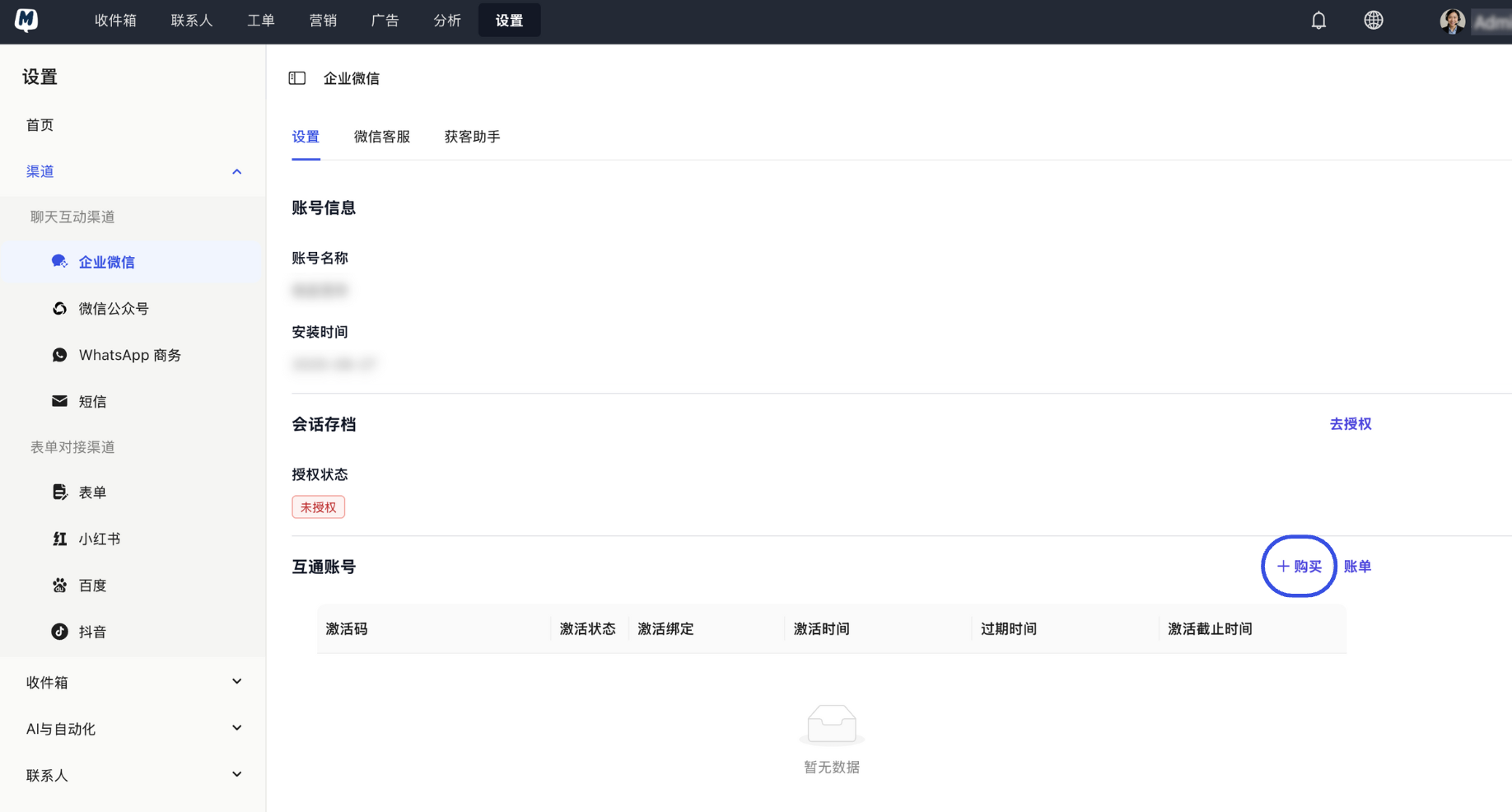
- Select the quantity and duration, then click "Proceed to Pay".
3. SMS Service
MsgBox supports global customer outreach and marketing broadcasts via SMS.
- Consumption Model: The SMS service is not billed annually; instead, it consumes Credits within the system.
- Refilling Usage: If your Credits are insufficient, please refer to How to add usage? to purchase more.
Related Guides:
Next Steps: