How to Connect WeChat Work (WeCom)?
By connecting WeChat Work, you can centrally manage customer communications, use WeChat Customer Service, and synchronize message archiving within MsgBox.
Performing this authorization requires WeChat Work Administrator permissions. If you are not an administrator, please contact your company's IT or relevant personnel for assistance.
Steps
-
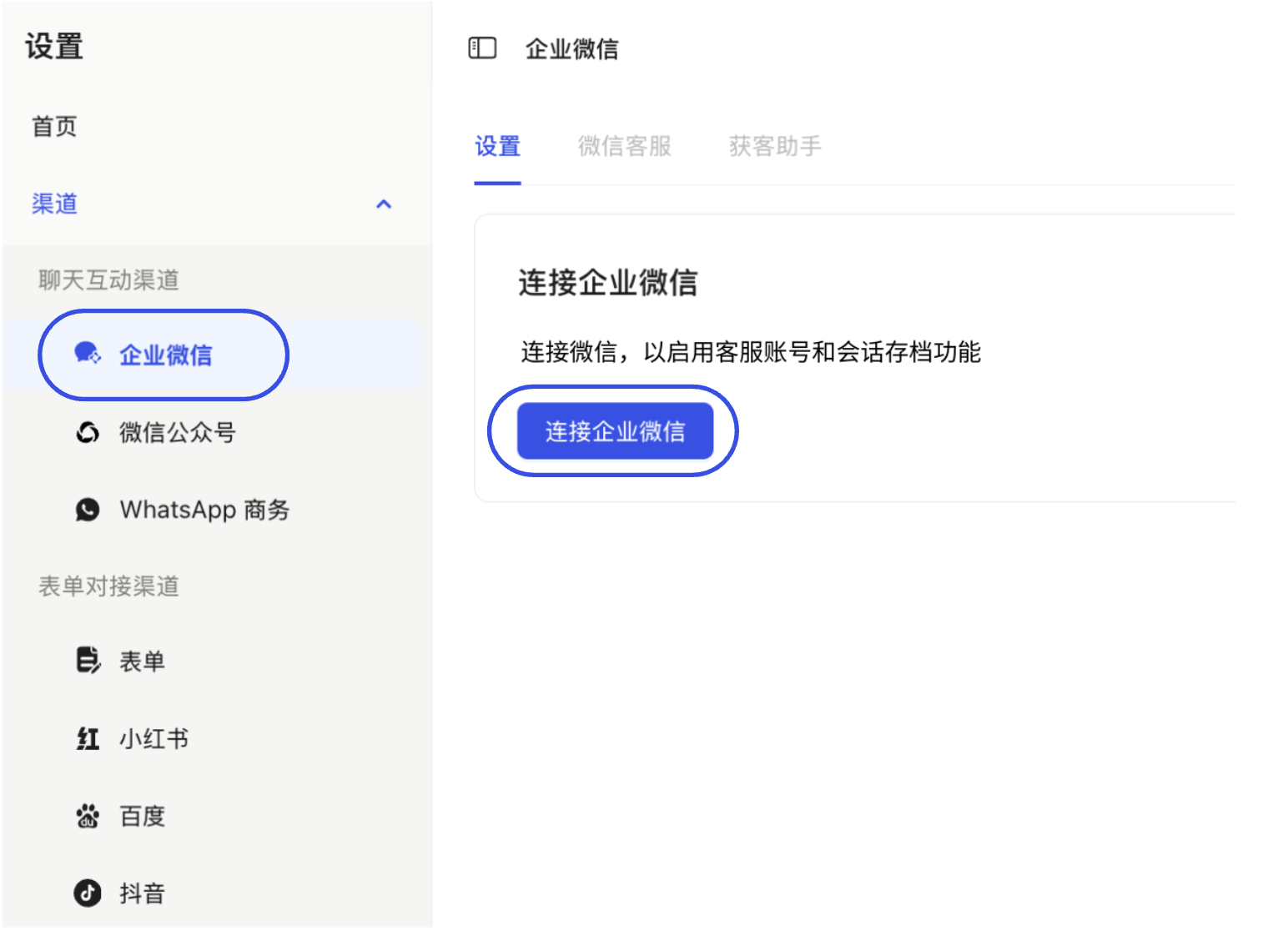
Initiate Connection Go to the Settings > Channels > WeChat Work page and click the "Connect WeChat Work" button.
-
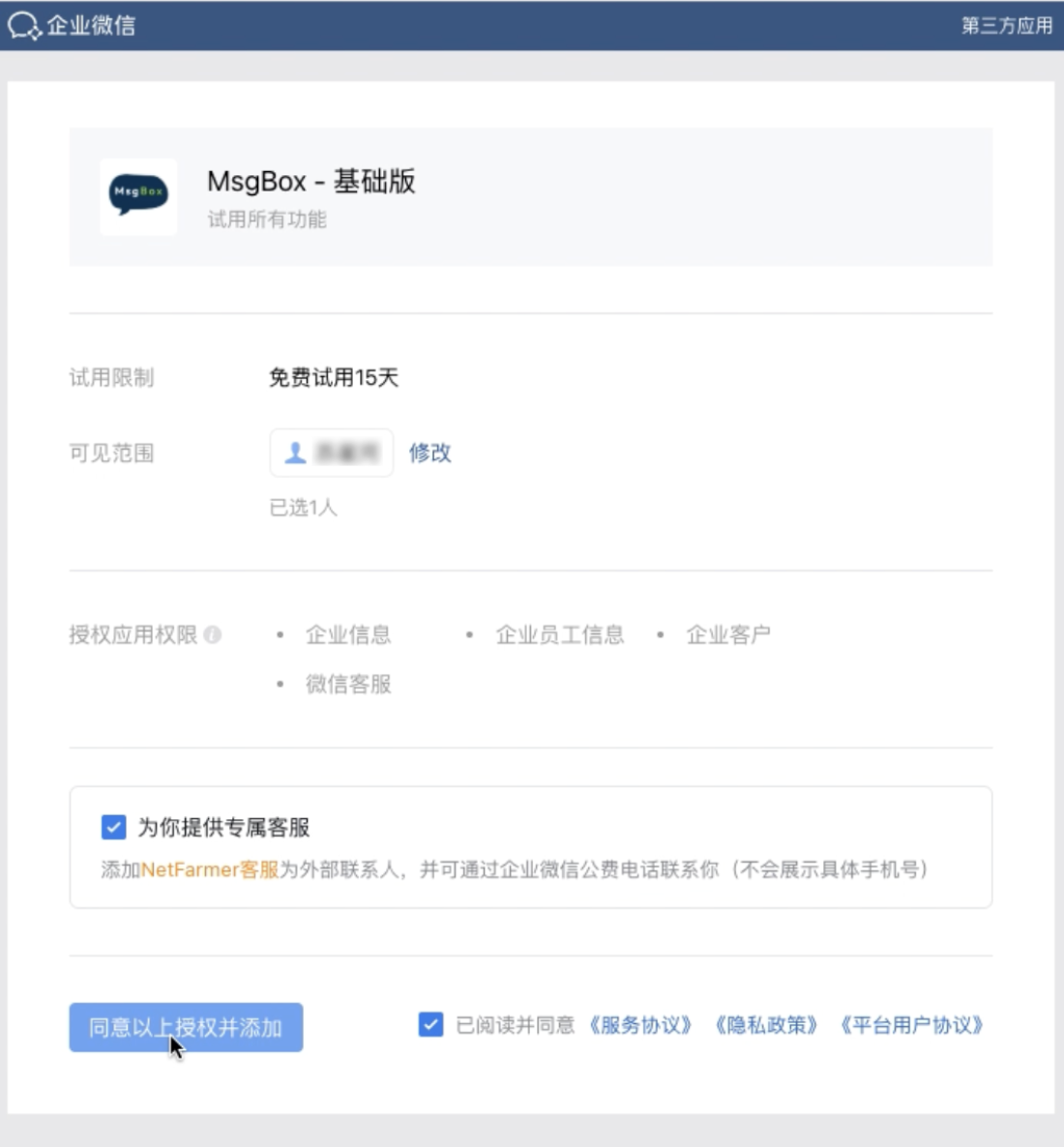
Login and Confirm Authorization The system will redirect you to the official WeChat Work authorization page. Please log in with an administrator account and ensure the following options are checked:
- Provide exclusive customer service for you (i.e., adding NetFarmer customer service as an external contact).
- I have read and agree to the relevant service agreements and privacy policies.
-
Complete Addition Click "Agree to authorization and add".
-
Confirm Return Upon successful authorization, the page will automatically redirect back to MsgBox and display the connected account information.
Notes
- Exclusive Customer Service Option: Checking "Provide exclusive customer service for you" during authorization allows the system to provide technical support and official phone services through the WeChat Work interface. This operation does not leak your specific mobile phone number.
- Connection Status: After the connection is complete, it is recommended to go to the "WeChat Customer Service" tab to check the synchronization status and ensure the channel is fully activated.
Next Steps: