How to Use Xiaohongshu Forms to Collect Customer Information?
Using the API push feature, you can synchronize leads collected from your Xiaohongshu JuGuang platform landing pages to MsgBox in real-time.
Before using this feature, your Xiaohongshu Professional Account must have access to the JuGuang Platform (Advertising Platform) and permissions to edit landing pages.
Steps
Step 1: Obtain the API Link in MsgBox
-
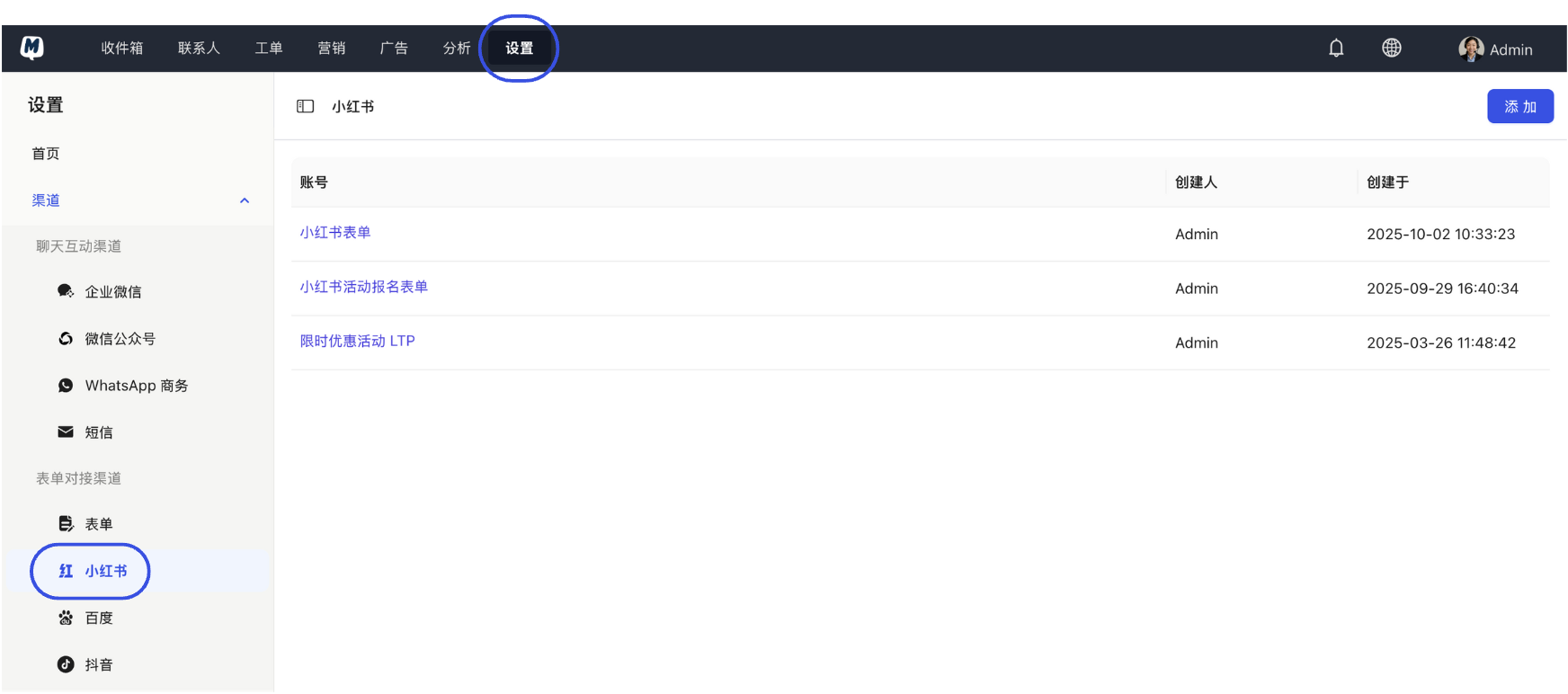
Go to Settings > Channels > Xiaohongshu.
-
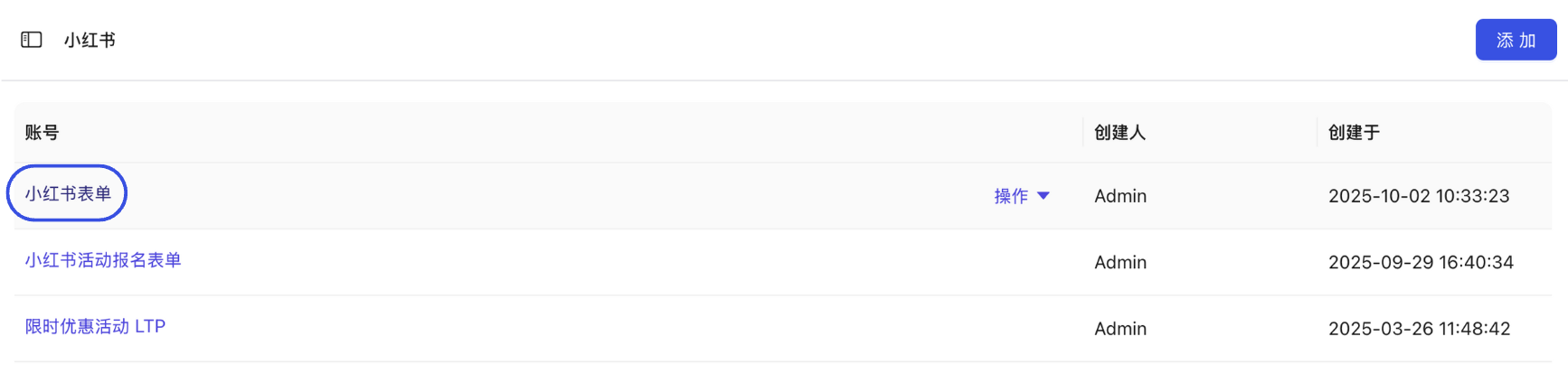
Select the target form you wish to use from the list.
-
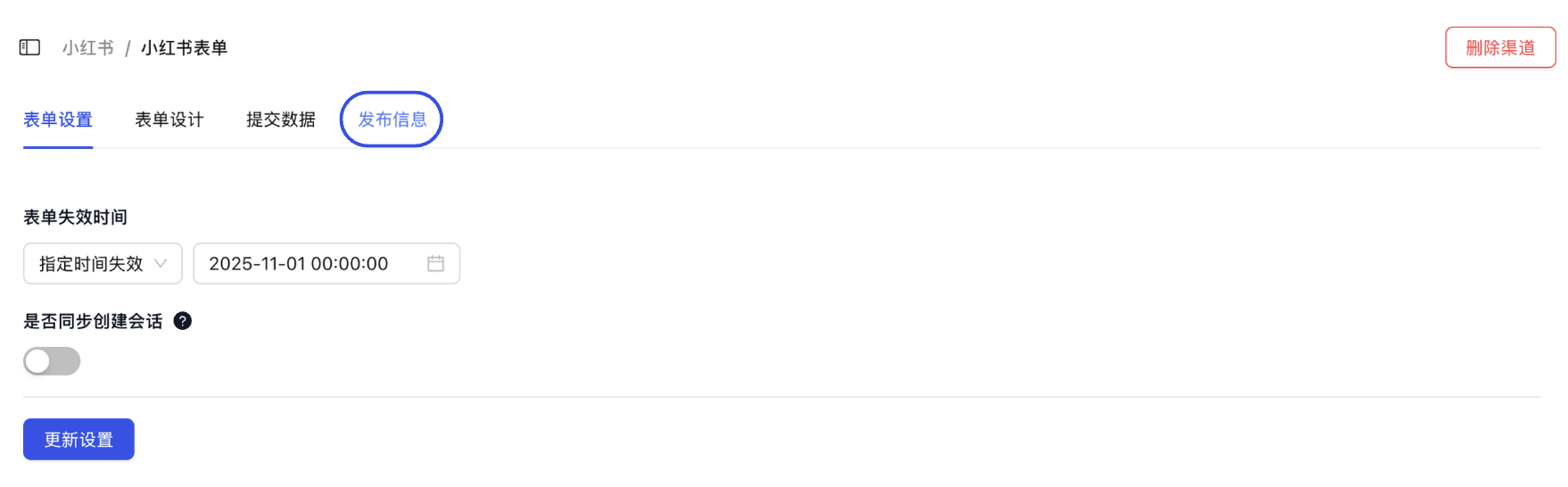
Click "Publish Information" in the top right corner of the page.
-
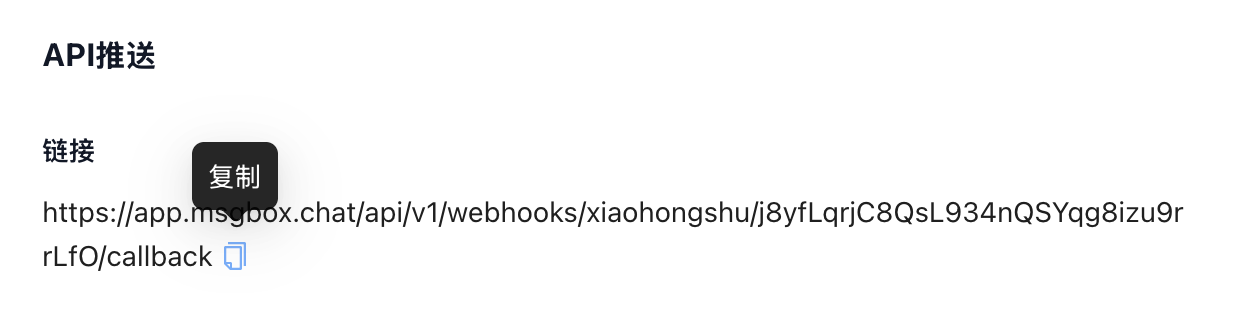
In the "API Push" section of the pop-up, click the icon to Copy the API Link.
Step 2: Configure Push in Xiaohongshu JuGuang Platform
- Log in to the Xiaohongshu JuGuang Platform and enter your Landing Page Editor.
- Find the "Data Push" section and paste the API link you just copied from MsgBox.
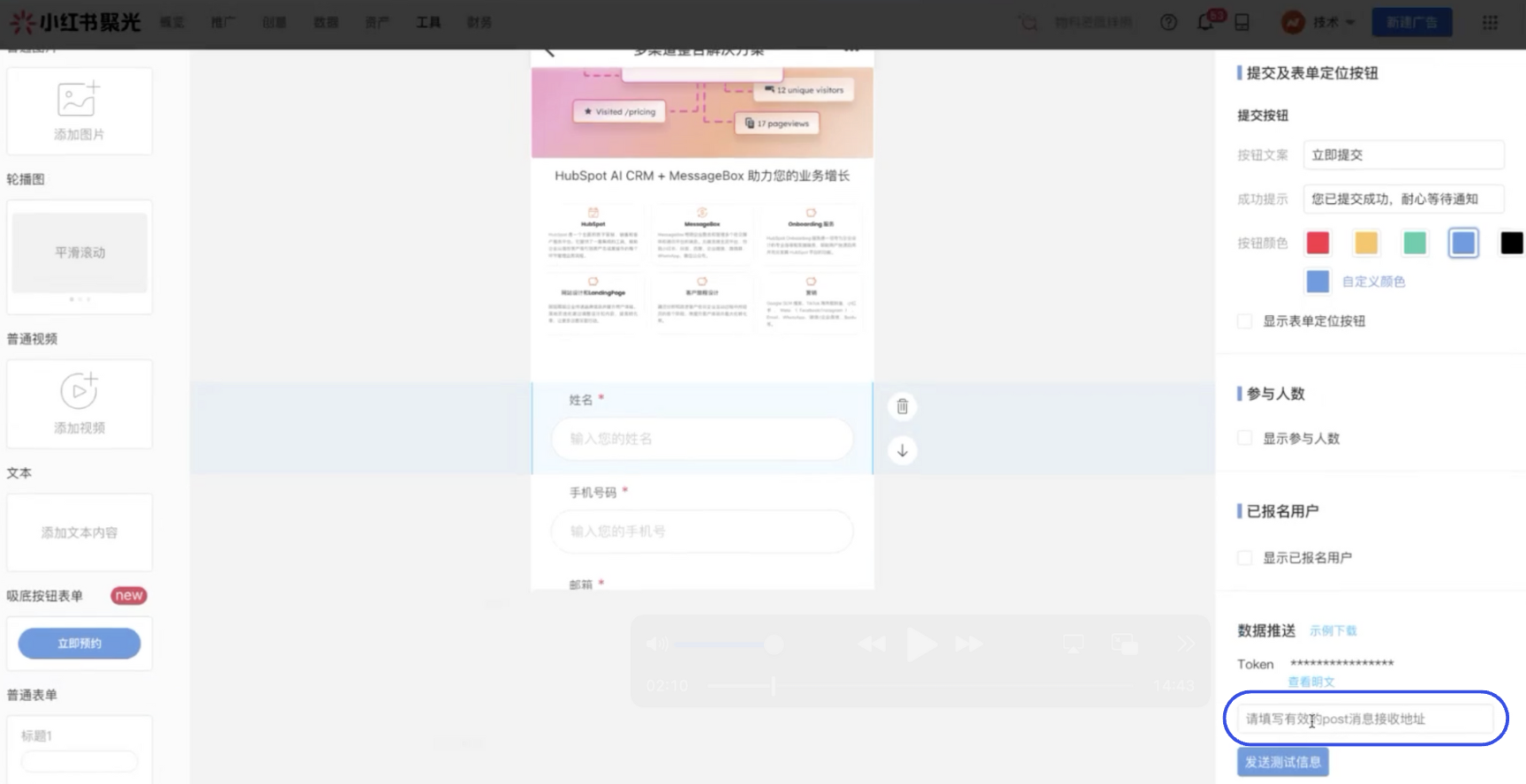
Step 3: Test and Confirm
- Send Test Data: Submit a piece of test information on the JuGuang platform page.
- Verify Sync: Return to MsgBox to check if the lead was successfully received.
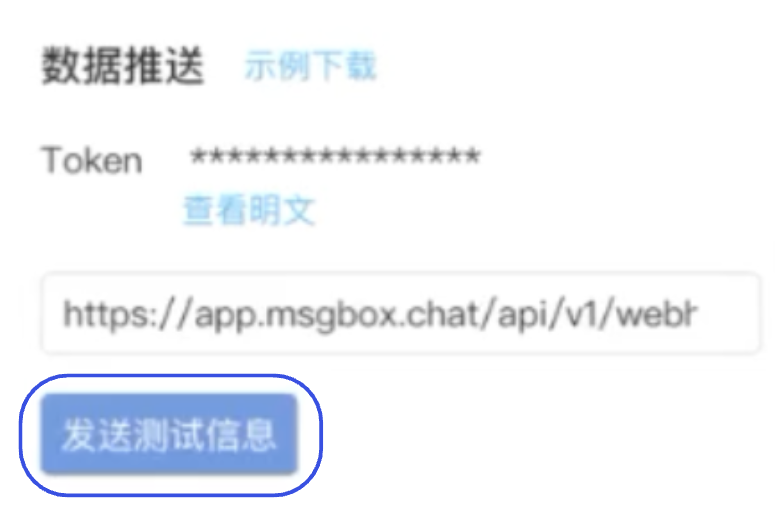
FAQ
Q: Why are leads not syncing to MsgBox after configuration? A: Please check if the API status in the Xiaohongshu JuGuang platform shows "Push Successful." If the push failed, ensure the API link is complete (including all parameters).
Q: Why does the synced contact name appear as "Xiaohongshu User"? A: This depends on the fields you set in your landing page form. Please ensure that the landing page form field names correspond one-to-one with the MsgBox form fields.
Next Steps: