How to Configure MsgBox AI Agents?
The MsgBox AI Agent is your 24/7 virtual assistant. Through a simple configuration, it can learn your business knowledge, automatically reply to customer inquiries, and assist human agents with repetitive tasks.
Steps
-
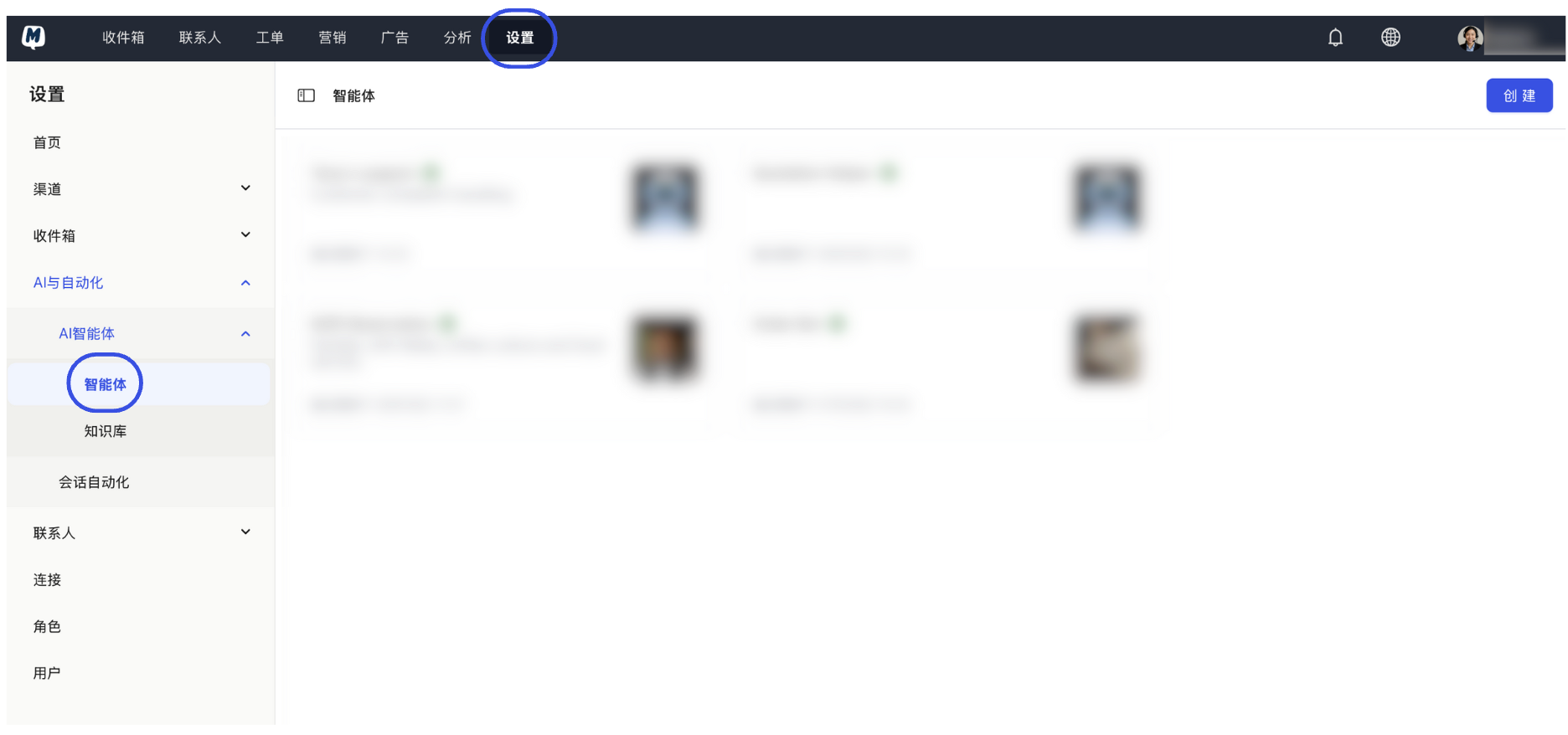
Enter Agent Settings Go to the Settings > AI & Automation > AI Agent > Agents page.
-
Initiate Creation Click the "Create" button in the top right corner.
-
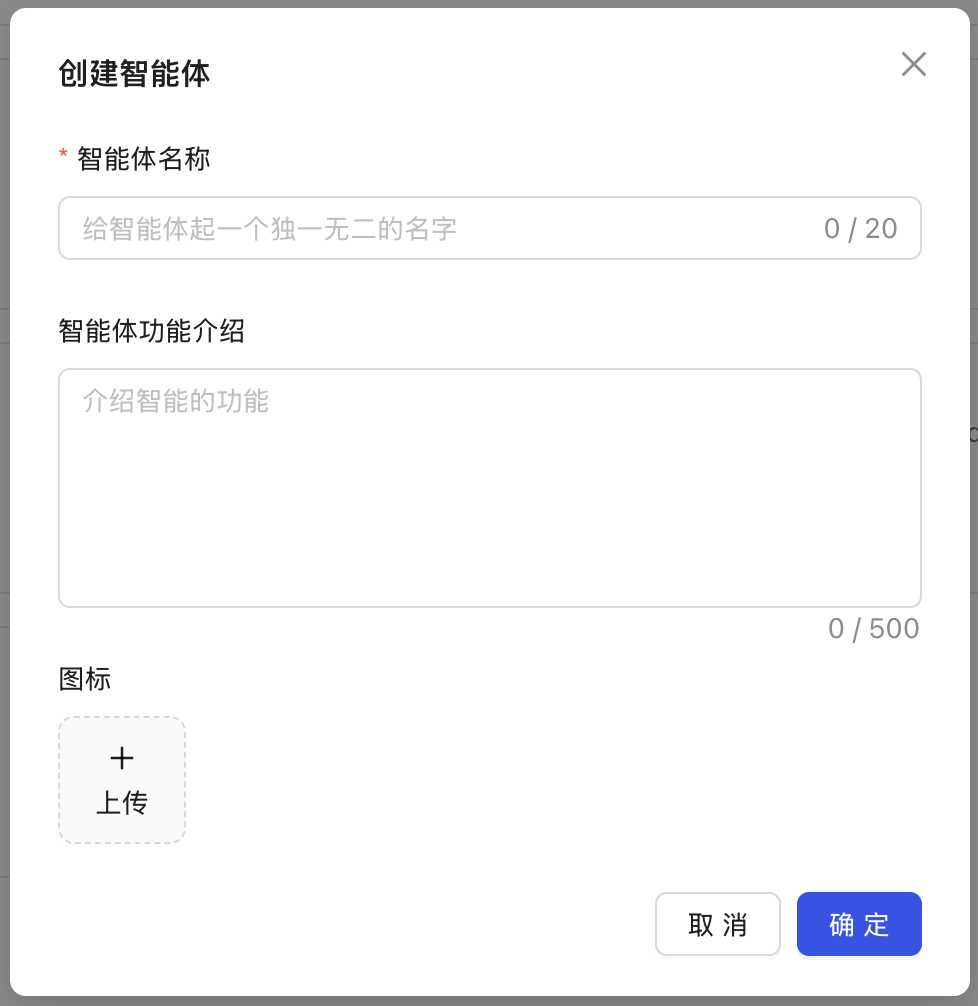
Fill in Basic Information Set the name of the agent and its identity description within conversations.
-
Personalized Visual Setup Click on the avatar area to upload an Agent Avatar that represents your brand image or customer service persona.
-
Save Configuration Click "Save" to complete the basic creation of your agent.
After the basic creation is complete, your agent needs "Knowledge Bases" or "Instructions" to understand your business logic. You can continue reading How to personalize agent instructions and knowledge bases? to teach it how to handle specific business inquiries.
Related Guides: