Understanding the Inbox
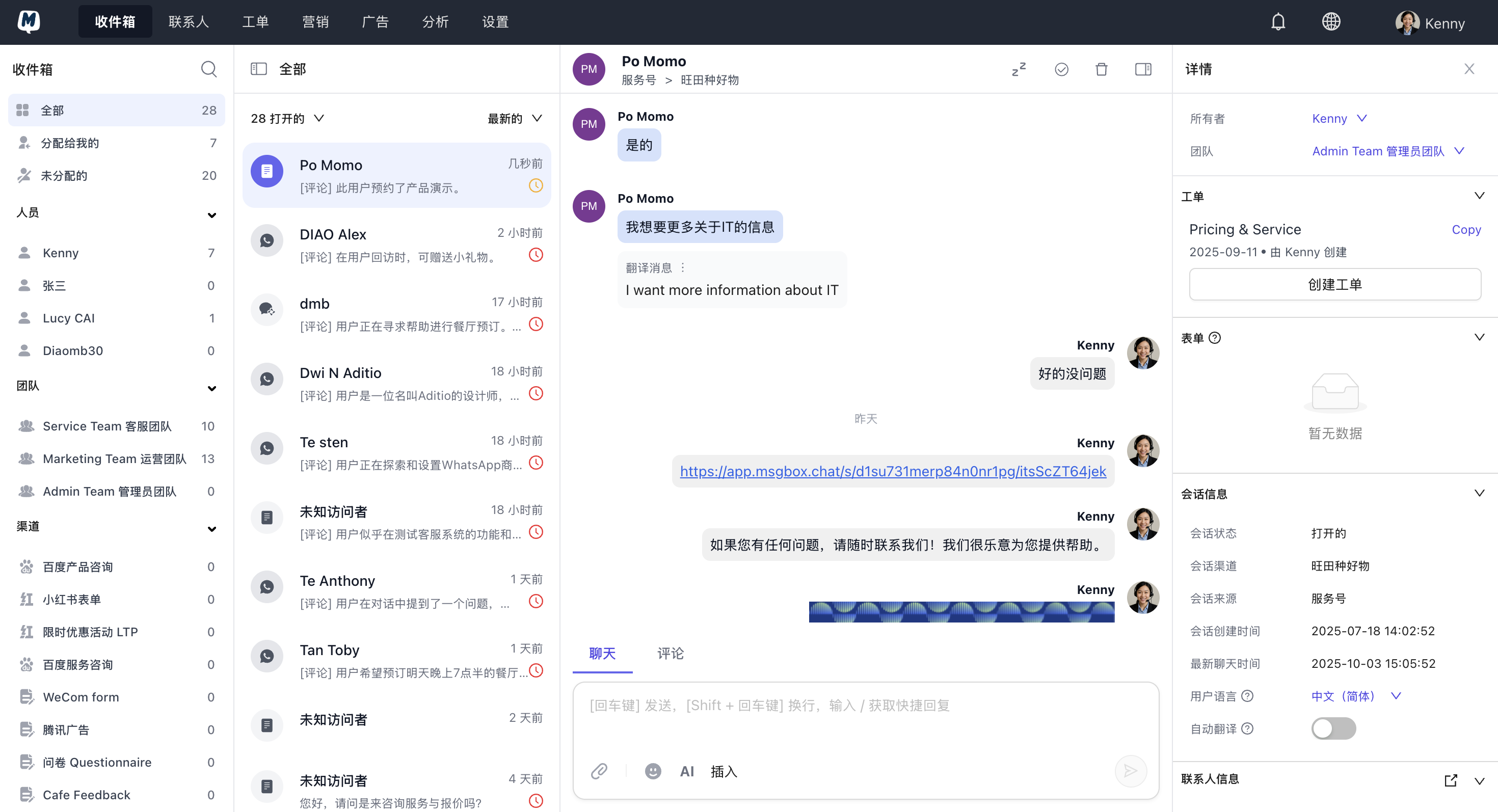
The MsgBox Inbox is the central hub for handling all your omnichannel communications. It consolidates customer messages from multiple channels such as WhatsApp Business, WeCom (WeChat Work), and WeChat Official Accounts, allowing your team to efficiently view, assign, and reply within a single interface.
Core Capabilities
- Centralized Management Say goodbye to switching back and forth between platforms. MsgBox integrates messages from all connected channels into a unified view, ensuring no customer feedback is missed.
- Diversified Interaction Supports sending text, images, videos, custom forms, knowledge base documents, and personalized templates.
- Deep Team Collaboration Supports assigning conversations to specific members and allows sharing customer context through internal comments (private notes) for seamless handovers.
- Customer Information Synergy Deeply integrated with contact profiles and HubSpot CRM. You can view customer ticket history directly in the chat sidebar to make your replies more targeted.
- Intelligent Efficiency Enable AI Agents for automated replies, or use AI tools for conversation summaries and message polishing.
- Data-Driven Decisions Built-in multi-dimensional data reports to analyze conversation trends, response times, and acquisition conversion rates.
Interface Overview
Collaboration Tip
Using the "Internal Comment" feature, you can @ team members directly within a conversation for support without the customer ever knowing. This is an excellent way to improve efficiency when handling complex issues.
Next Steps: