How to Collect Customer Information via Baidu Forms?
By pushing leads from Baidu Marketing (Aifanfan) to MsgBox in real-time via API, you can achieve instant response and automated archiving for search promotion leads, significantly improving advertising conversion efficiency.
Phase 1: Obtain the Push Link in MsgBox
- Enter Baidu Channel Settings Go to Settings > Channels > Baidu.
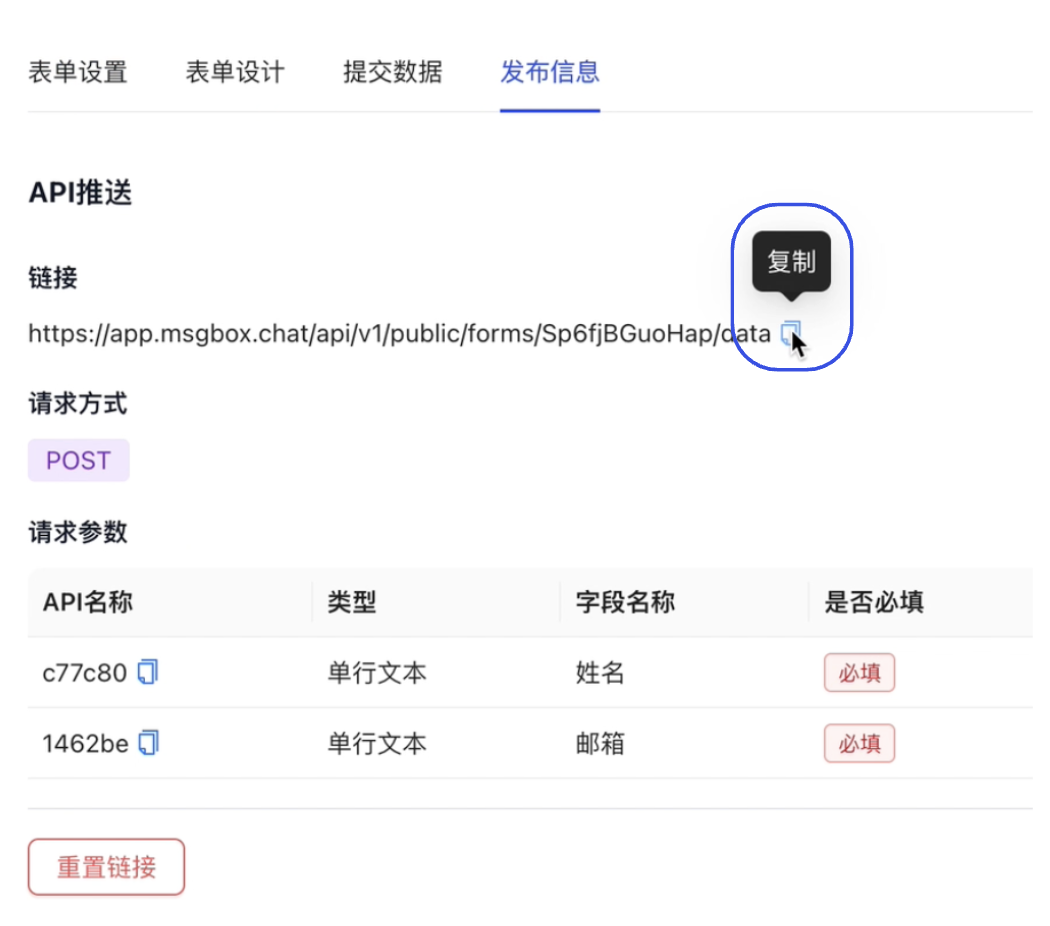
- Get Publish Information Select the form you wish to use and click "Publish Information" in the top right corner.
- Copy the API Link
In the "API Push" section, copy the unique Notification URL generated by the system.
Phase 2: Configure Push Rules in Baidu Aifanfan
- Enter API Settings Log in to the Baidu Marketing platform and enter Marketing Services > Aifanfan. In the Aifanfan backend, go to Settings > Lead Settings > API Export.
- Create a New Push Rule Click "Push Interface Configuration" > "New Rule" and enter a rule name.
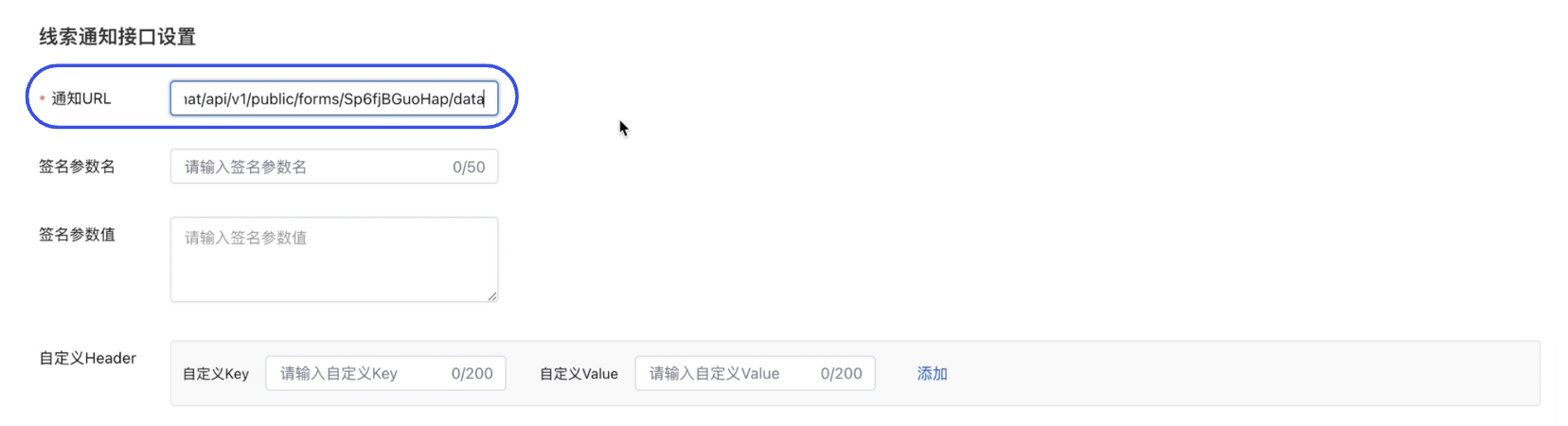
- Configure the Notification Address
In the "Notification URL" field under "Lead Notification Interface Settings", paste the link you copied from MsgBox.
Phase 3: Key Field Mapping (Critical Step)
To ensure that information captured by Baidu (such as name and phone number) accurately corresponds to MsgBox fields, you must complete the parameter name mapping.
- Standard Field Mapping In "Mapping Relationship Settings", fill in the "Mapped Parameter Name" corresponding to the "Original Parameter Name."
- Custom Form Field Mapping
Click "Add Form Field."
- C-end Display Name: Enter the name as it appears on the Baidu form.
- Mapped Parameter Name: This must correspond to the "API Name" found in the MsgBox Baidu Form Publish Information column.

Phase 4: Test and Launch
- Send Test Data Click "Send Test Data" on the Interface Settings page.
- Verify Results
Return to the MsgBox Submitted Data page and confirm if the test record was received.
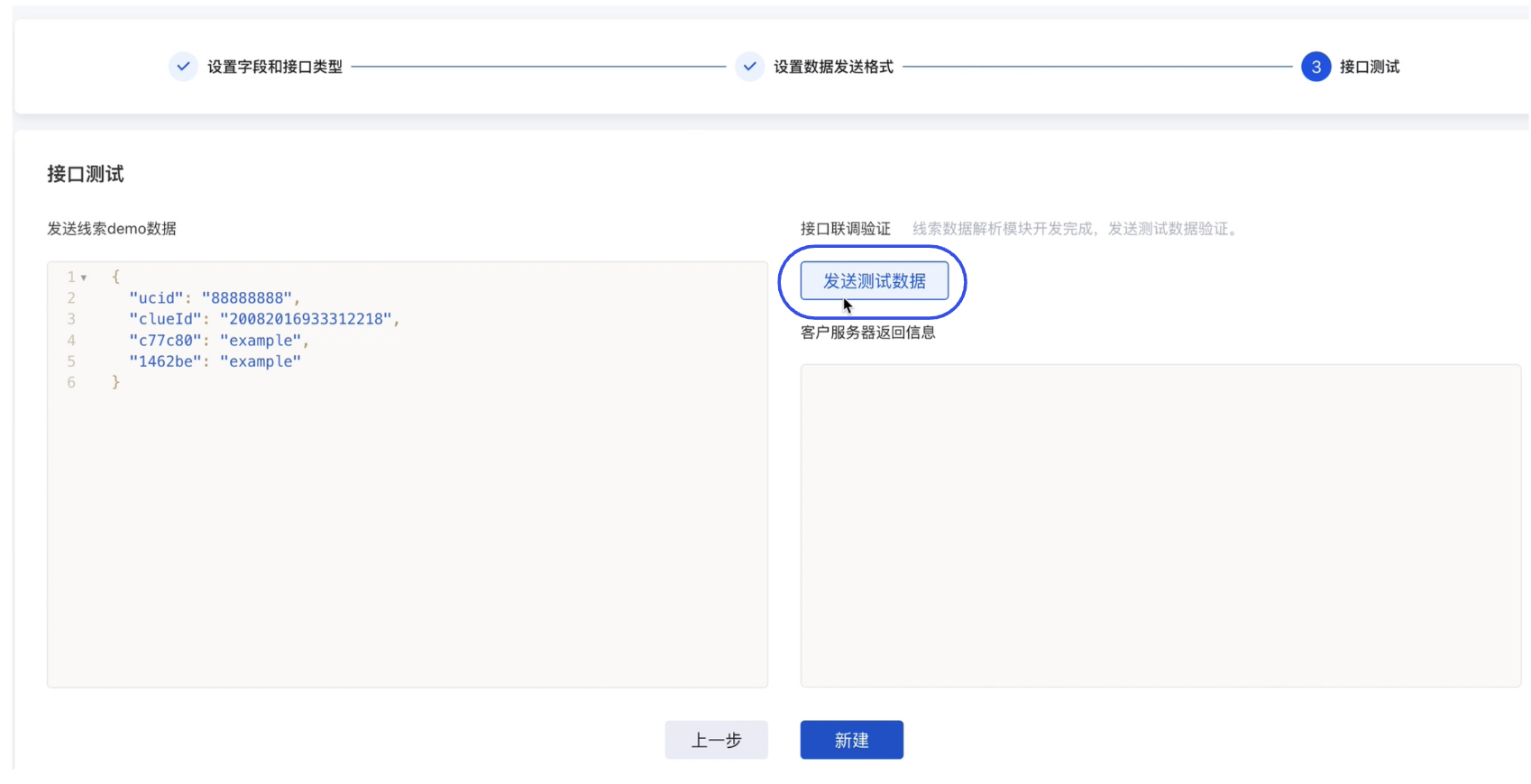
- Official Launch Once verified, click "New" and then click "Launch" on the list page. Information submitted by Baidu users will now automatically sync to MsgBox.
Field Correspondence Note
When configuring mapping in Aifanfan, be sure to refer to the correspondence in the MsgBox "Publish Information" section:
- Baidu's Mapped Parameter Name = MsgBox's API Name.
- If the mapping does not match, the data fields synced over will be empty.
Efficiency Suggestion
It is recommended to enable Automatic Contact Sync for Baidu forms. When new leads arrive, MsgBox can automatically create corresponding contacts or tickets in HubSpot CRM based on your rules.
Related Guides: