How to Collect Customer Information via Douyin Forms?
By connecting Douyin's Ocean Engine (巨量引擎) landing page forms with MsgBox, you can achieve second-level synchronization of advertising leads. When potential customers swipe through Douyin ads and submit their information, the data will flow directly into the MsgBox Inbox, allowing your sales team to follow up immediately.
Steps
-
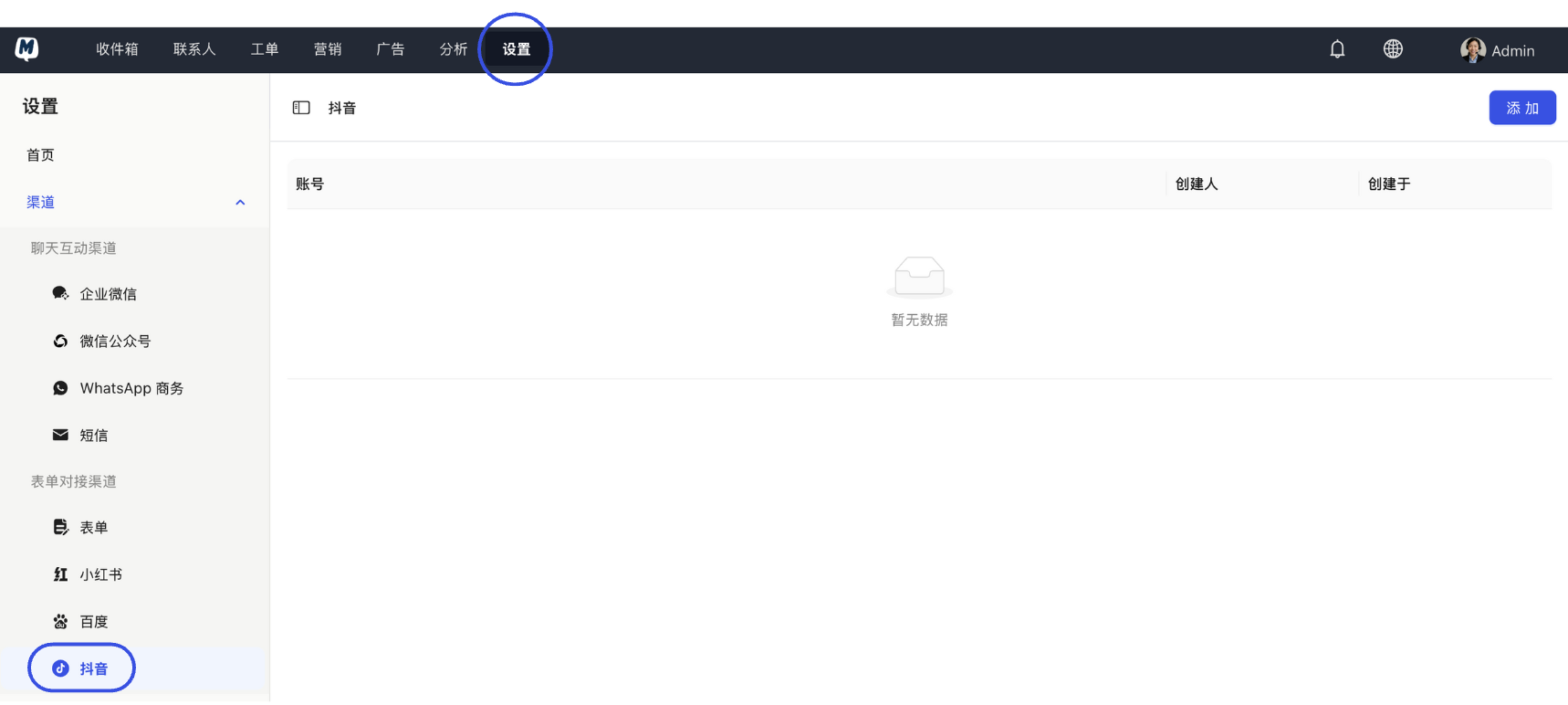
Enter Douyin Channel Settings Go to Settings > Channels > Douyin.
-
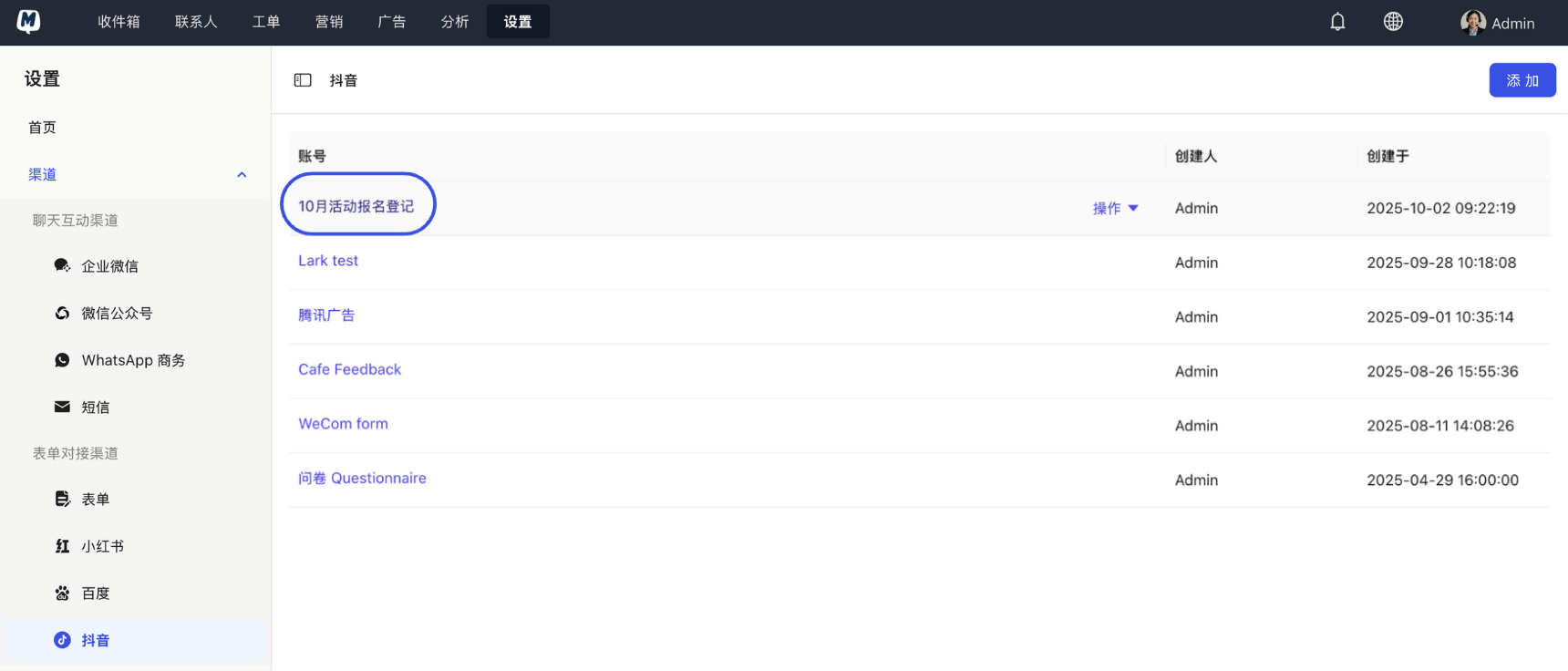
Select Target Form Locate and click on the form entry you wish to associate in the list.
-
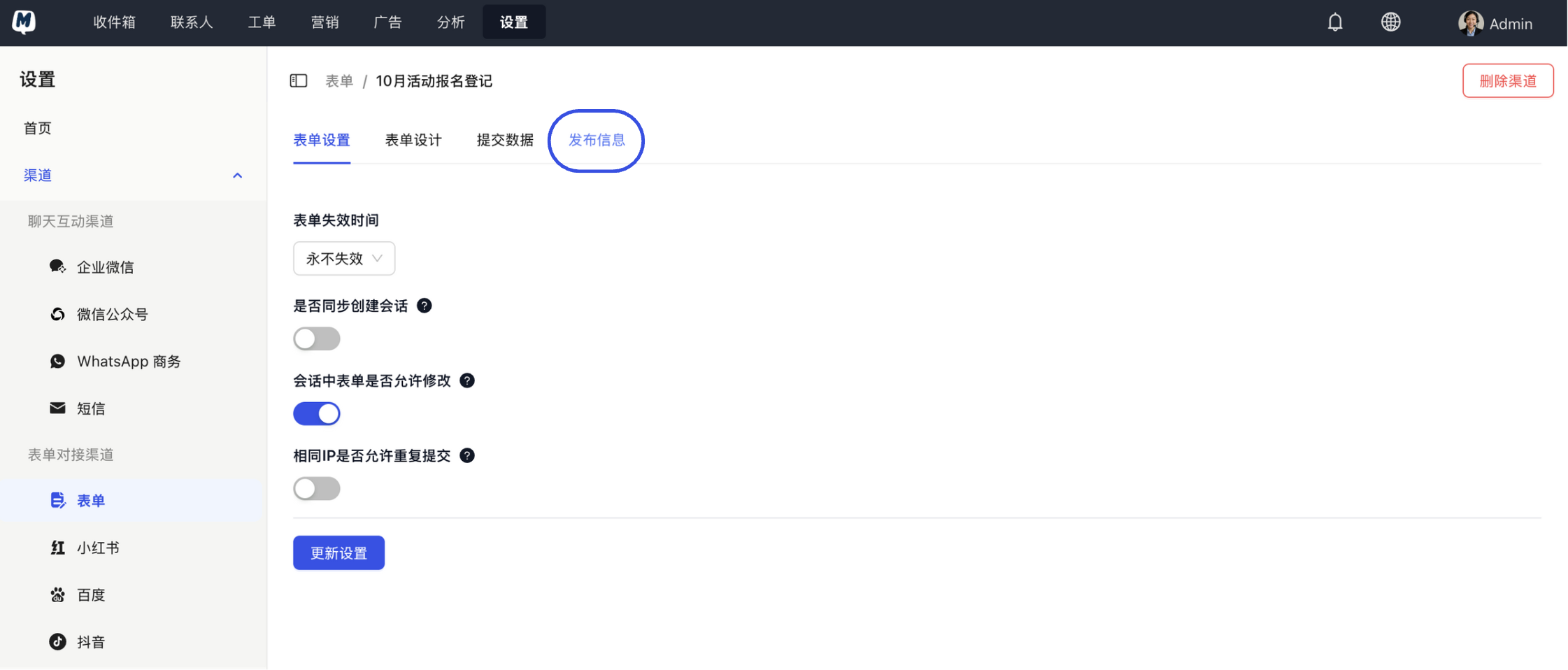
Get Publish Information Click the "Publish Information" button in the top right corner.
-
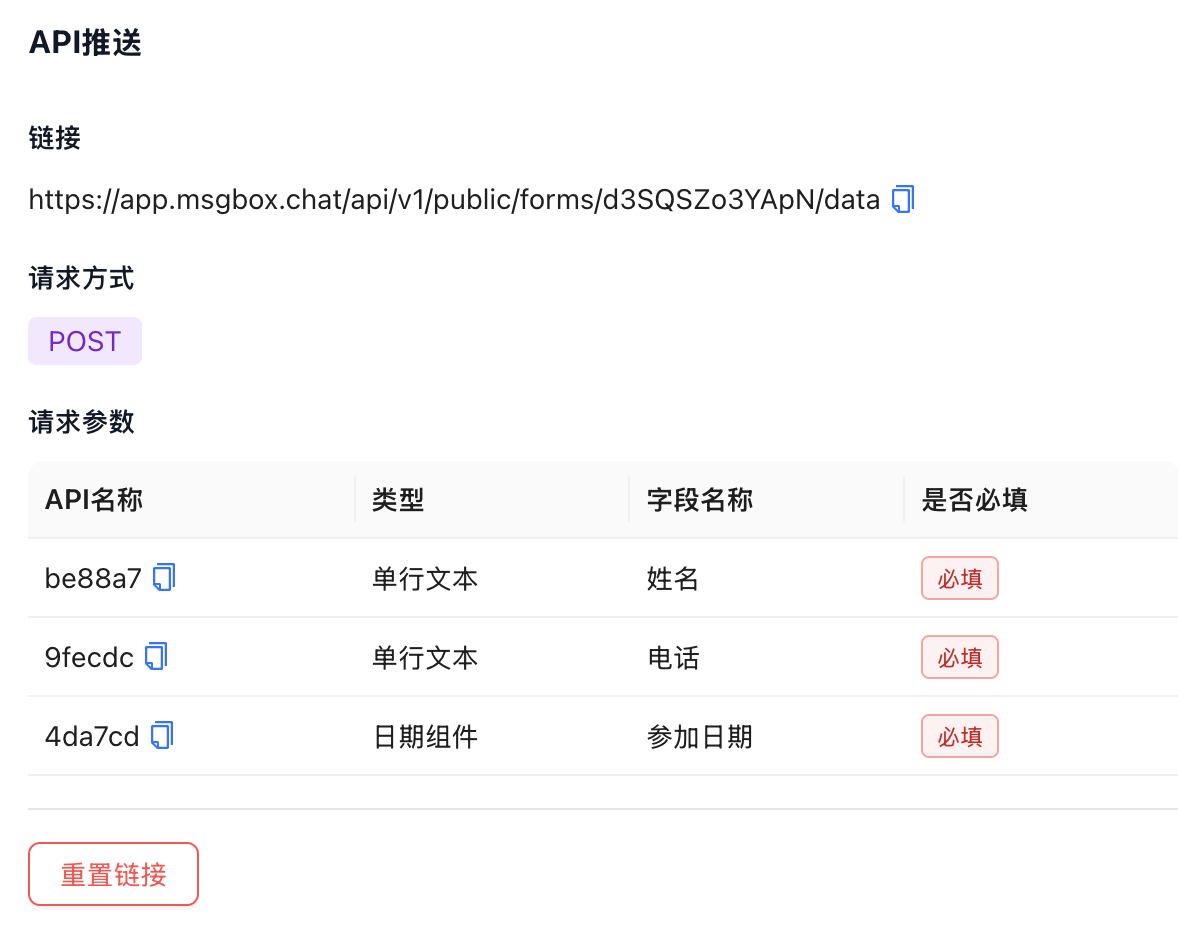
Copy API Push Link Switch to the "API Push" tab and click to copy the unique API link generated by the system.
-
Complete Configuration in Ocean Engine Log in to your Douyin Ocean Engine platform and go to the corresponding Landing Page Editor:
- In the "Data Push" or "Webhook Settings" section, paste the API link you just copied from MsgBox.
- Save and publish the landing page.
After configuration, we recommend manually submitting a test lead in the Douyin landing page preview mode. Then, head to the Submitted Data page in MsgBox to verify if the new record has arrived, confirming a successful connection.
Efficiency Tip
- Automatic Archiving: You can enable Form Contact Sync Settings to let Douyin leads automatically convert into MsgBox contacts tagged with a "Douyin Source" label.
Related Help Documents: