How to Sync WeChat Official Account Message Templates?
By syncing templates in MsgBox, you can send important service notifications to your followers. Please note that the use of template messages must comply with WeChat's official compliance requirements.
According to official WeChat regulations, template messages are strictly limited to service notification scenarios (e.g., order confirmation, payment reminders, interview notifications, etc.). It is strictly forbidden to use them for sending any form of advertising, promotions, or other marketing messages. Violations may lead to the banning of your Official Account's API permissions.
Steps
-
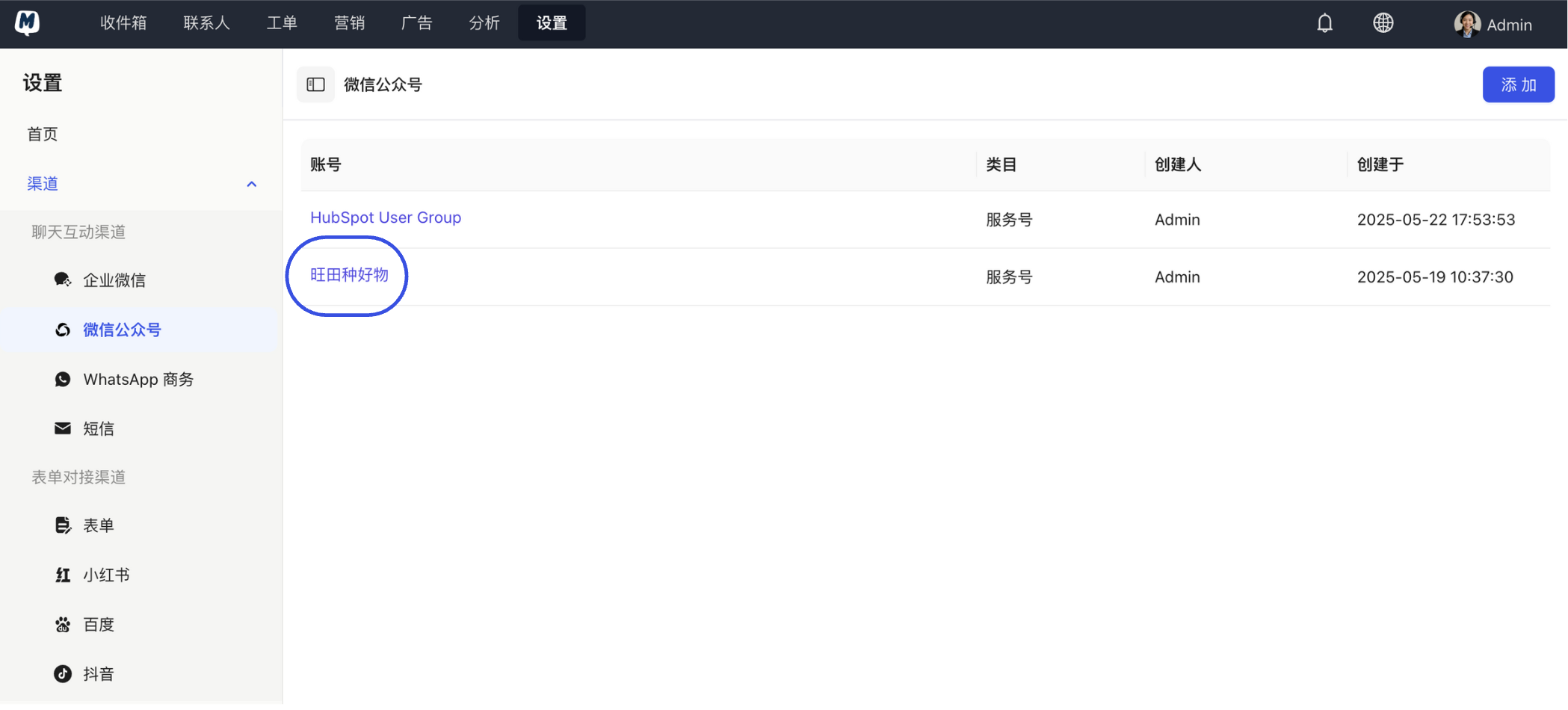
Select Target Official Account Go to Settings > Channels > WeChat Official Account and click on the name of the account you wish to manage in the list.
-
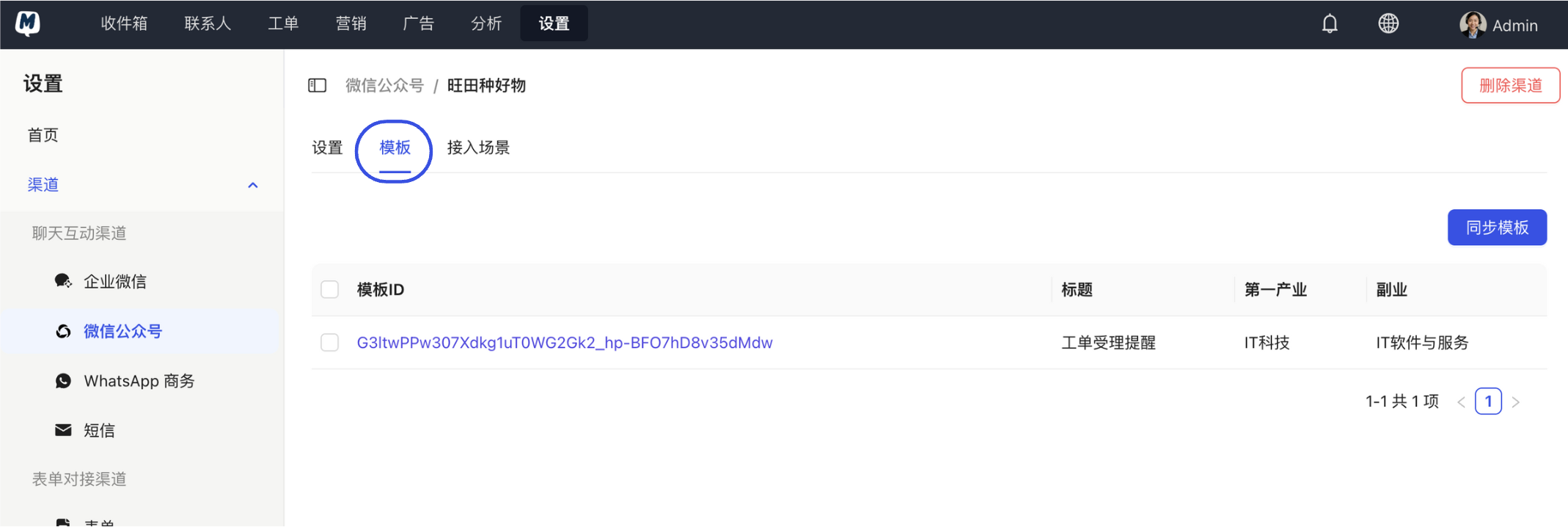
Switch to Templates Tab On the account details page, click the "Templates" tab at the top.
-
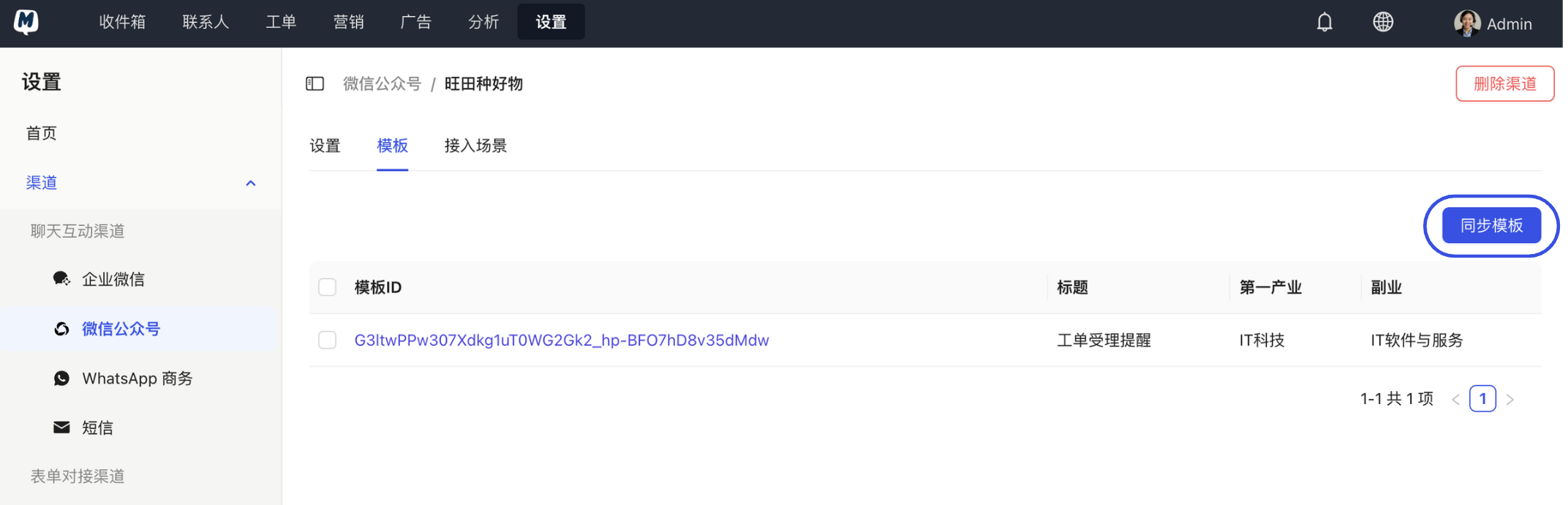
Execute Sync Click the "Sync Templates" button in the top right corner. The system will automatically pull all approved message templates from the WeChat backend.
FAQ
Q: Why is the list empty after syncing? A: Please log in to the WeChat Official Accounts Platform backend to check if the "Template Message" feature is enabled and ensure you have approved templates in "My Templates."
Q: Will MsgBox automatically update when I pick up a new template in the WeChat backend? A: No, it does not sync automatically in real-time. Whenever you add or modify a template in the WeChat backend, you need to return to MsgBox and manually click "Sync Templates" once.
Next Steps: