Xiaohongshu Advertising Support
Through the deep integration of MsgBox and the Xiaohongshu Spotlight (XHS Spotlight) platform, you can manage ad delivery directly within the CRM, capture DM leads and form data in real-time, and perform full-link performance analysis.
1. Pre-connection Preparation
Before you start connecting, please ensure you meet the following conditions:
- MsgBox Version: Trial, Enterprise.
- Account Requirements: Have an active Xiaohongshu Professional Spotlight account (Registration Link), ensure the account has passed the annual review, is operating compliantly, and has the landing page feature enabled.
- Permission Requirements: The authorization must be performed by the Administrator of the Xiaohongshu Professional Account.
2. How to Connect a Xiaohongshu Spotlight Account?
- Enter the Ads Page Go to the Ads page in the left navigation bar.
- Add Account
Click "Add Account" and select "Xiaohongshu Spotlight" from the pop-up.
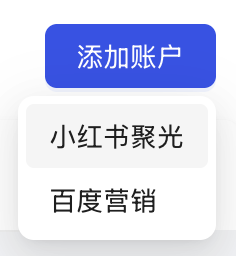
- Complete Open Platform Authorization The system will redirect you to the "Xiaohongshu Open Platform." Log in to your account and click "Confirm Authorization." Once successful, the account will appear in your list.
3. Core Feature Guide
Ad Management: Monitor Real-time Performance
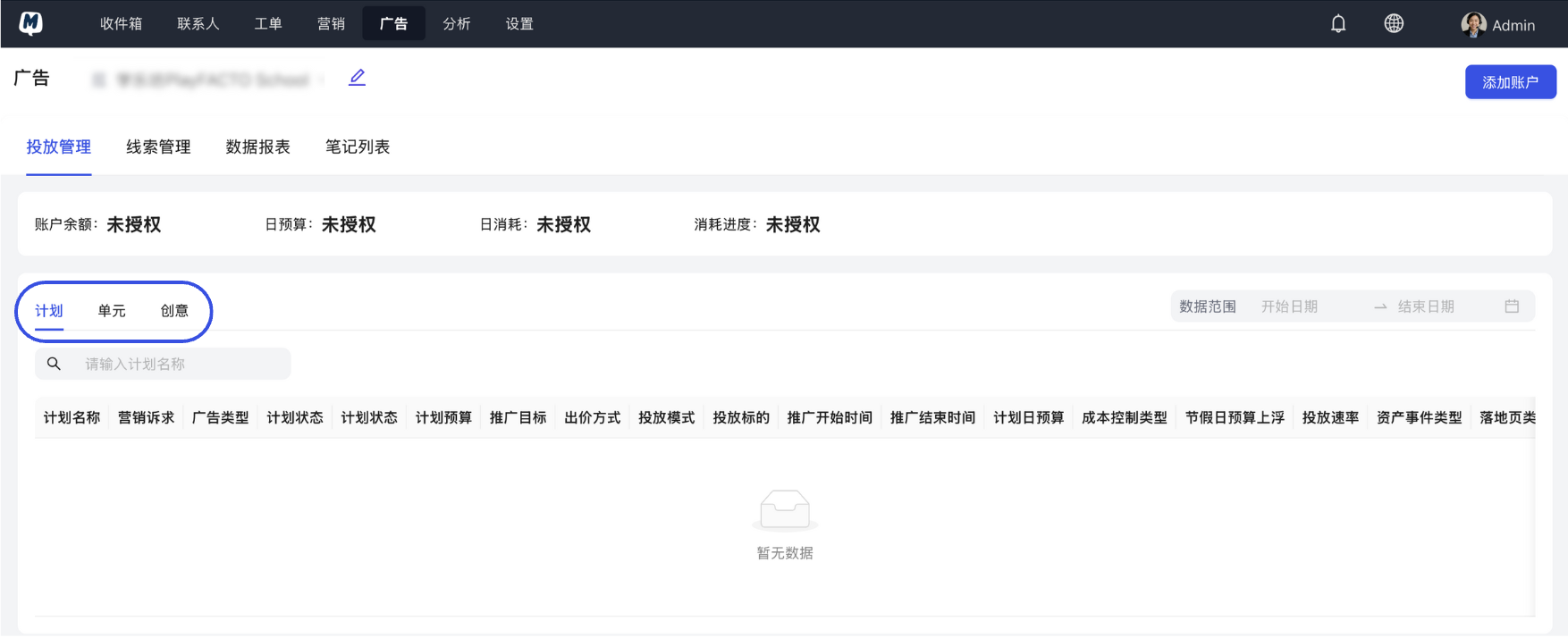
On the Ads > Ad Management page, you can view all running marketing campaigns in one place:
- Hierarchy Switching: Click on the "Campaign," "Ad Group," or "Creative" tabs to view spend, impressions, and conversion data across different dimensions.
Lead Management: DM and Form Integration
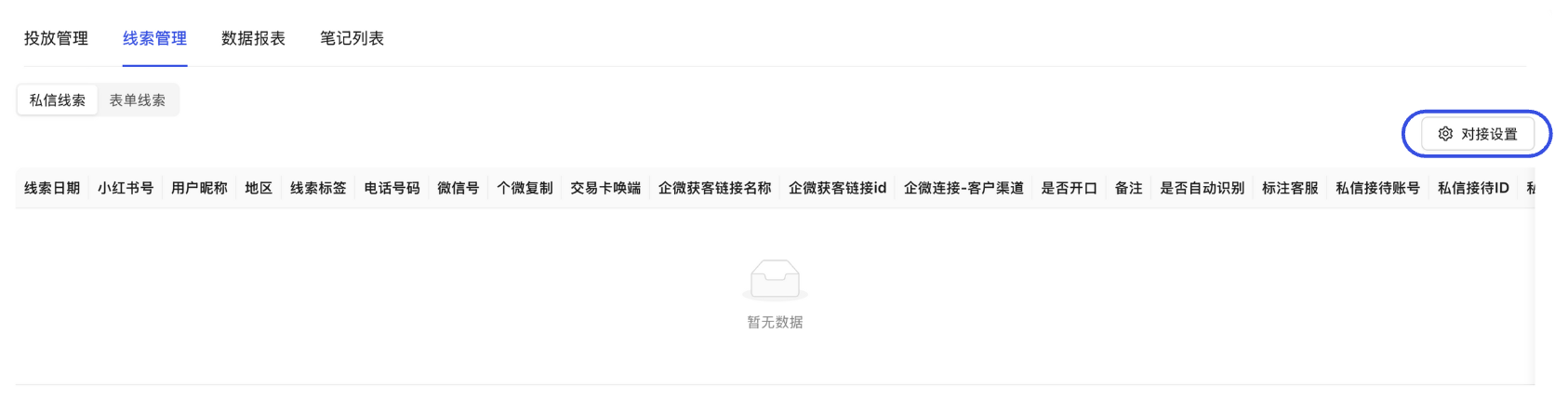
Lead management is the key to automated customer acquisition. After clicking "Lead Management," you can:
- Classify Views: Switch between "DM Leads" or "Form Leads."
- Integration Settings: Click "Integration Settings" to complete Xiaohongshu Side Integration (to fetch data) and Contact Mapping (to save to CRM).
- DM Integration: Sync Xiaohongshu direct messages to the MsgBox Inbox.
- Form Integration: Automatically create contacts from landing page form submissions.
Data Reports: In-depth ROI Review
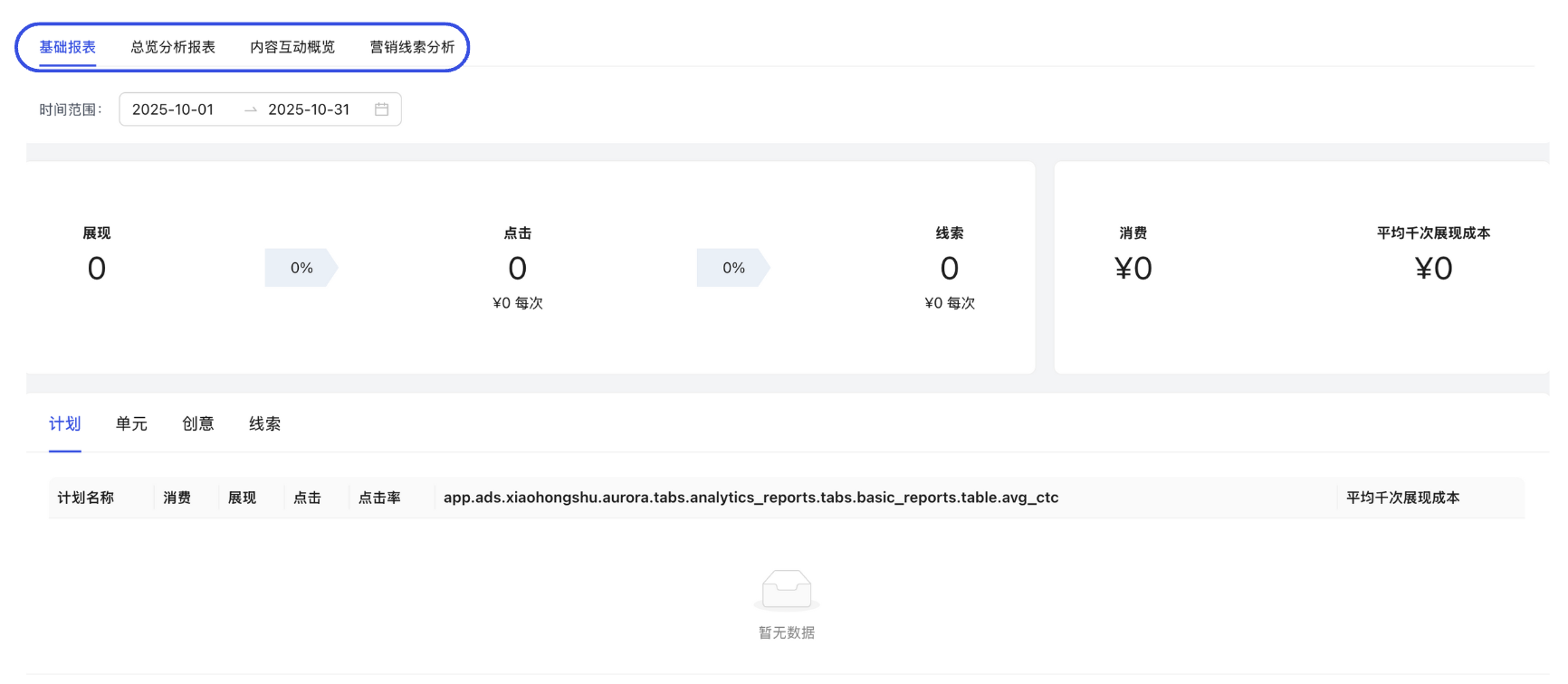
Under the "Data Reports" tab, the system provides multi-dimensional analytical models:
- Basic/Overview Analysis: Monitor the conversion efficiency of advertising costs.
- Content Interaction Overview: Analyze the contribution of note interactions to conversions.
- Marketing Lead Analysis: Track the conversion rate from lead to final deal.
Note List: Content Asset Management
Click "Note List" to view all Xiaohongshu notes bound to the account along with their organic traffic data.
Viewing all detailed data (including lead management, reports, and notes) requires a successful account authorization. If "Insufficient Permissions" is displayed, please check if the authorization period on the Xiaohongshu backend has expired.
Related Guides: