How to Create and Edit Baidu Forms?
By integrating Baidu Marketing forms, you can receive and manage potential customer leads from Baidu Search or Feed ads directly within MsgBox.
Before you start creating, please ensure that you have connected and completed the authorization of your Baidu Marketing account.
Phase 1: Basic Information Configuration
-
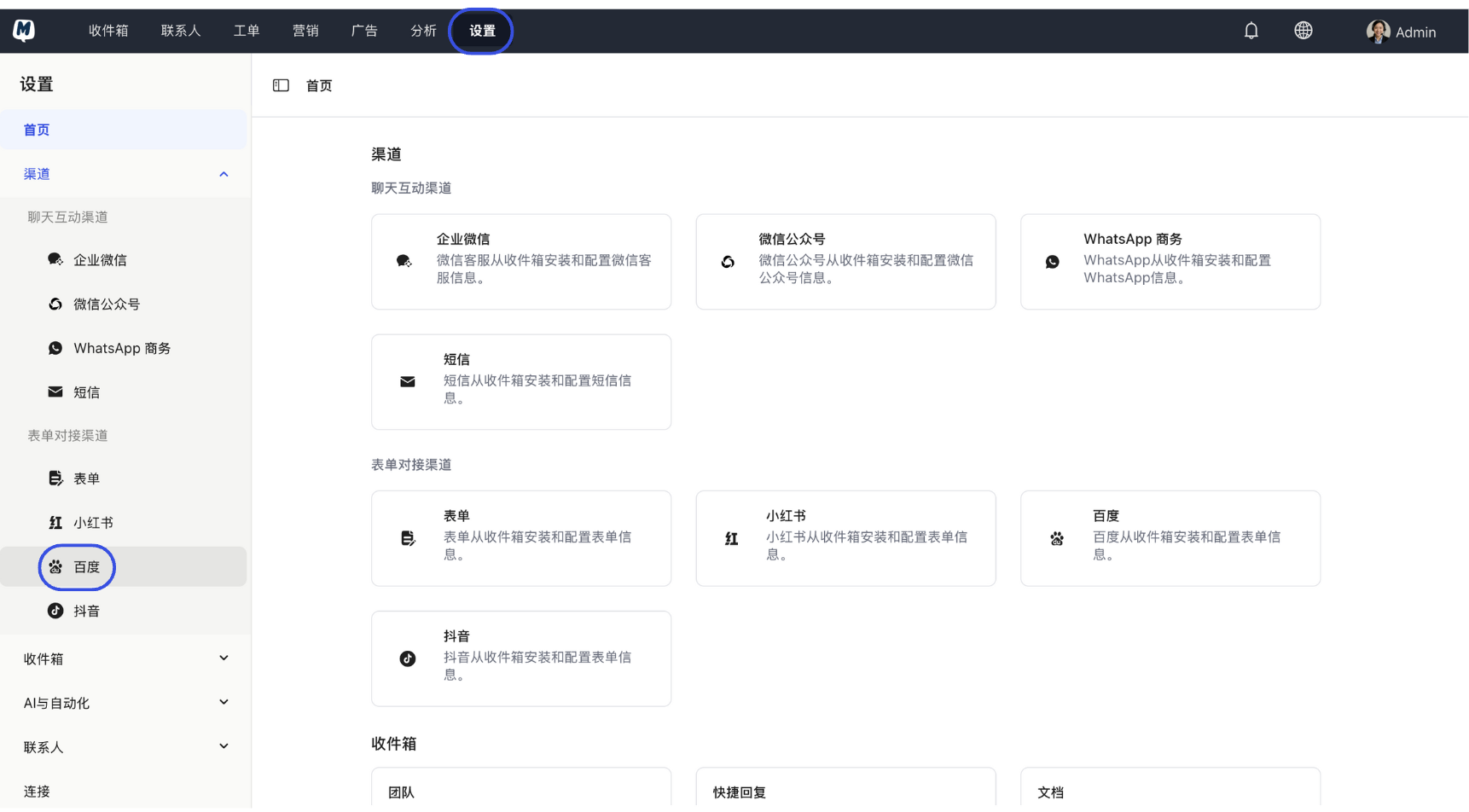
Enter Baidu Channel Go to Settings > Channels > Baidu.
-
New Form Click the "Add" button, enter the form name on the creation page, and click "Next".
-
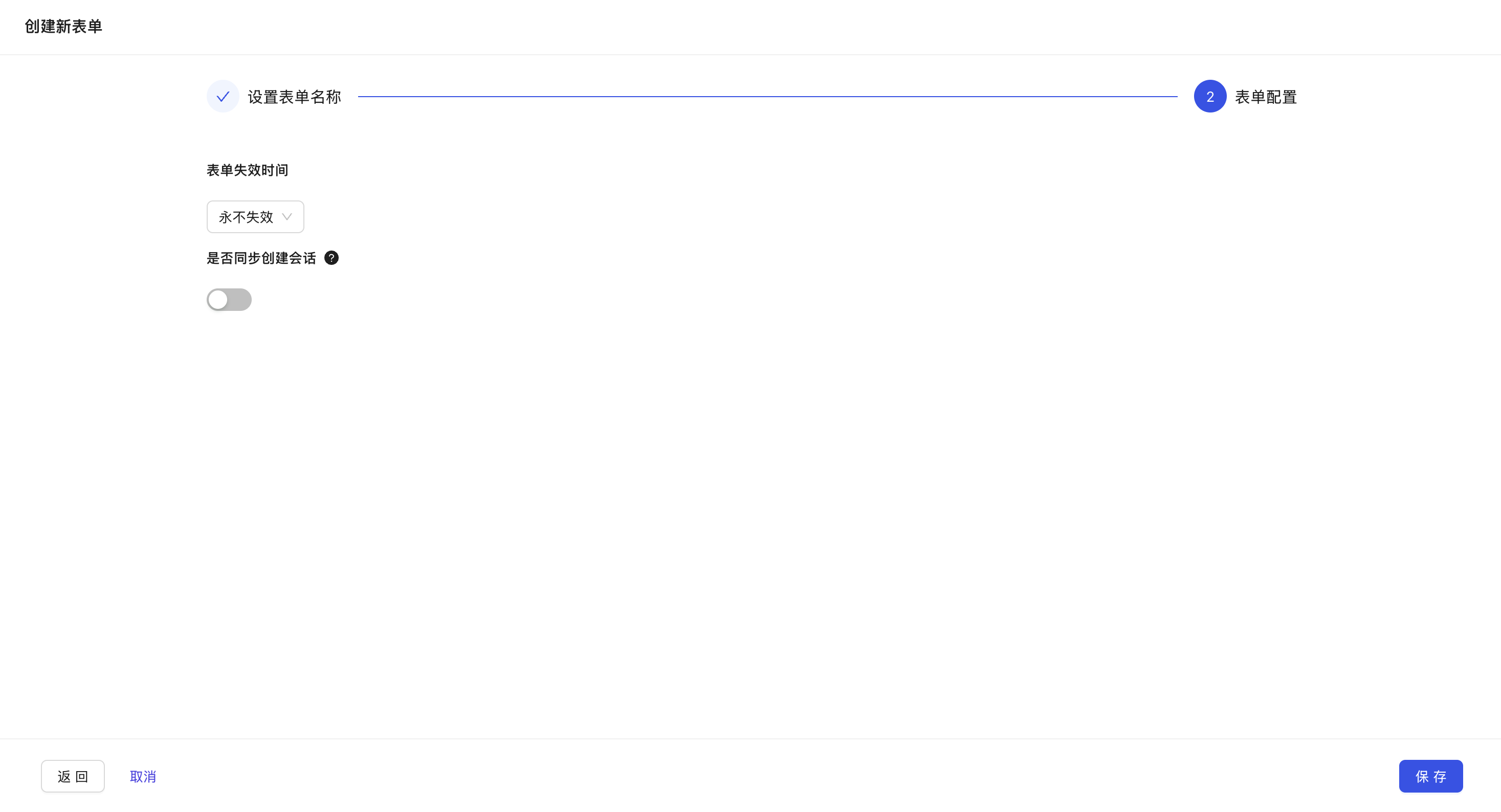
Feature Parameter Settings
- Expiration Time: Can be set to "Never expire" or "Expire at a specified time." Once expired, customers will no longer be able to submit information through this form.
- Sync and Create Conversation: When enabled, every new piece of submitted form data will automatically create a conversation in the Inbox for immediate follow-up by customer service.
-
Save Configuration Click "Save" to complete the initial setup.
Phase 2: Form Field Design
-
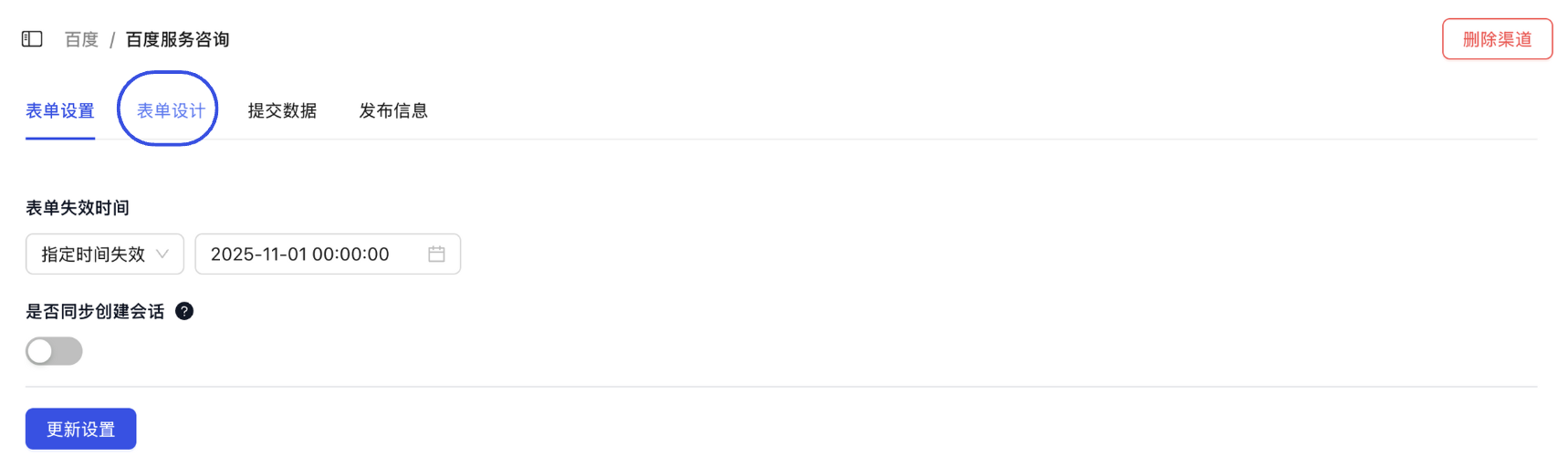
Enter Design Mode On the form details page, click the "Form Design" tab at the top.
-
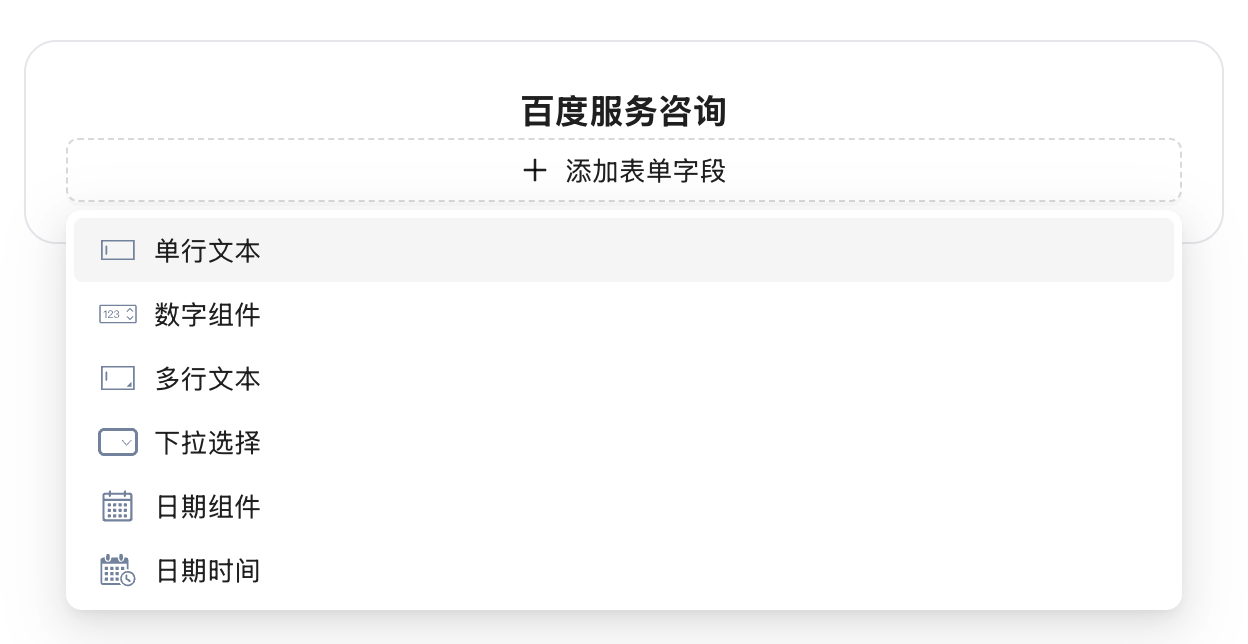
Add Fields Click "Add Field" and select the field type (e.g., Name, Phone, Interested Product, etc.) based on the requirements of your Baidu ad landing page.
-
Set Field Labels Fill in the field name (Label) in the pop-up and click "OK". Repeat this process until all required fields are added.
Phase 3: Sync Contact Settings (Optional)
To automatically save leads collected from Baidu into your Contact List, follow these steps:
-
Enable Sync Toggle Click "Sync Contact Settings" and turn on the "Sync form data to contacts" switch.
-
Set Field Mapping Map the "Form Fields" on the left to the existing "MsgBox Contact Fields" on the right.
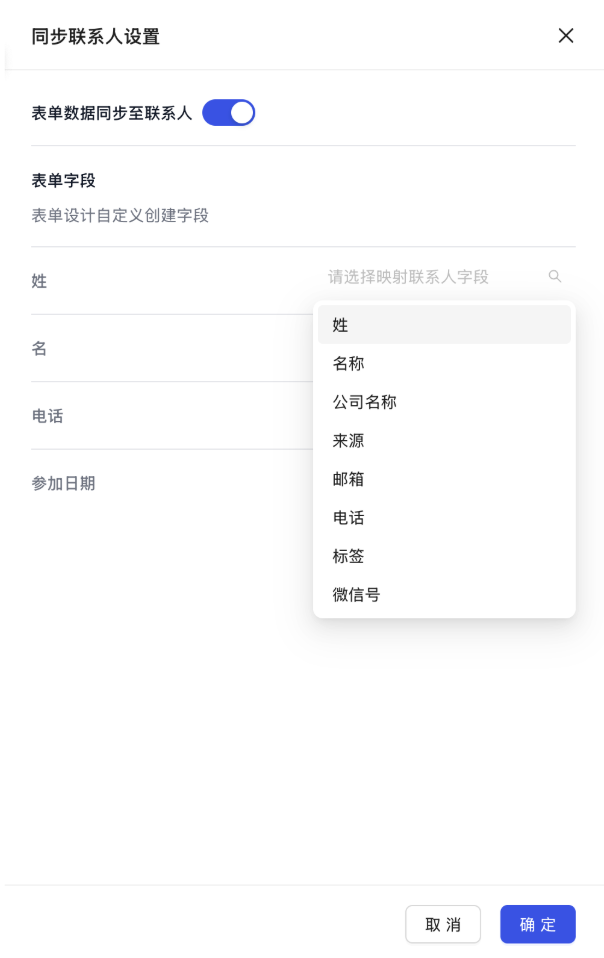
It is recommended to map at least the "Name" and "Phone" fields so the system can automatically create or match existing contact profiles for you.
- Save and Apply Click "OK" and finally click "Save" at the bottom of the page.
Follow-up Operations: Once the configuration is complete, you can start: Using Baidu Forms to Collect Contact Information