SMS Broadcast and Statistics
MsgBox provides global SMS broadcasting capabilities. The sending range varies depending on your company's registration location:
- Mainland China-registered enterprises: Can only send SMS to Mainland China.
- Singapore/International-registered enterprises: Can perform international SMS broadcasting.
1. Prerequisites: Qualification, Signature, and Template Audit
Due to carrier regulatory requirements, you must complete the following three audits before starting an SMS broadcast (audits typically take 1-3 business days).
Step 1: Verify Business Qualifications
- Go to the Settings > SMS page.
- Click "Add Qualification" and submit the business license, legal representative information, and manager contact details as required.
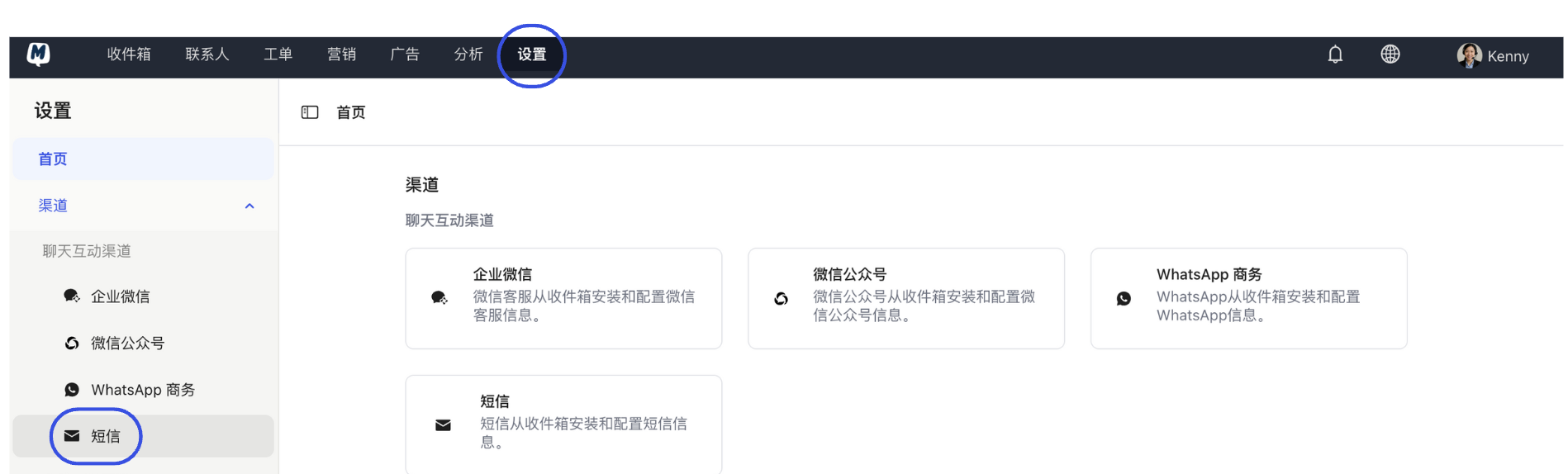
Step 2: Add SMS Signature
- Once the qualification is approved, enter the Signature Management page and click "Add Signature."
- The signature is usually your brand's short name (e.g., 【MsgBox】) and must comply with carrier naming conventions.
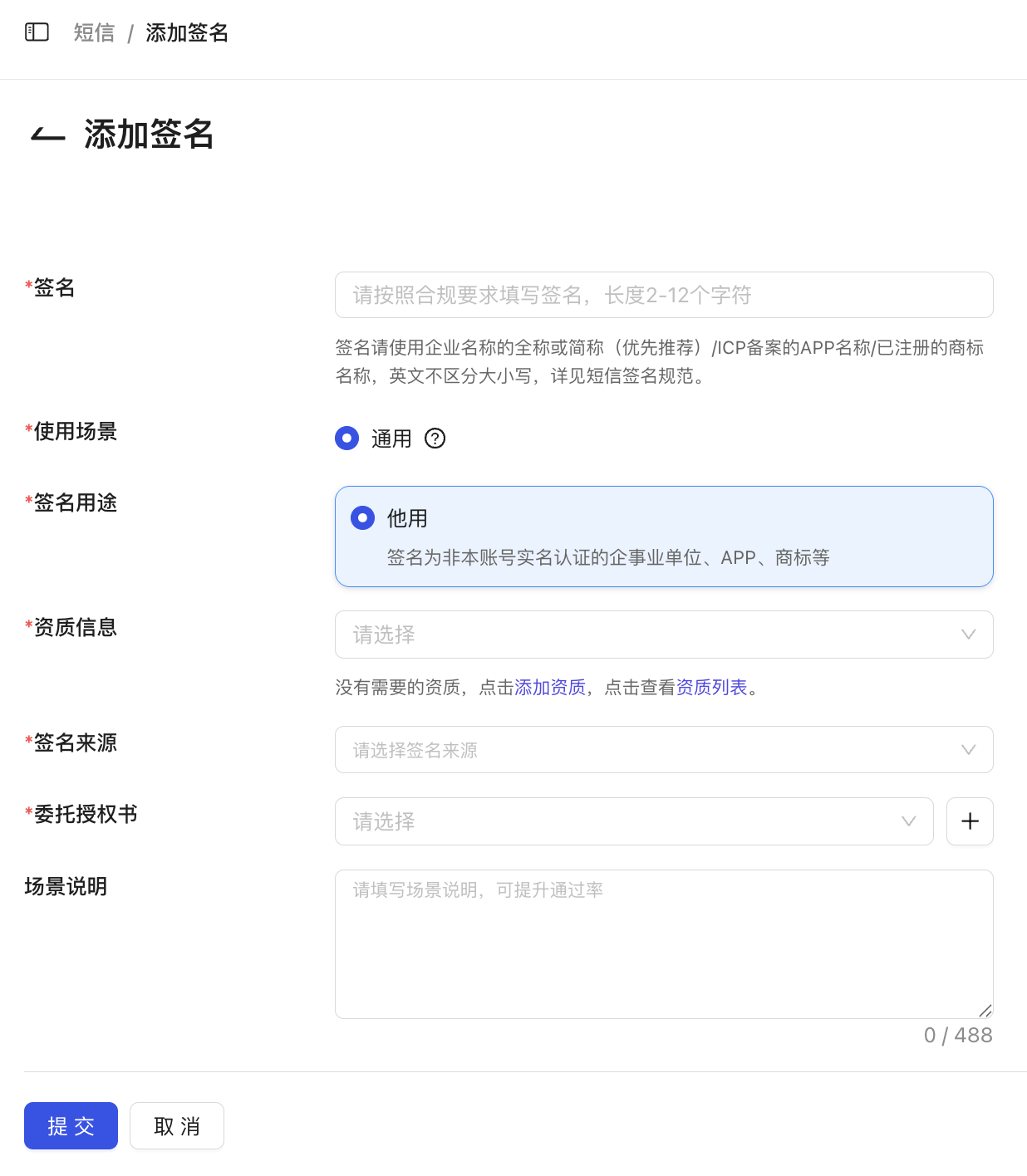
Step 3: Create SMS Template
- Enter the Template Management page and click "Add Template."
- Write the SMS body, supporting the use of variables (e.g.,
{{name}}) for personalized broadcasting. Click "Submit" after previewing.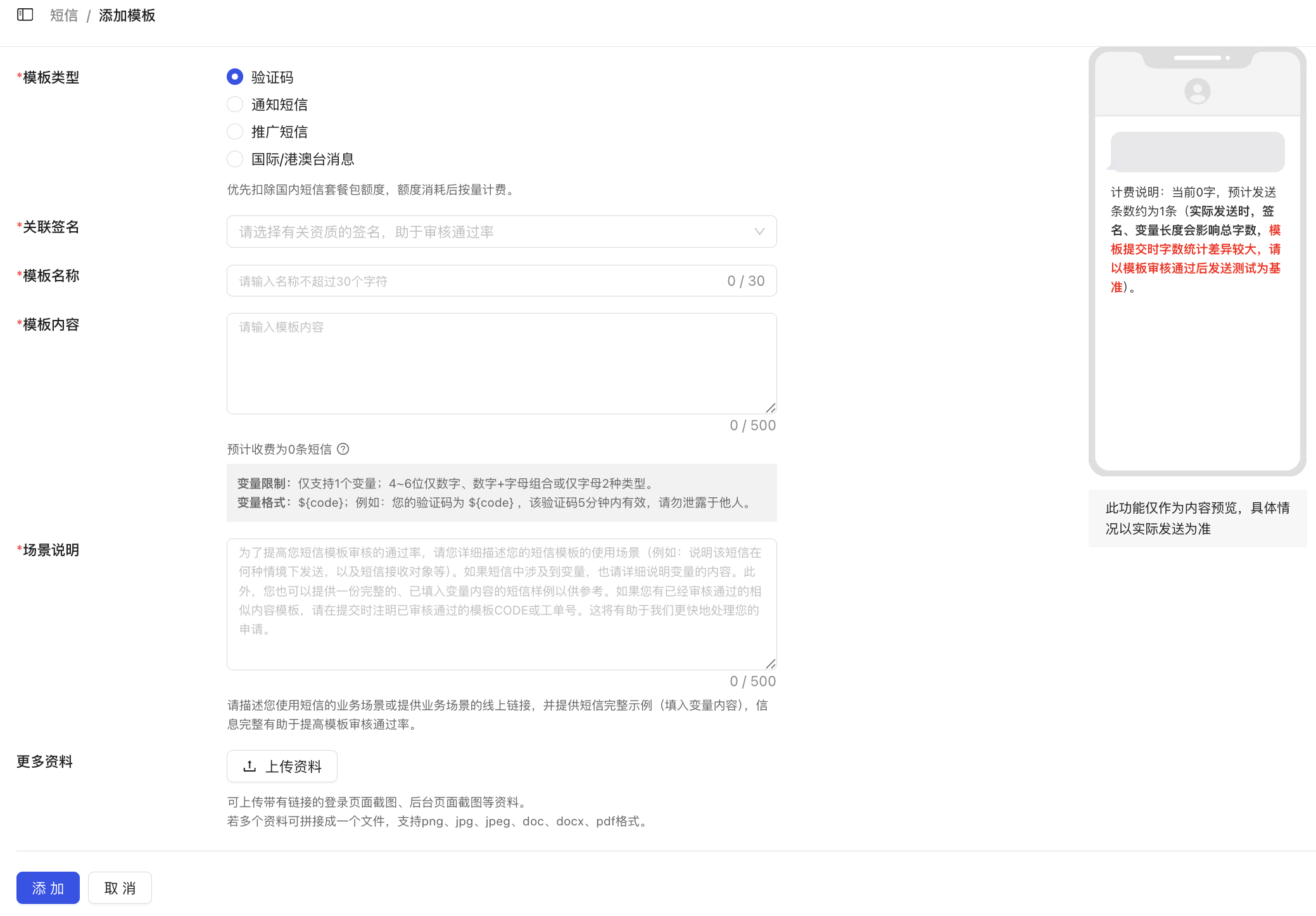
2. Initiate an SMS Broadcast
- New Broadcast Task Go to Marketing > SMS Broadcast and click "New" in the top right corner.
- Filter Target Audience You can filter the audience for this broadcast based on contact tags, country, or region.
- Configure Content
Select an approved Signature and Template. Check the variable filling effect in the preview area on the right.
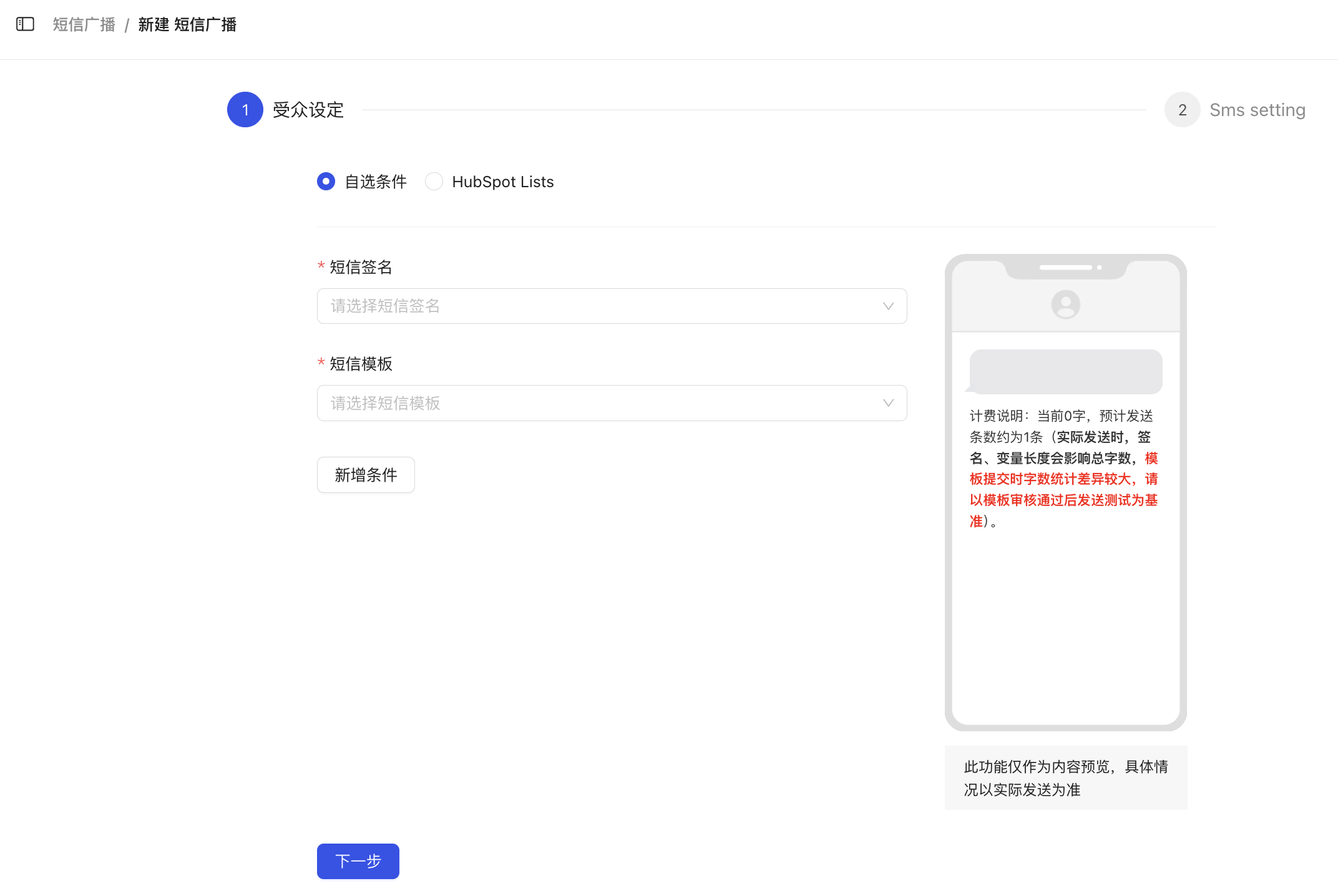
- Confirm and Send Set the sending time (Immediate or Scheduled) and start the broadcast after confirmation.
Billing and Character Rules
- Consumption Logic: SMS messages are billed by consuming Credits. Typically, 1 SMS consumes 1 Credit (international SMS may vary by region).
- Character Limit: The limit for a single SMS is 78 characters. If the total length including variables exceeds 78 characters, the carrier will automatically split it into multiple messages for billing. Please pay attention during preview.
3. SMS Sending Statistics
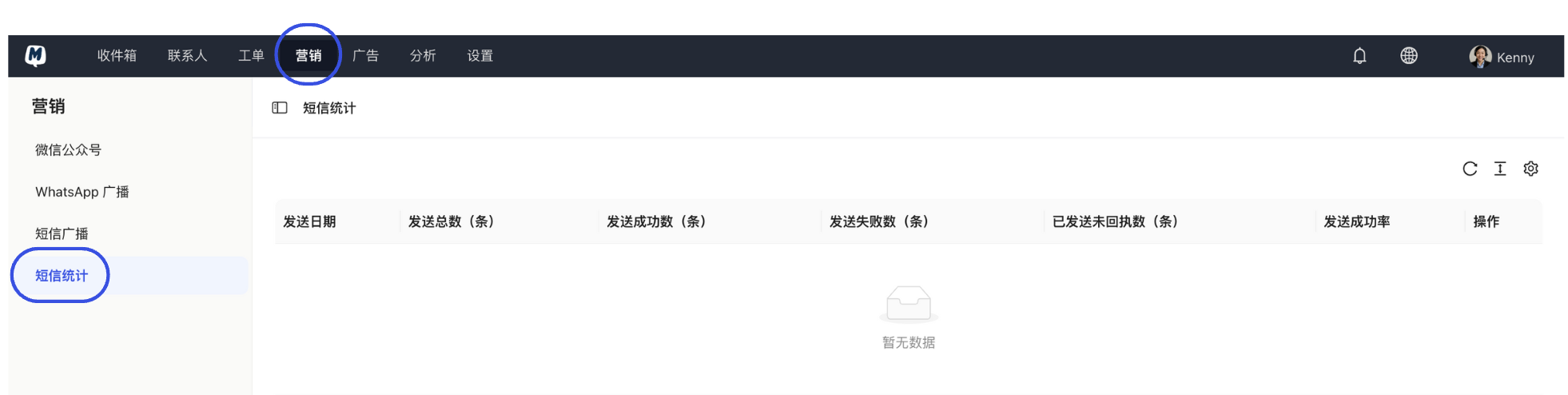
- View Overview
Enter the Marketing > SMS Statistics page.
- Customize Reports
- Dimension Settings: Click the Settings Icon to check the metrics you care about (e.g., Delivery Rate, Failure Reason, Click-through Rate, etc.).
- Layout Optimization: Adjust the list display density via the Row Density Icon.
- Data Updates Click the Refresh Icon to get the latest delivery receipt data from carriers.
Business Advice
To improve conversion rates, we recommend including short links in your SMS templates and using the click data in SMS Statistics to precisely identify interested customers.
Related Guides: