How to View Xiaohongshu Form Data?
This document describes how to view form submission records from the Xiaohongshu channel in MsgBox.
Steps
-
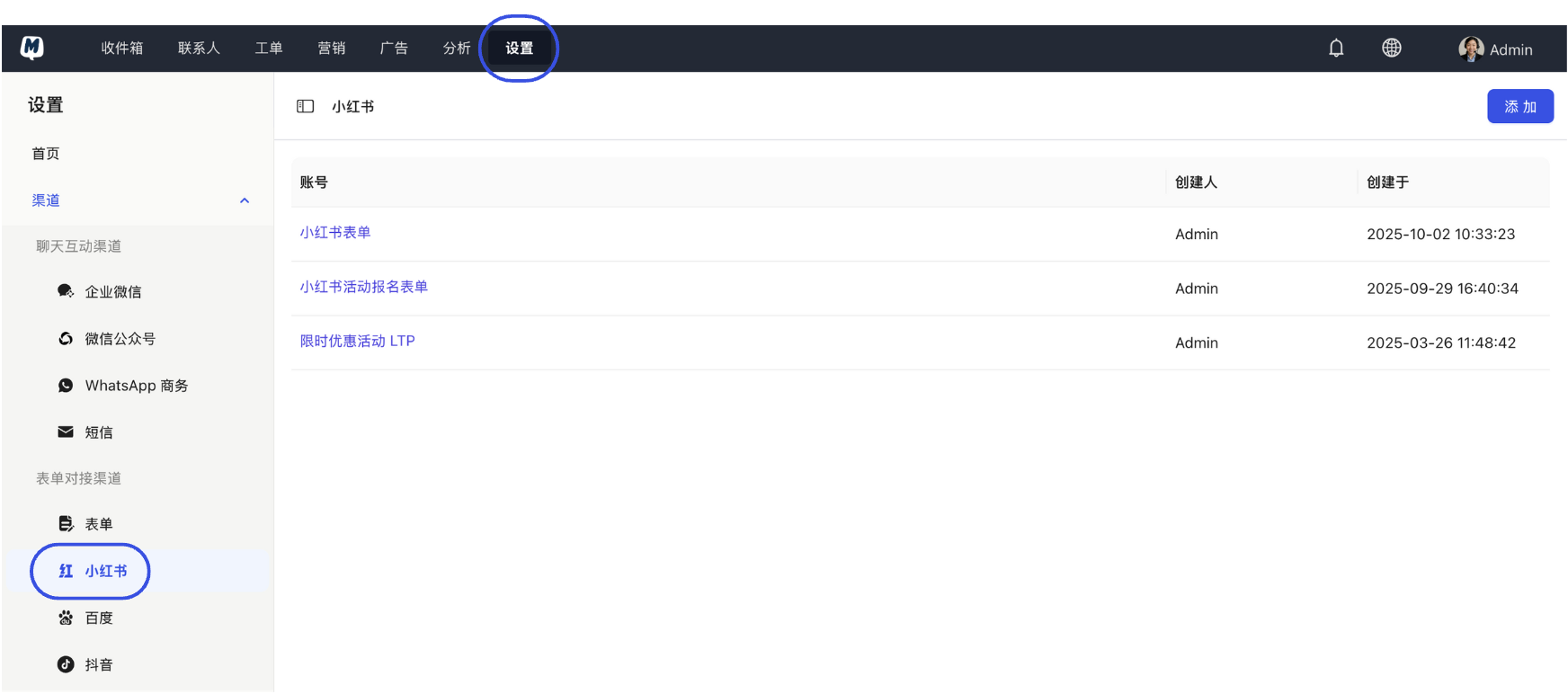
Locate Xiaohongshu Configuration Enter the backend and click Settings > Channels > Xiaohongshu.
-
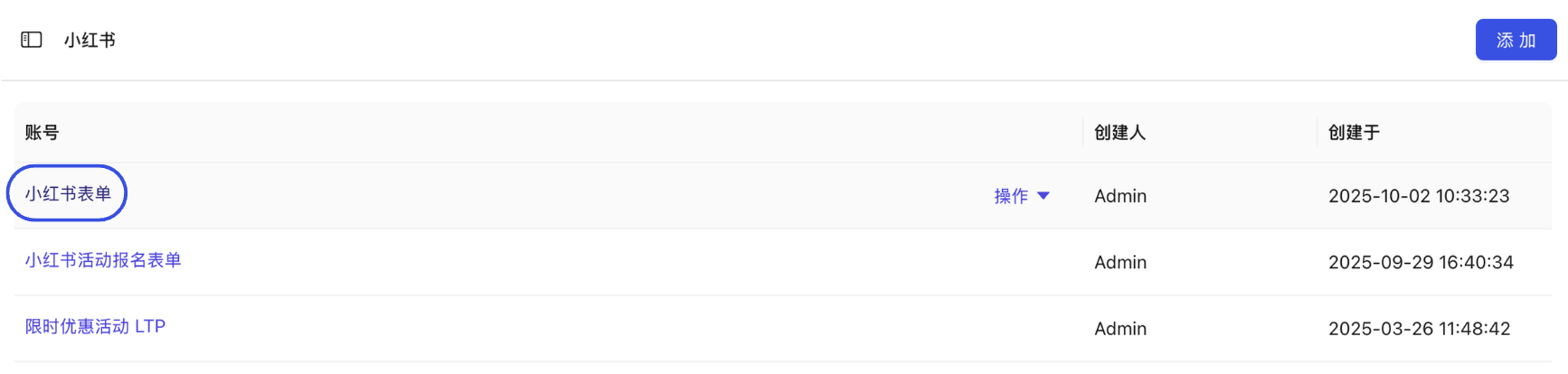
Select Target Form In the form list, find and click on the specific form item you want to view data for.
-
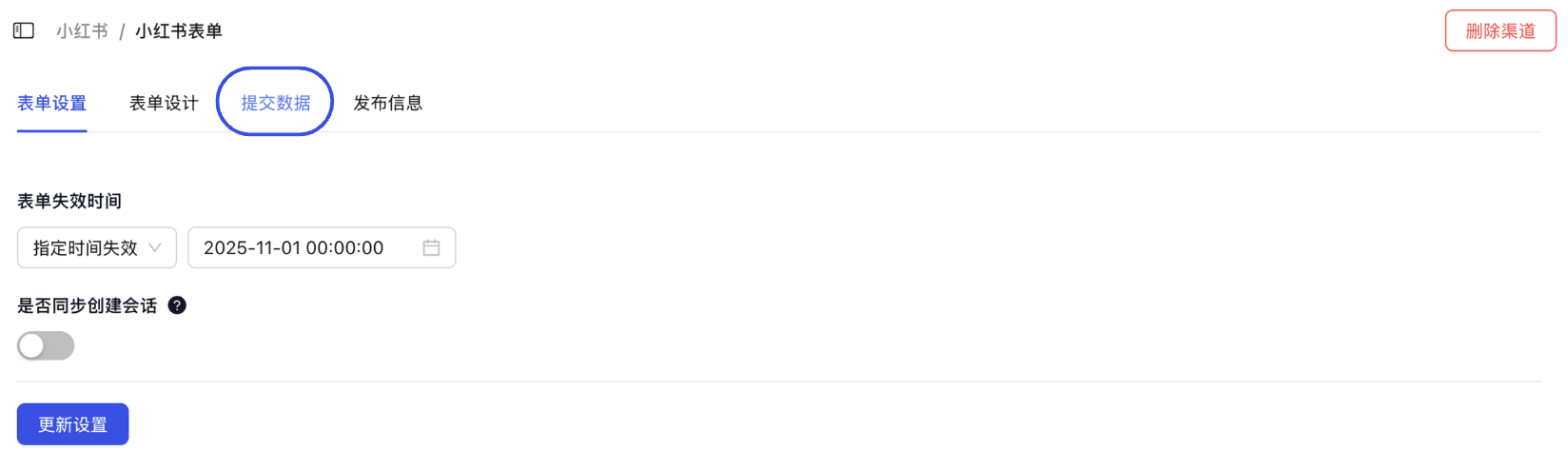
Enter Data View On the form details page, click the "Submission Data" tab at the top.
-
Sync and View Data Click the "Refresh" button to synchronize the latest form submission data from Xiaohongshu. The list below will display the detailed lead information.
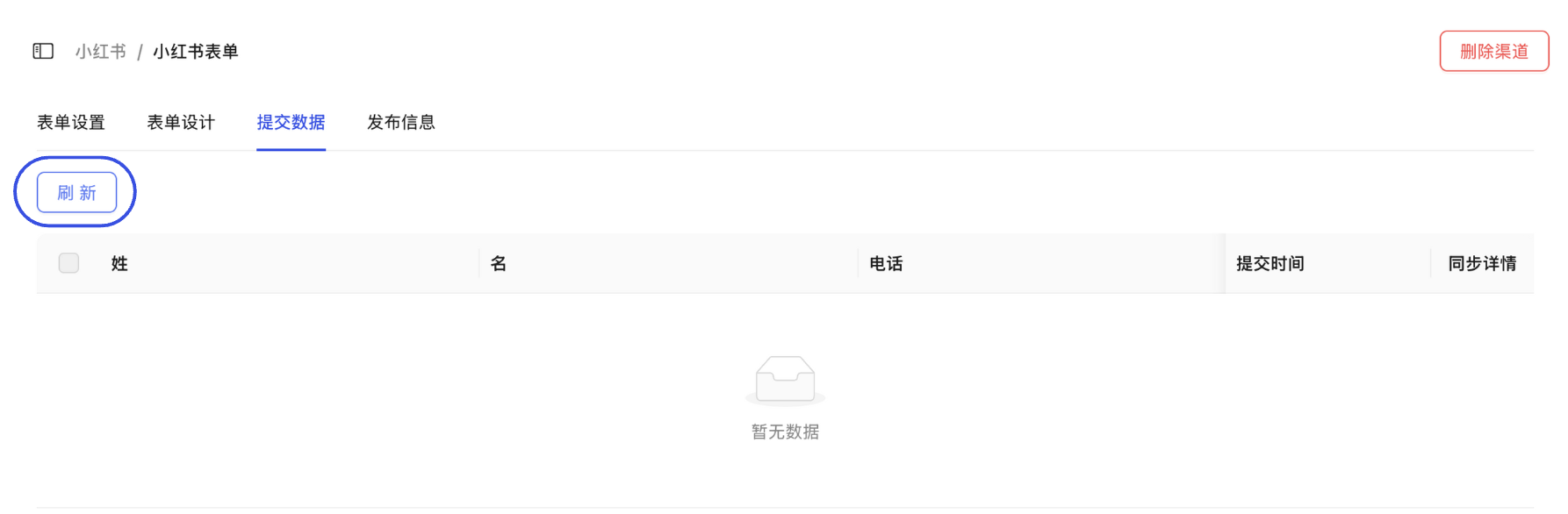
If you find that data recently submitted on Xiaohongshu is not appearing, please be sure to click the "Refresh" button. The system will pull the latest lead information from the Xiaohongshu Professional Account backend via API in real-time.