Canned Responses
Canned Responses are pre-set templates for frequently used replies. By calling them with one click, the team can quickly answer common customer questions (FAQs) or send standardized information, significantly improving communication efficiency and ensuring consistency in brand messaging.
How to Create a Canned Response?
-
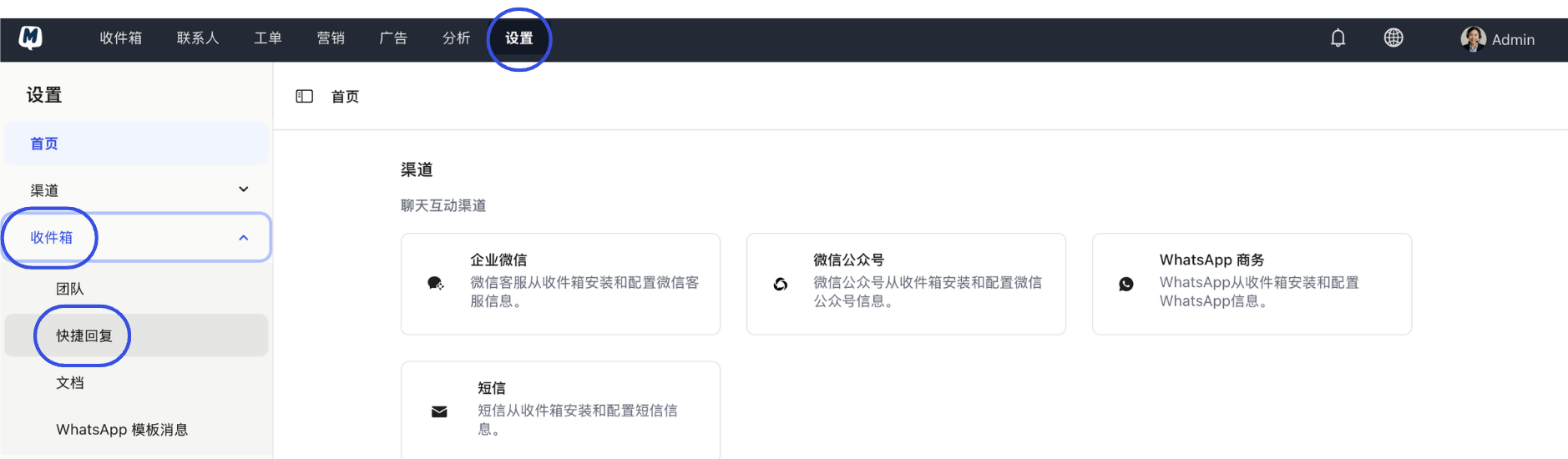
Enter the Settings Page Go to Settings > Inbox > Canned Responses.
-
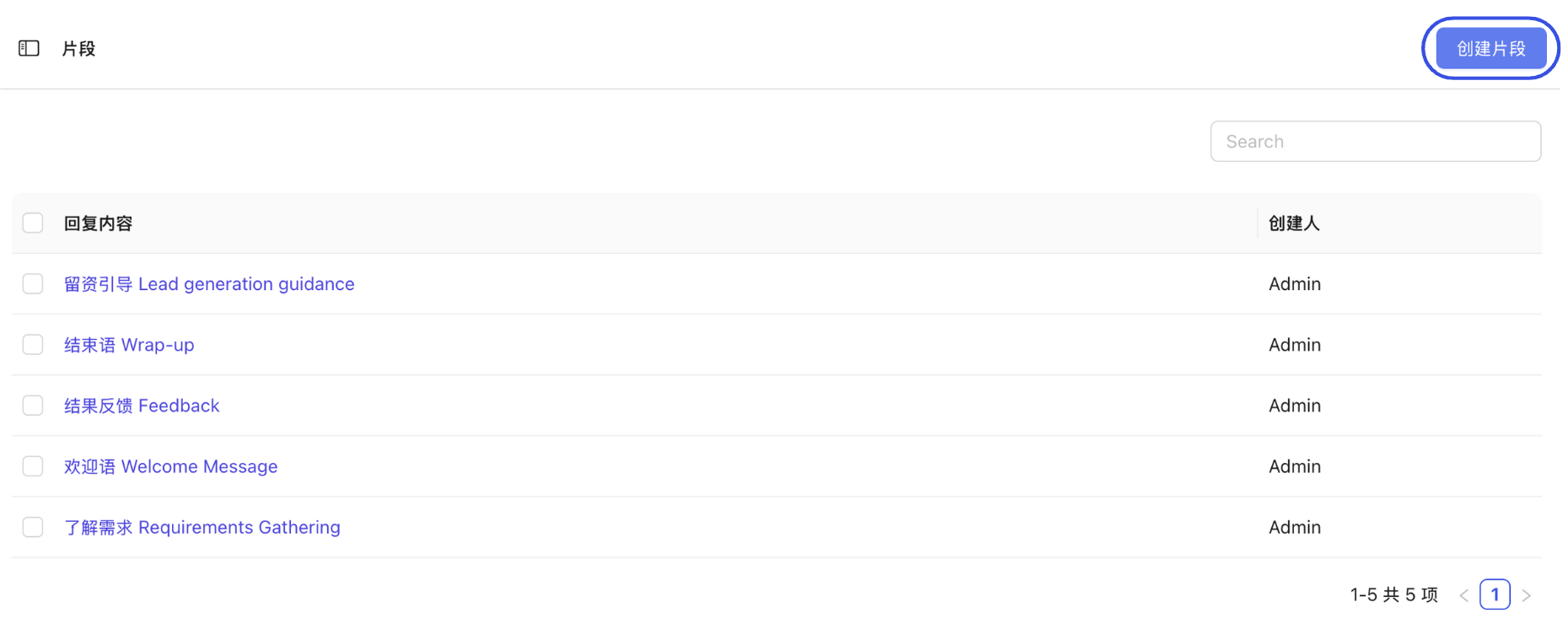
Create New Snippet Click the "Create Snippet" button.
-
Fill in Details
- Description: The name of the canned response, used for internal management.
- Snippet Text: The actual reply content that will be sent to customers.
- Shortcode: A shortcut used to quickly trigger the content in the chat box (e.g., typing
priceto bring up the price list).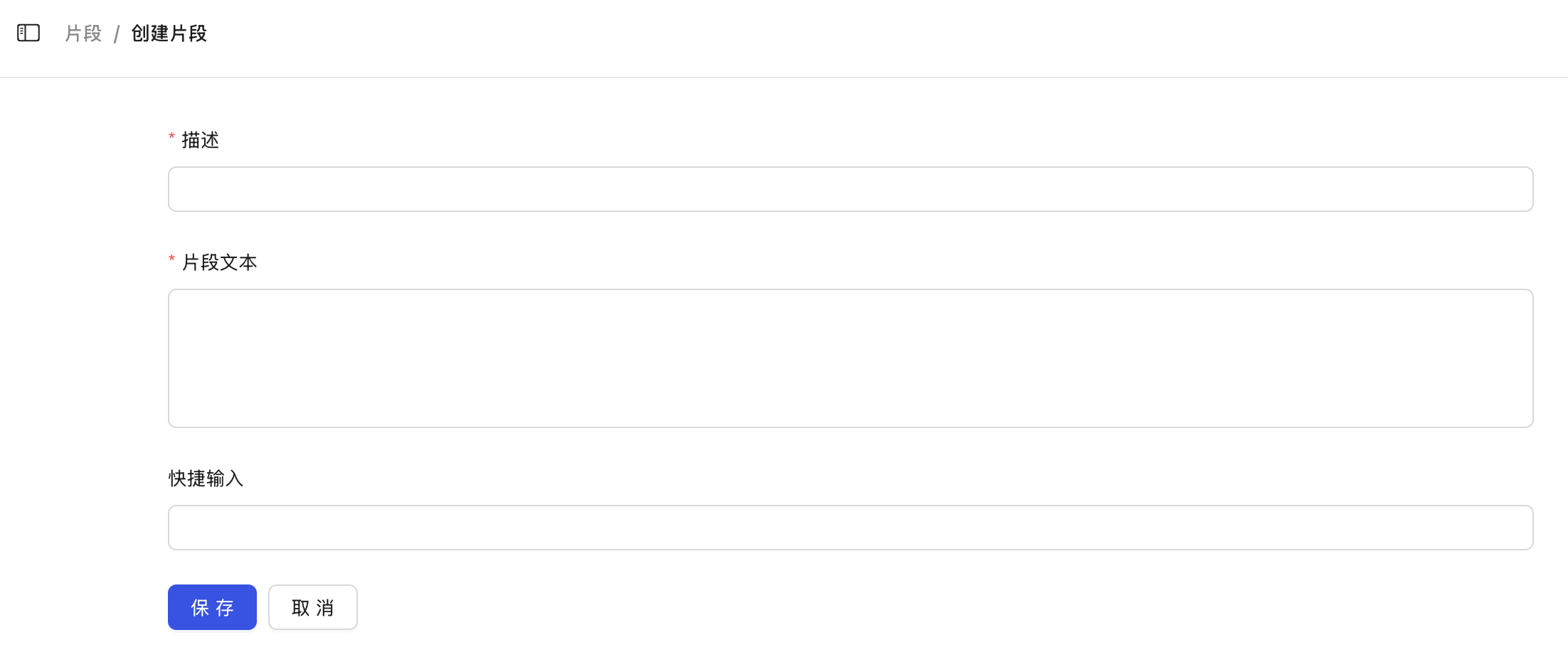
-
Save Settings Click "Save" to complete the creation.
How to Edit or Manage Canned Responses?
- Go to the Settings > Inbox > Canned Responses page.
- Find and click on the canned response snippet you want to edit in the list.
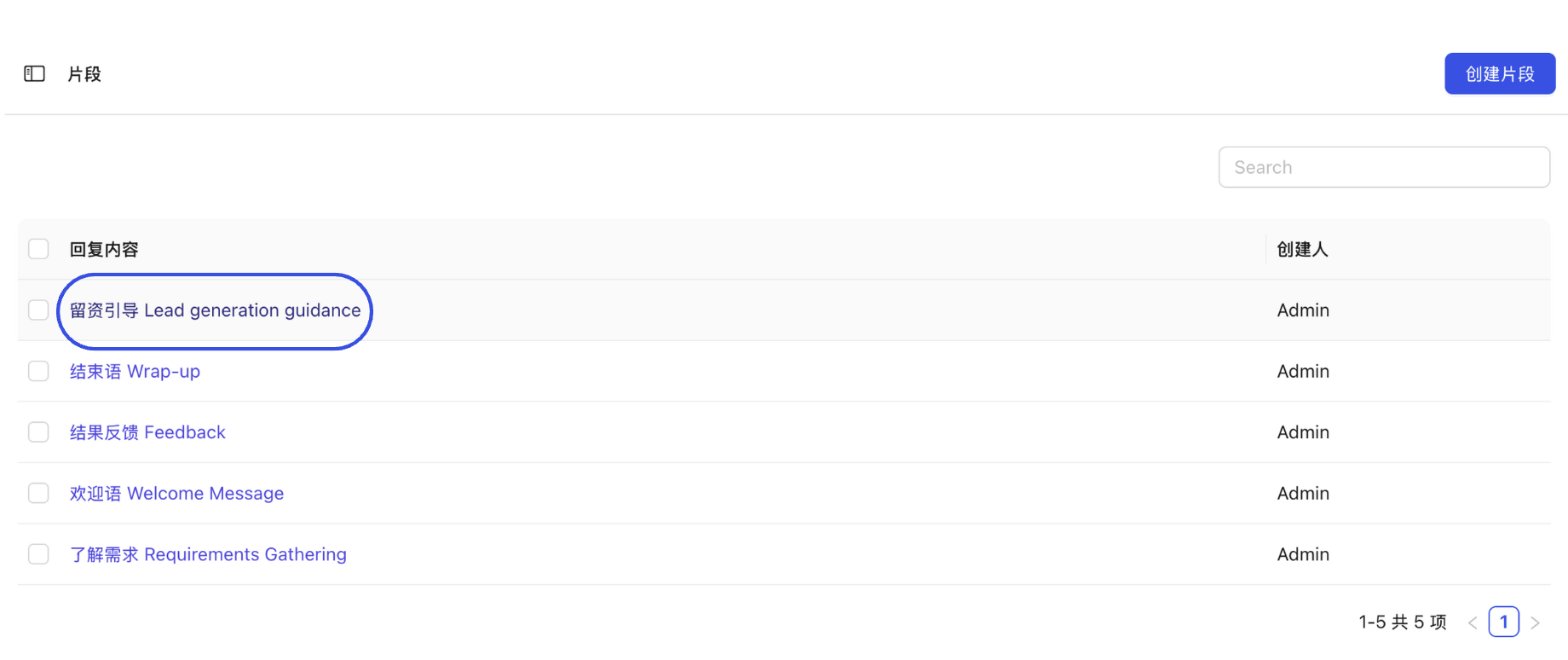
- After making changes, click "Save" for them to take effect immediately for the entire team.
How to Use Canned Responses in Conversations?
While chatting in the Inbox, there are two ways to use canned responses:
Method 1: Manually Insert via Menu
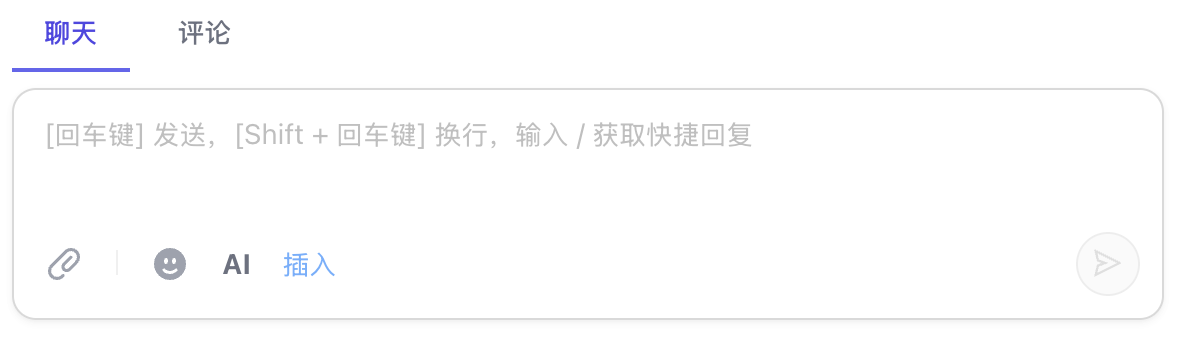
- Enter the target conversation and click the "Insert" icon above the chat input box.
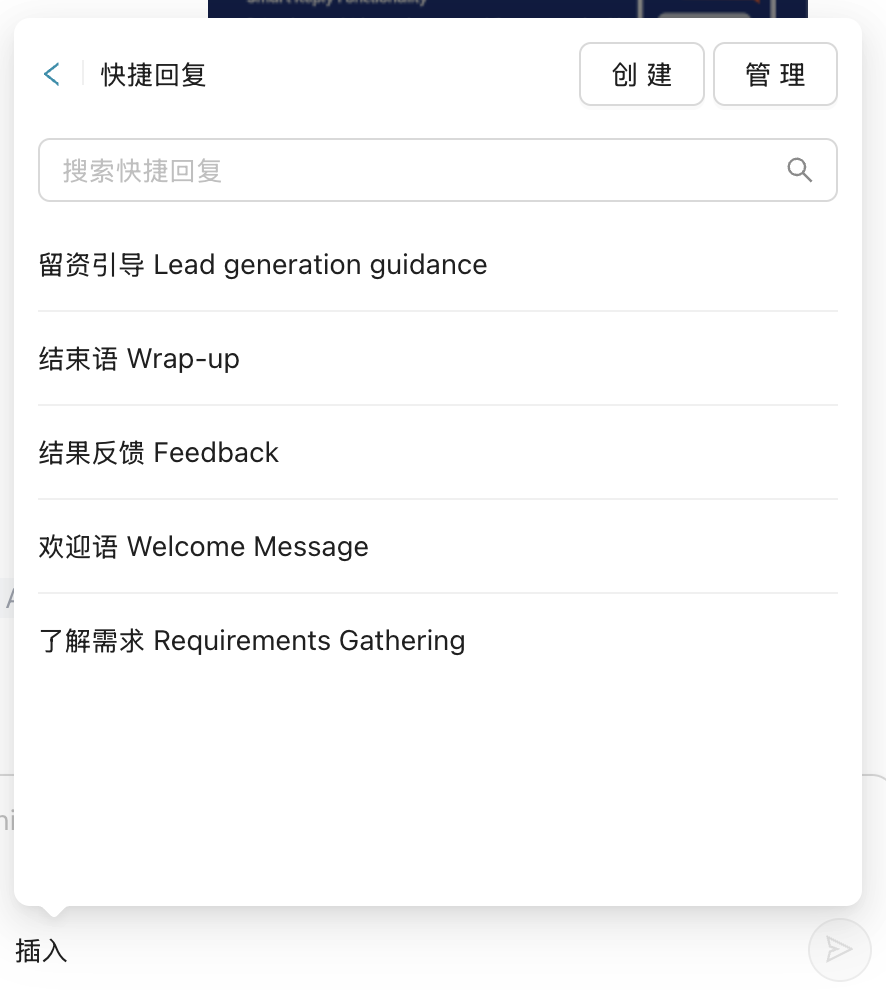
- Select "Canned Response", then click the entry you wish to send from the sidebar.
Method 2: Use the "/" Shortcut (Recommended)
This is the most efficient way to call them:
- Type "/" directly in the chat box, and the system will automatically pop up the canned response list.
- You can continue typing "/" + "Shortcode" (e.g.,
/hello) to filter precisely.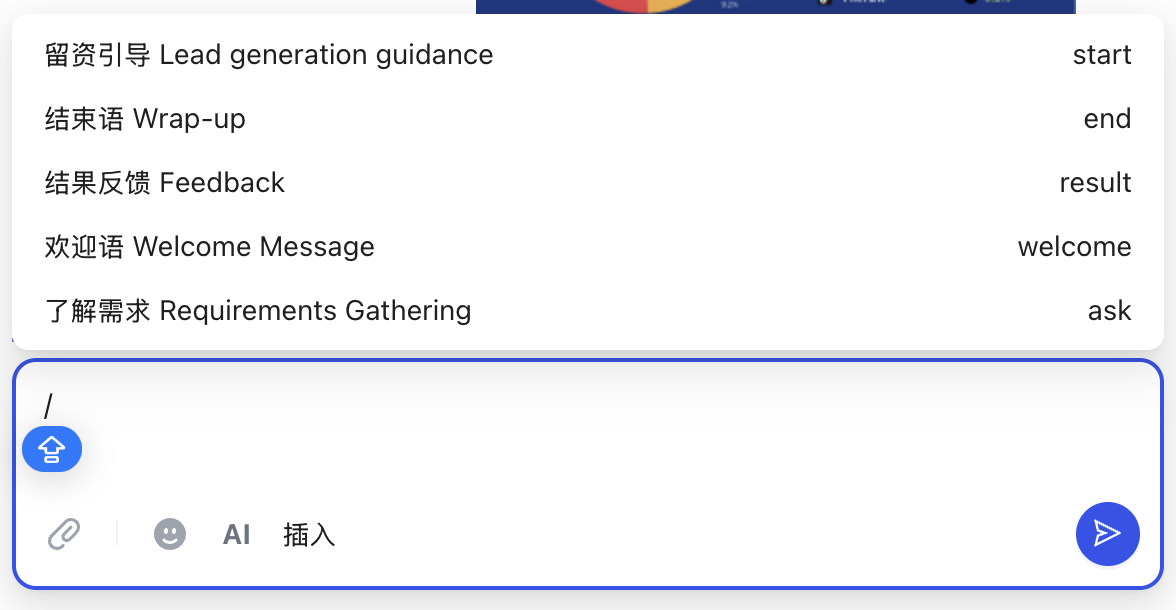
- Press Enter or click the corresponding entry to quickly populate the text.
Setting easy-to-remember "Shortcodes" for common replies (e.g., thx for thank-you notes, addr for the company address) can significantly reduce the typing time for customer service personnel.