AI Auto-fill for New Contact Information
Manually entering names, emails, and job titles during customer conversations is often time-consuming and prone to errors. MsgBox utilizes AI technology to automatically identify and pre-fill contact details based on the current conversation context, greatly improving the efficiency of record creation.
How to Use AI Auto-fill?
-
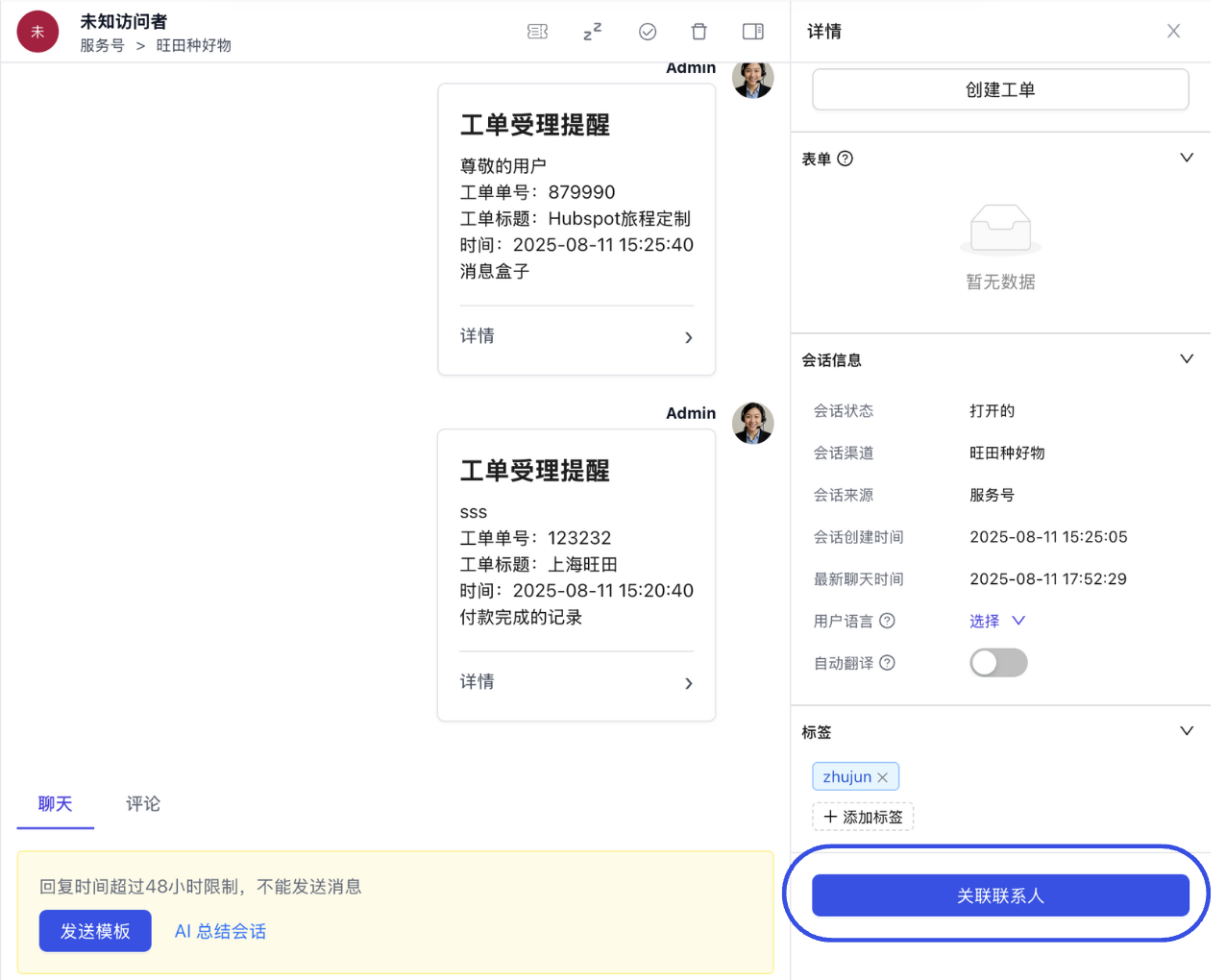
Enter Target Conversation Go to the Inbox page and click to open the customer conversation you wish to document.
-
Initiate Association In the Details panel on the right, click the "Associate Contact" button.
-
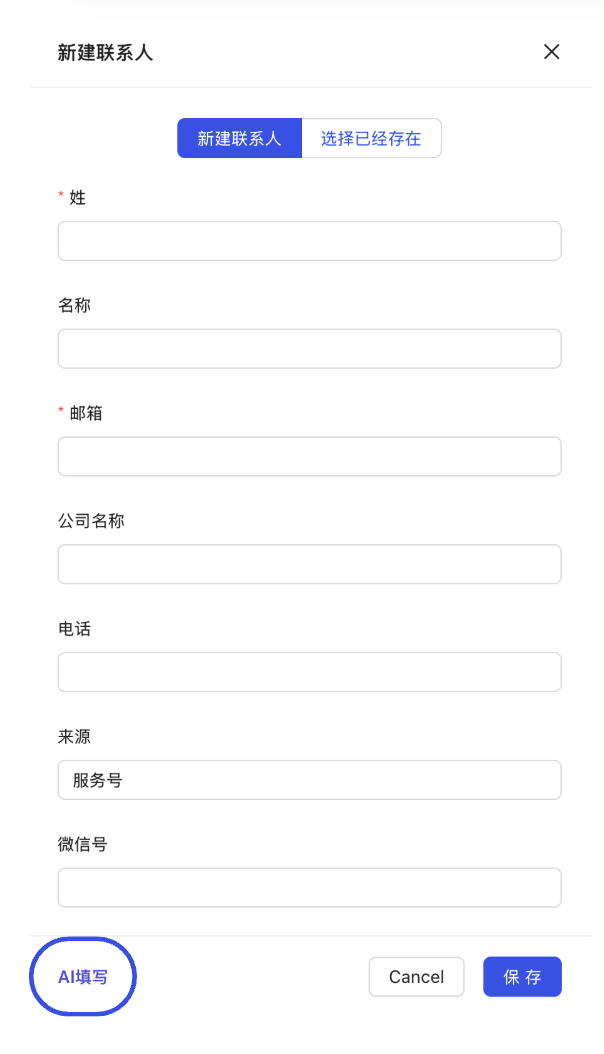
Trigger AI Smart Extraction At the top of the "New Contact" page in the pop-up window, click the "AI Fill" button.
- How it works: The system quickly analyzes recent chat history to automatically extract key information such as names, company names, phone numbers, and emails, and populates them into the corresponding fields.
- How it works: The system quickly analyzes recent chat history to automatically extract key information such as names, company names, phone numbers, and emails, and populates them into the corresponding fields.
-
Verify and Save Confirm that the content filled by the AI is correct, manually complete any remaining required or custom fields, and click "Save."
AI can accurately identify factual data explicitly mentioned in the dialogue. For example, if a customer says, "I am John Doe from ABC Company, and my email is test@abc.com," the AI can fill in all three fields at once.
- Accuracy Check: Although the AI has a high recognition rate, we recommend a quick review before saving to ensure critical information like phone numbers and email suffixes are error-free.
- Privacy Compliance: Ensure you follow local privacy protection policies when collecting and storing customer information.
Related Guides: