What Does MsgBox Data Analytics Include?
The Data Analytics module serves as the "Command Center" of MsgBox. Through multi-dimensional real-time dashboards, businesses can accurately review acquisition efficiency, evaluate agent performance, and optimize communication scripts and business decisions based on objective data.
1. Core Data Metrics
The system primarily provides data support across three core dimensions:
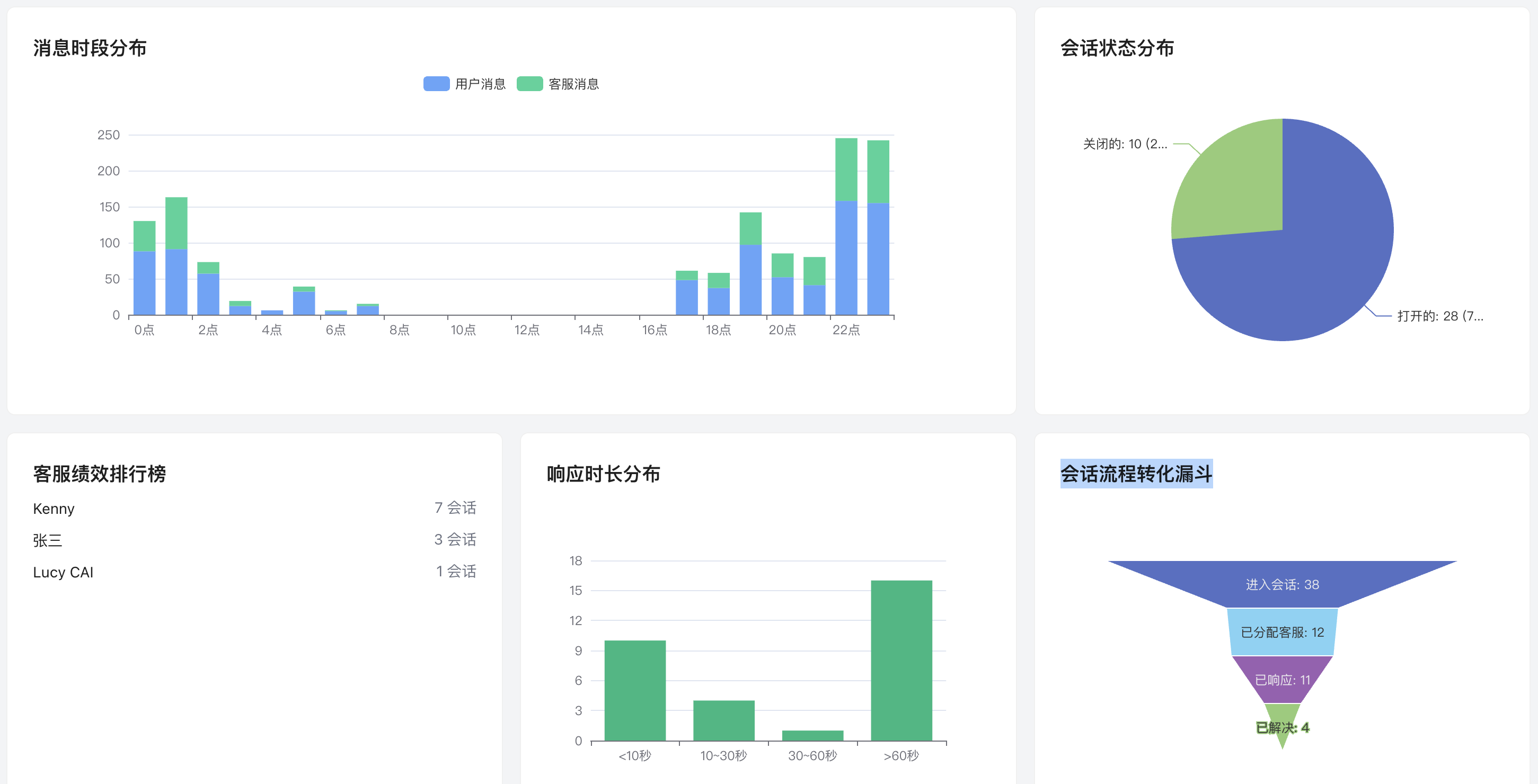
- Service Efficiency: Includes response time distribution, conversation status distribution (Pending/Following/Closed), and agent performance leaderboards to visually demonstrate team service quality.
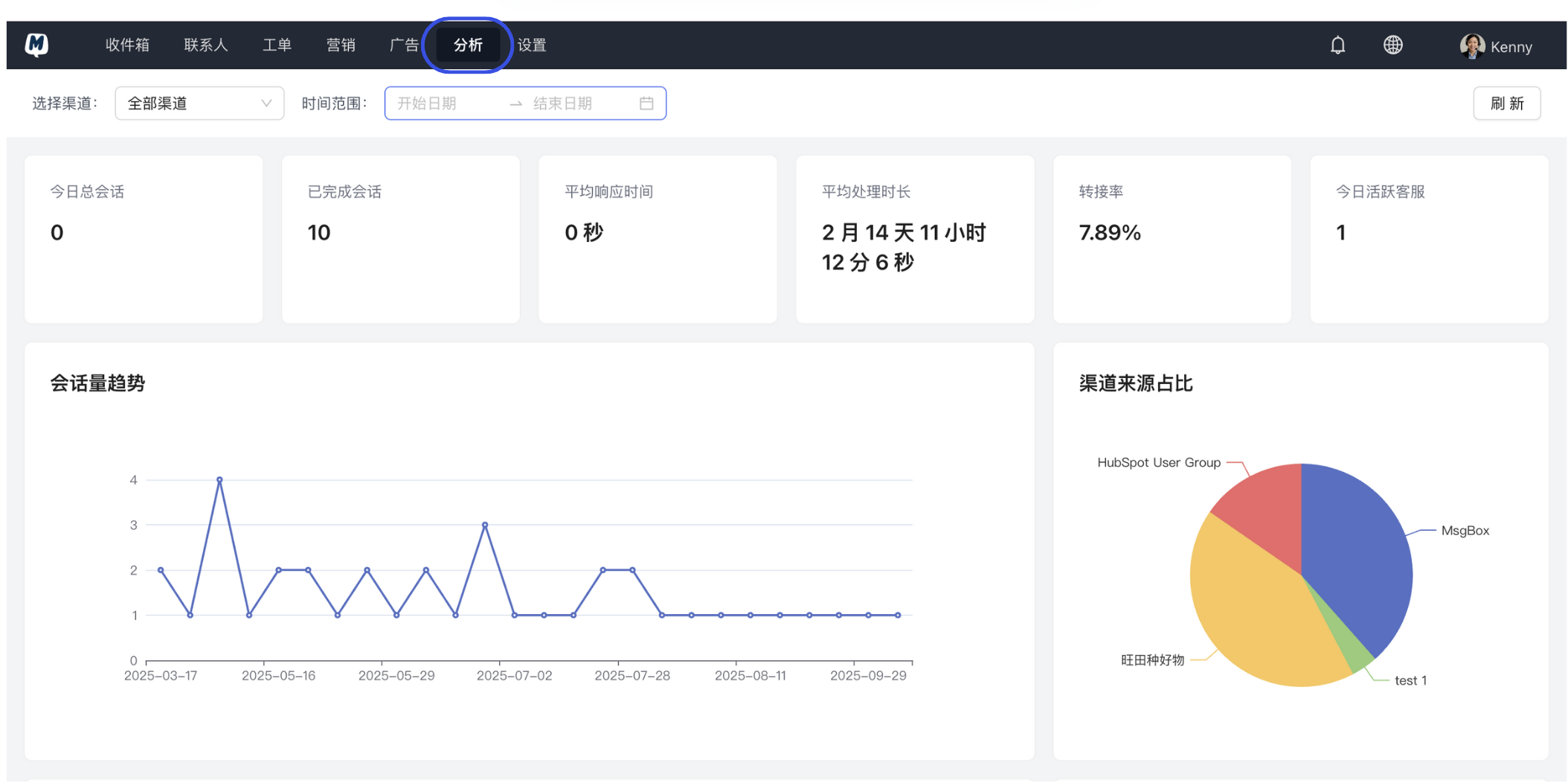
- Traffic Profile: Includes channel source ratios (WeChat/WhatsApp/Xiaohongshu, etc.), message time-of-day distribution, and conversation growth trends to help you identify peak traffic times and channel value.
- Automation Conversion: Includes conversation flow conversion funnels, analyzing the retention and churn rates of automated workflows at each stage.
2. How to View Data Analytics?
-
Enter the Analytics Module Click on the Analytics page in the main navigation bar.
-
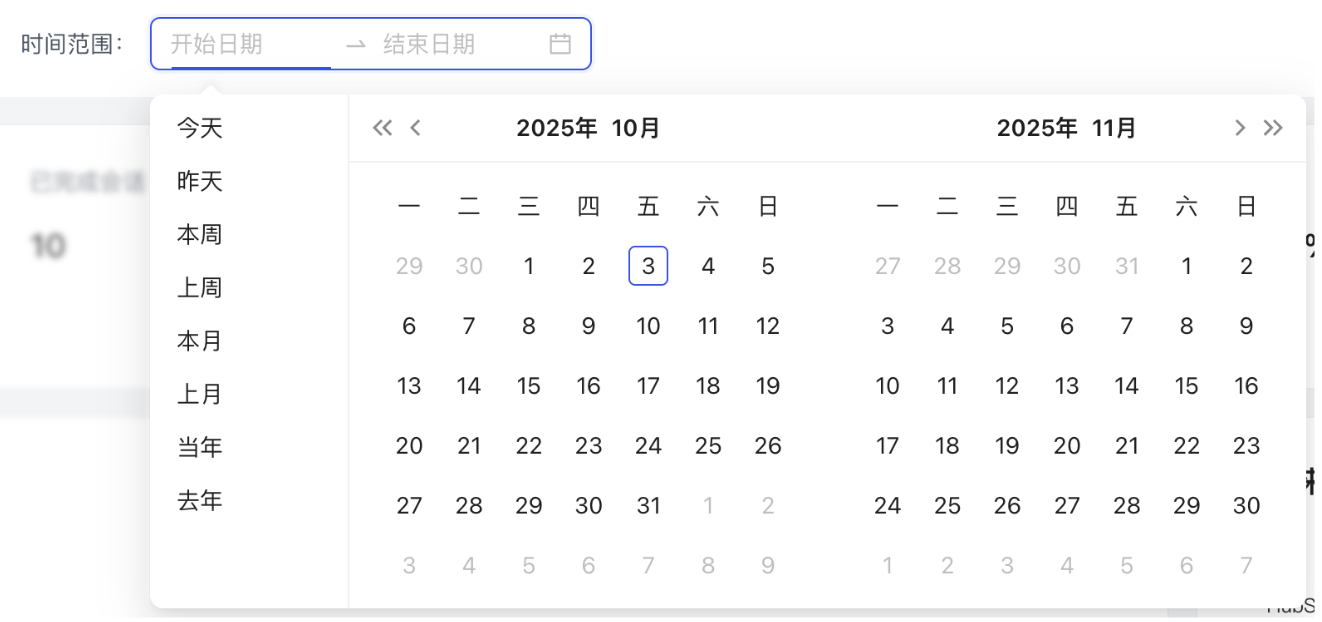
Filter Channels and Time
- Select the Channel you wish to view from the top dropdown menu (you can view all or a specific single channel).
- Set the desired Time Range for statistics (e.g., last 7 days, this month, or a custom range).
-
Generate Reports Click the "Refresh" button, and the system will instantly generate visual charts based on your filtering criteria.
3. Cross-Platform Full-Link Data Collection
Beyond basic conversation statistics, MsgBox helps you collect and integrate marketing data from various platforms:
- Social Media Marketing: WeChat Official Account Post Data
- Paid Ad Conversion: Xiaohongshu Ad Data, Baidu Ad Data
- Proactive Outreach: WhatsApp Broadcast Data, SMS Broadcast Statistics
By analyzing the "Message Time Distribution" chart, you can identify when customer inquiries are most concentrated. This allows you to schedule customer service shifts more scientifically or optimize the auto-reply logic of AI Agents to ensure no potential orders are missed.