How to Create WeChat Customer Service?
WeChat Customer Service is built by the Tencent WeChat team for enterprises to meet their customer service needs and help businesses improve customer support. Enterprises can integrate WeChat Customer Service into various scenarios inside and outside WeChat, allowing users to initiate inquiries within WeChat without adding friends. —— Quote from WeCom Help Center
Before you begin creating, please ensure that you have completed the connection of your WeChat Work (WeCom) channel. How to Connect WeChat Work?
Steps
-
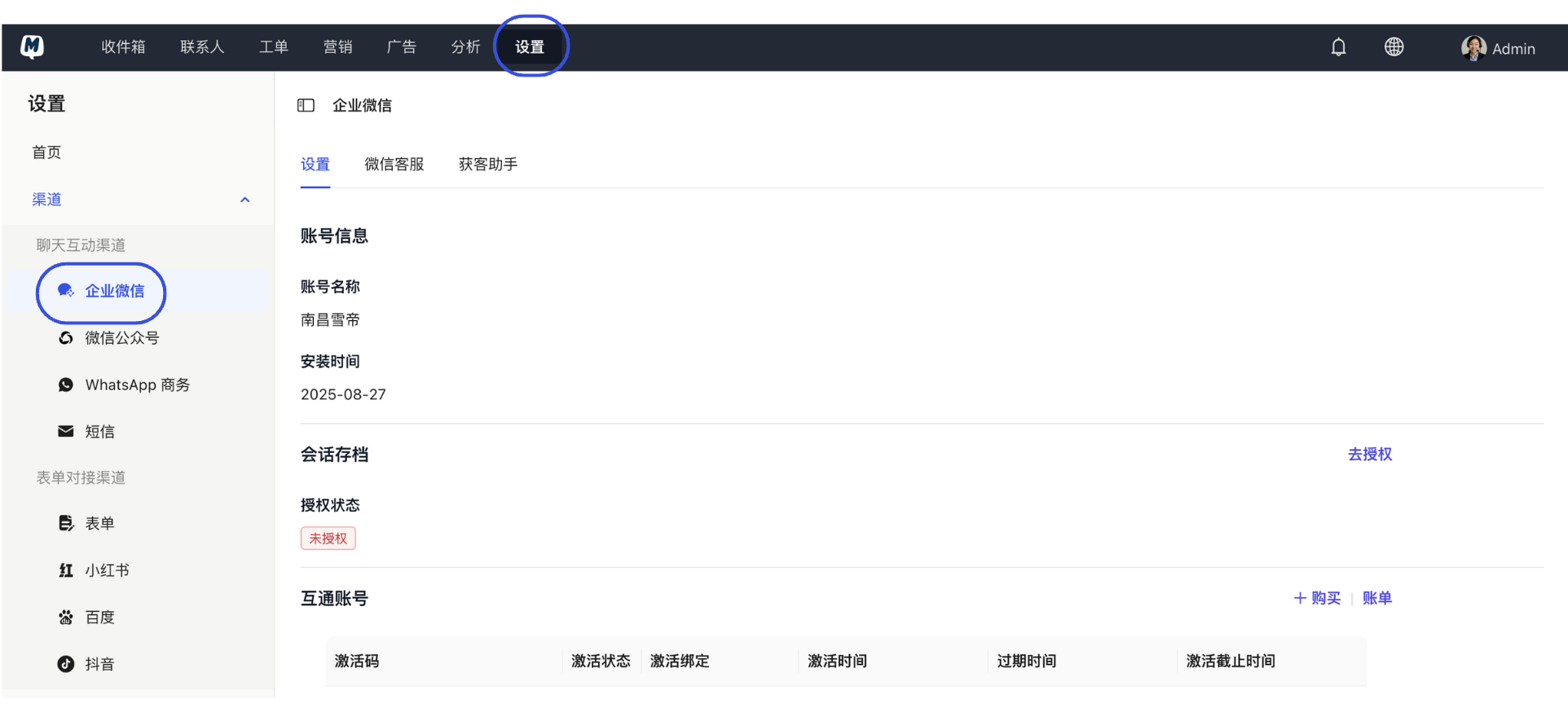
Enter Management Page Go to the Settings > Channels > WeChat Work page.
-
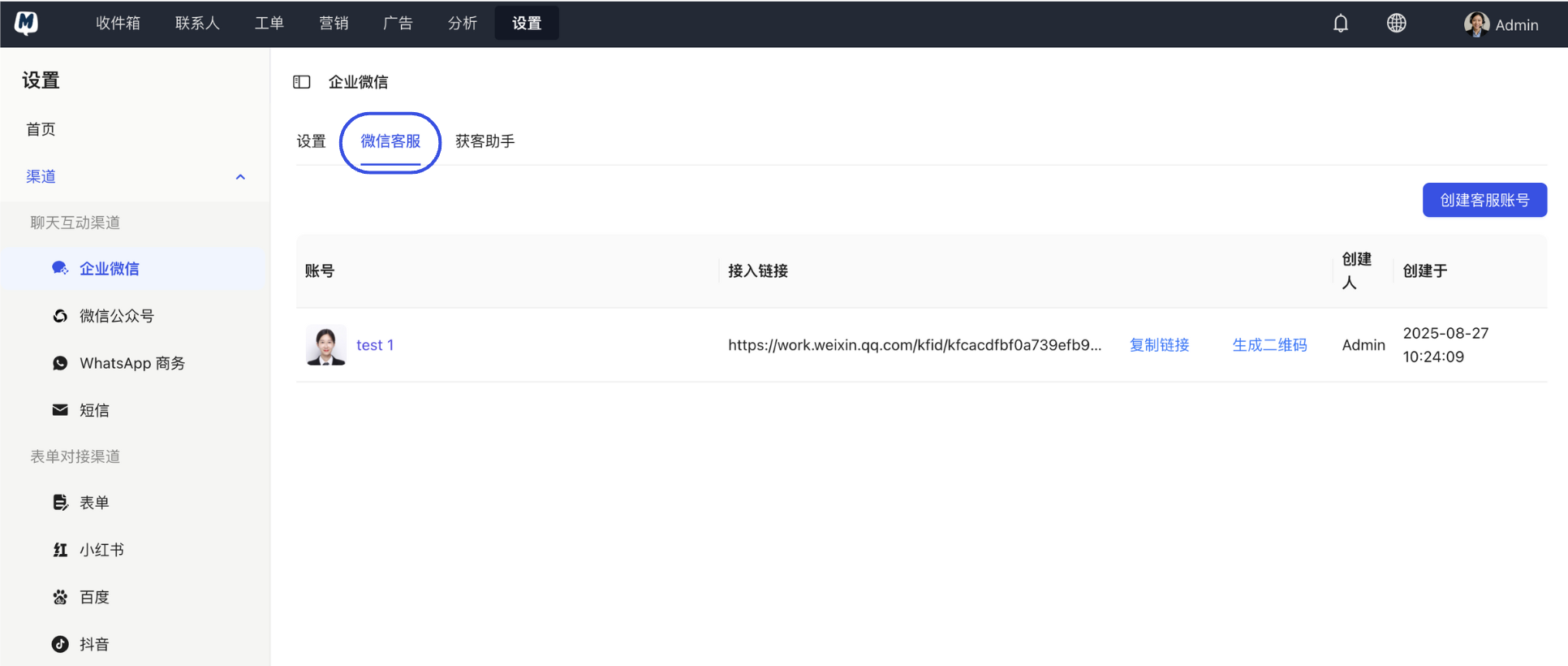
Switch to WeChat Customer Service Tab Click the "WeChat Customer Service" tab at the top.
-
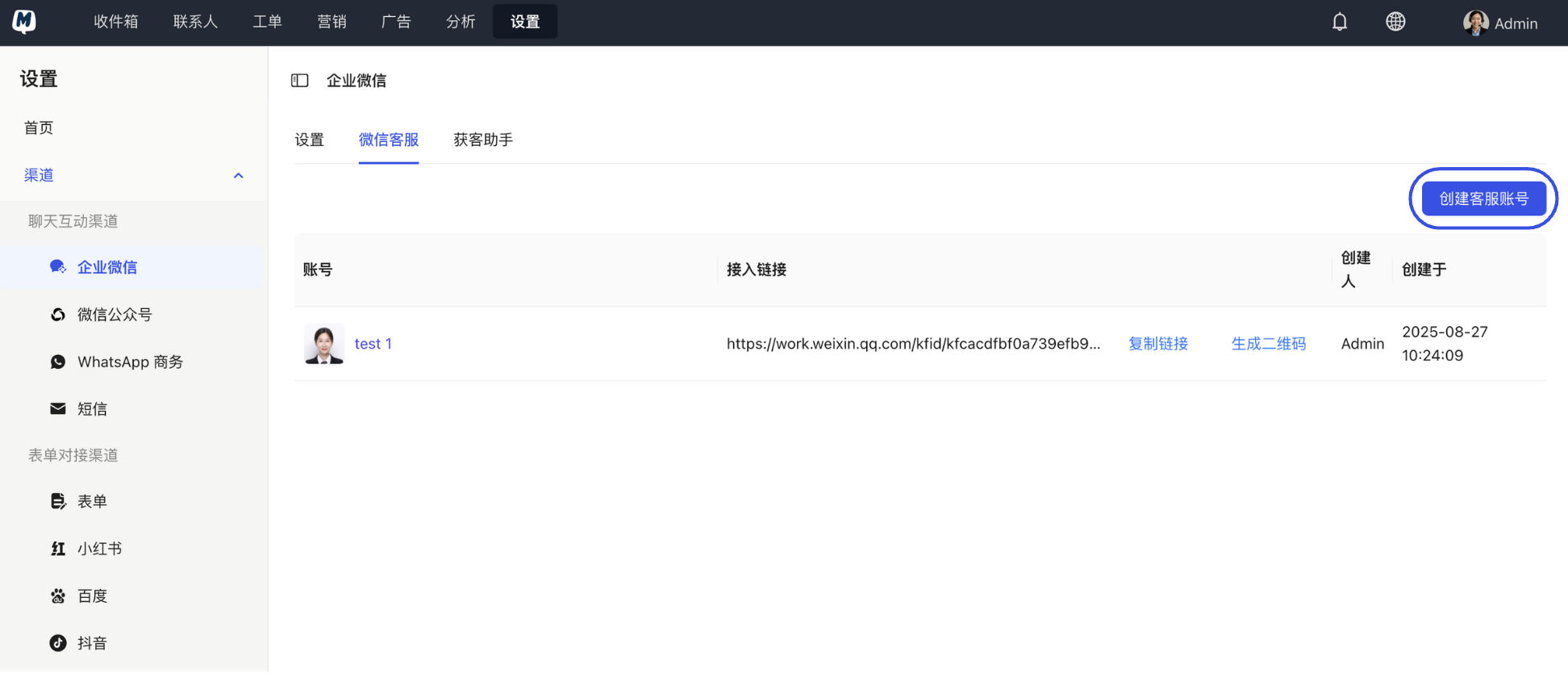
Initiate Creation Click the "Create Customer Service Account" button.
-
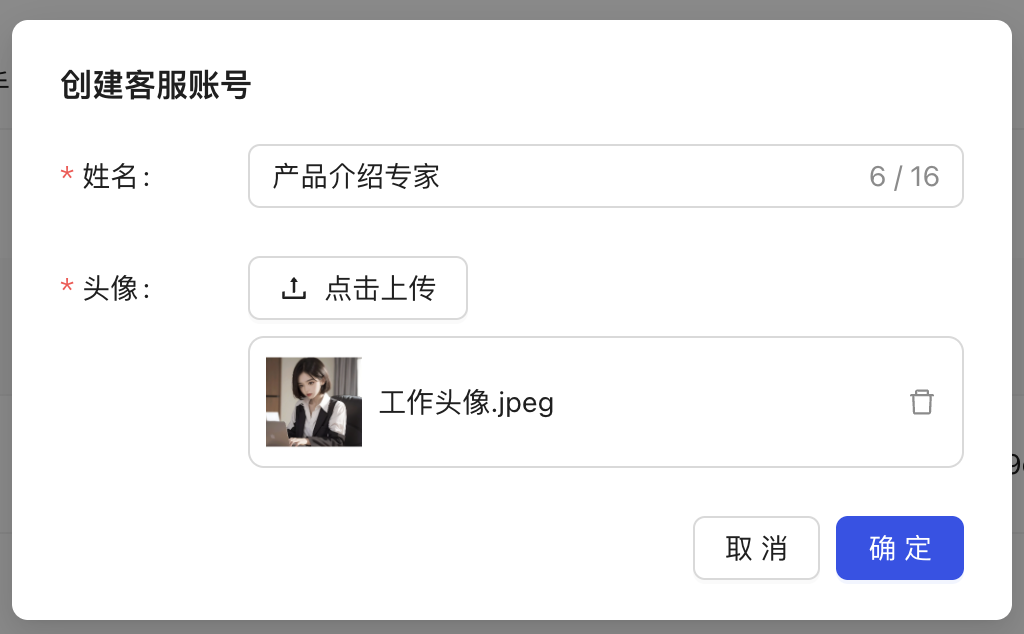
Complete Customer Service Information
- Fill in the Customer Service Name.
- Upload the Customer Service Avatar.
-
Confirm and Save Click "OK" to complete the creation.
How to Use the Customer Service Link/QR Code?
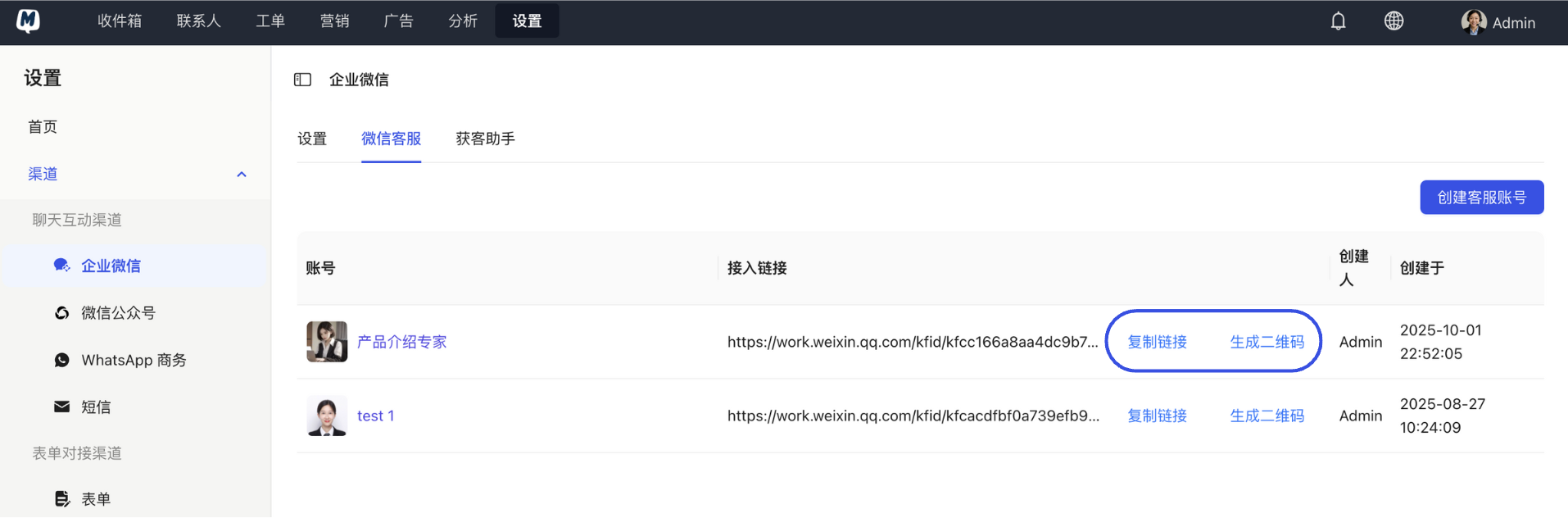
Once created successfully, the system will generate a corresponding Customer Service Link and QR Code.
- You can configure these on your official website, App, or advertising landing pages.
- After a customer scans the QR code or clicks the link using WeChat, they can initiate an inquiry directly without adding you as a friend.
- WeChat Customer Service currently only supports 1-on-1 chats; you cannot directly create or join group chats through this feature.
- Please ensure your customer service avatar is clear and professional to enhance customer trust.