Baidu Marketing Ad Support
By connecting your Baidu Marketing account, MsgBox helps you synchronize leads generated from advertisements in real-time and provides multi-dimensional data analysis reports to optimize your ad spend conversion.
1. Pre-connection Preparation
- MsgBox Version: This feature is only available for Trial or Enterprise users.
- Qualification Requirements: You need an active Baidu Marketing (Baidu Tuiguang) account.
- Permission Requirements: The authorization must be performed by the Administrator of the Baidu Marketing account.
2. How to Connect a Baidu Account?
-
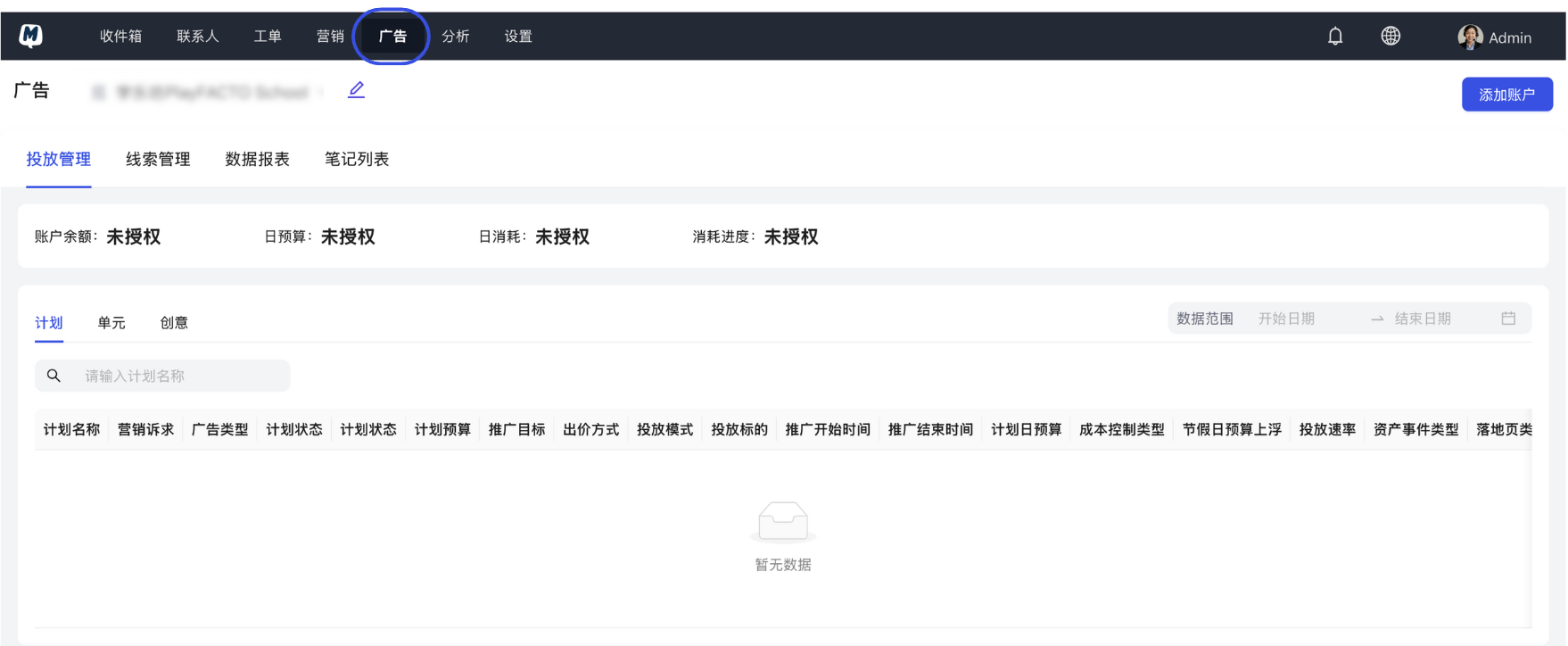
Enter the Ads Module Click Ads in the MsgBox navigation bar.
-
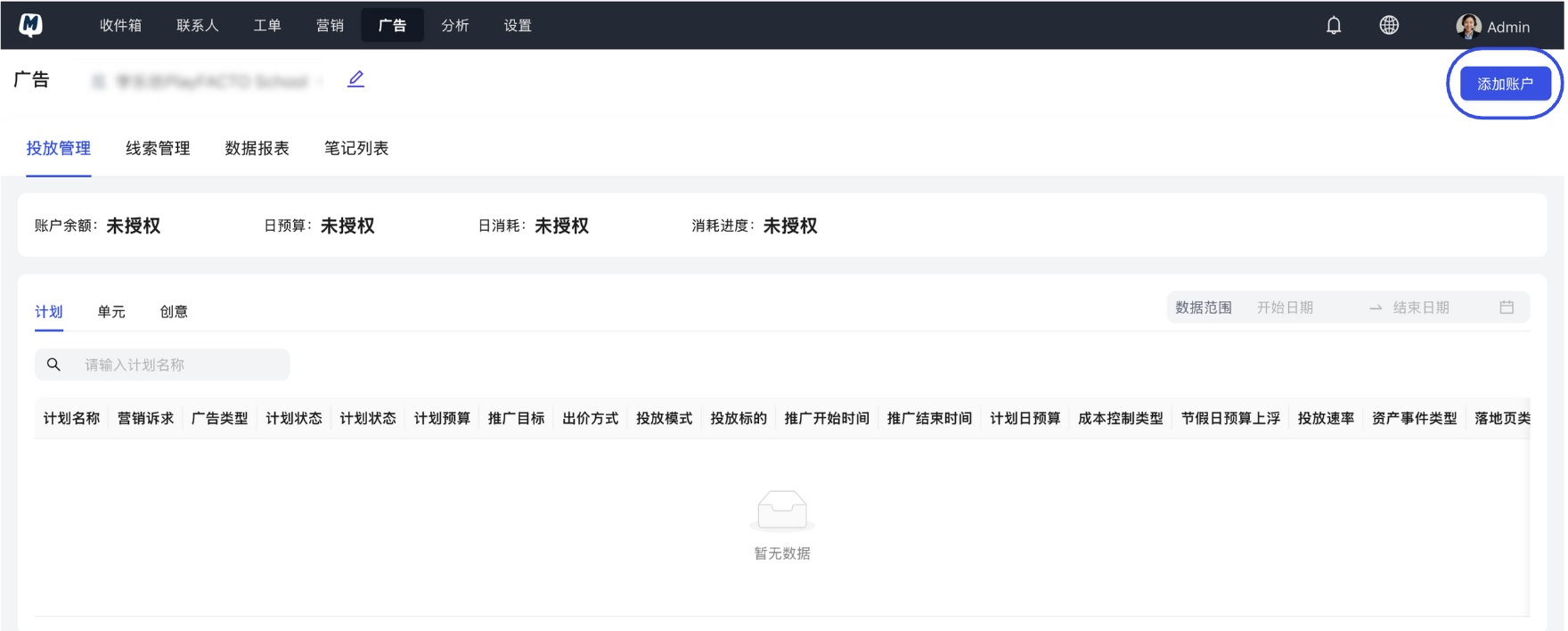
Add Account Click the "Add Account" button in the top right corner.
-
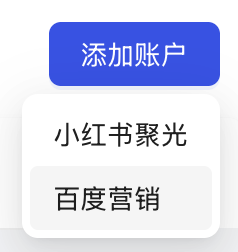
Select Baidu Marketing Choose "Baidu Marketing" from the platform list.
-
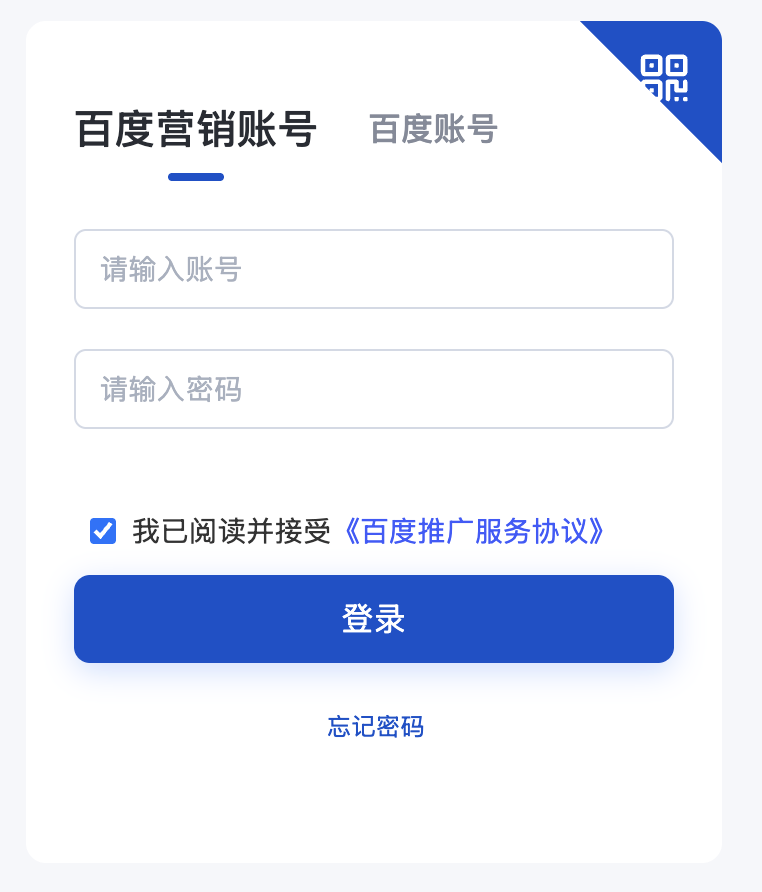
Login and Authorize The page will automatically redirect to the official Baidu login interface. Please log in to your Baidu Marketing account and follow the prompts to complete the application authorization.
3. Lead and Data Management
Once connected, you can manage all potential customer leads from Baidu directly within MsgBox.
-
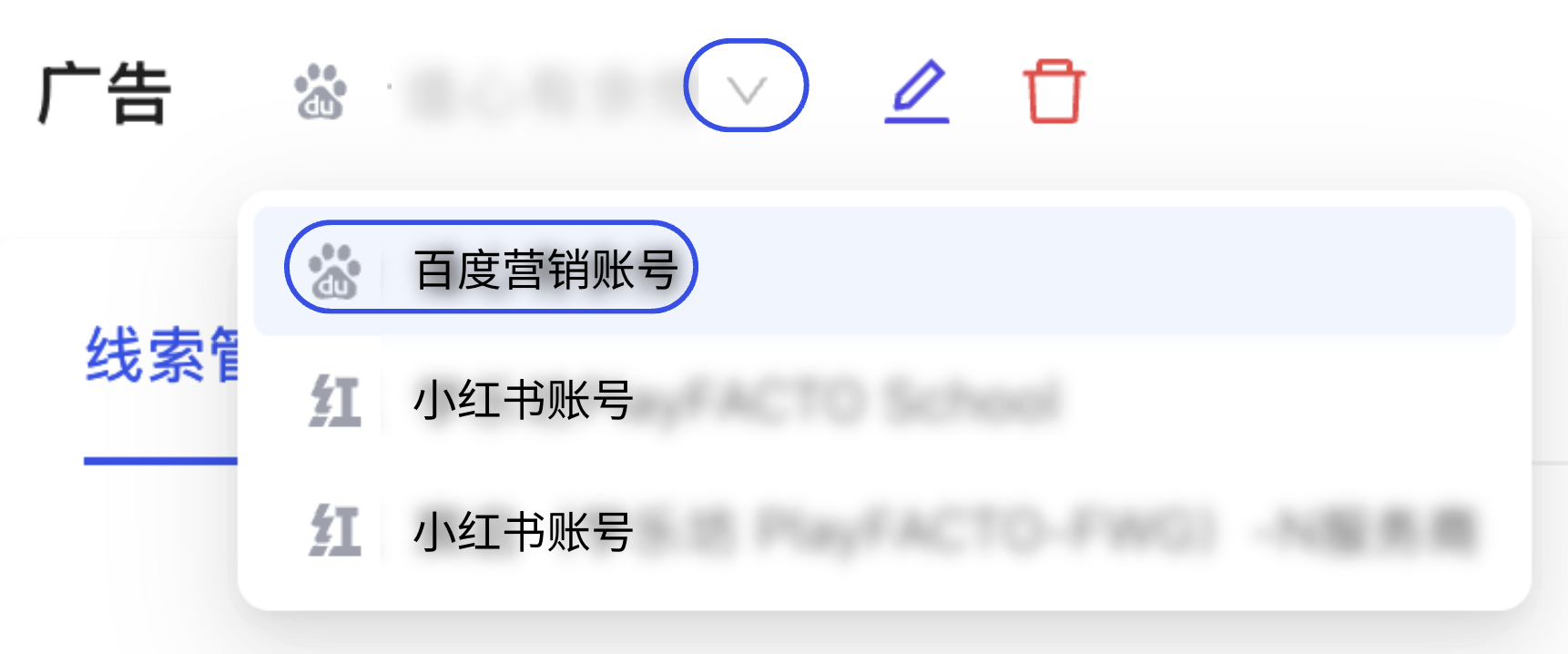
Enter the Management Page Go to the Ads page and click on the connected Baidu Marketing Account in the list on the left.
-
View Lead Data Under the "Lead Management" tab, you can view all contact information submitted via Baidu forms.

If you cannot view detailed data charts, please confirm whether your authorization includes "Data Reporting" permissions. If necessary, try disconnecting and re-authorizing while ensuring all permissions are checked.
Advanced Feature: Closed-loop Lead Conversion
After connecting Baidu Marketing, it is recommended to also enable HubSpot CRM Synchronization. When a Baidu lead enters MsgBox, the system can automatically sync it to HubSpot, helping your sales team achieve immediate follow-up and track the final ROI conversion rate.
Next Steps: