How to View WeChat Official Account Post Interaction Data?
Through the MsgBox WeChat Official Account dashboard, you can intuitively evaluate content reach, follower growth trends, and user interaction preferences to continuously optimize your push strategy.
Steps
-
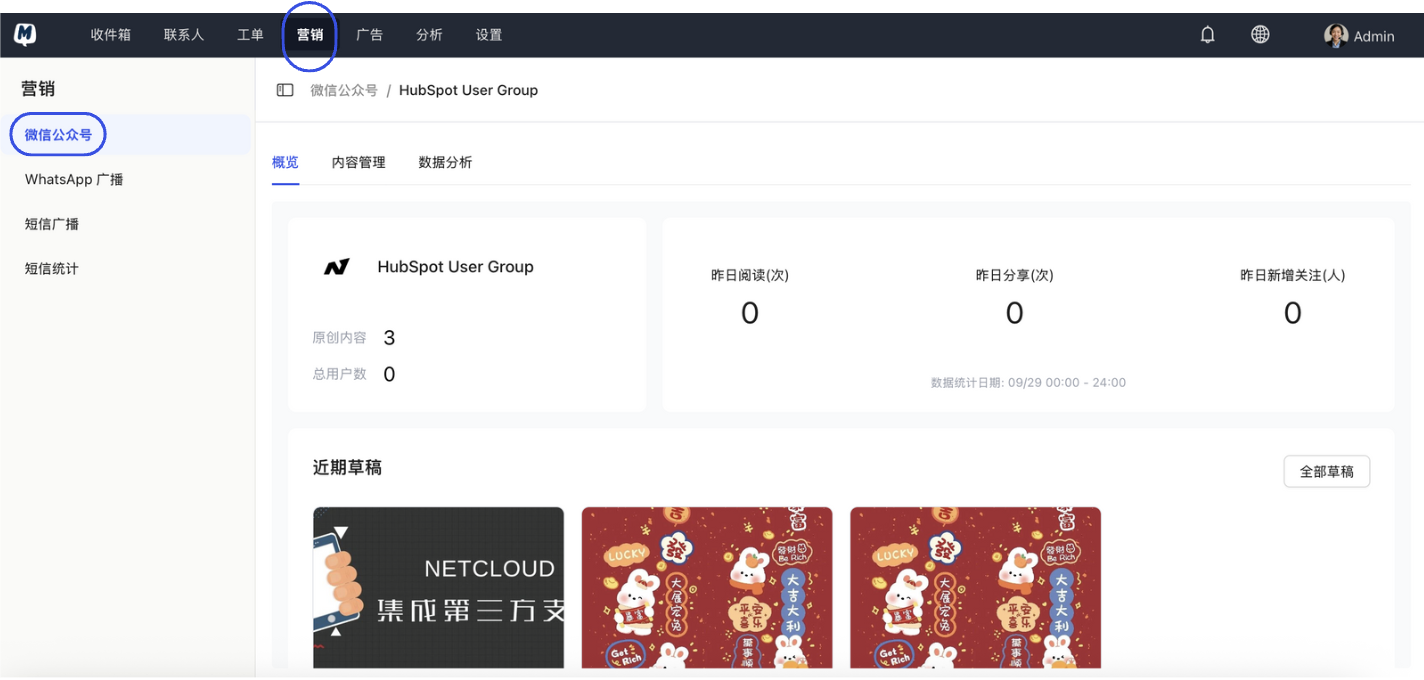
Enter the Data Dashboard Go to the Marketing > WeChat Official Account > Select your account > Analytics page.
-
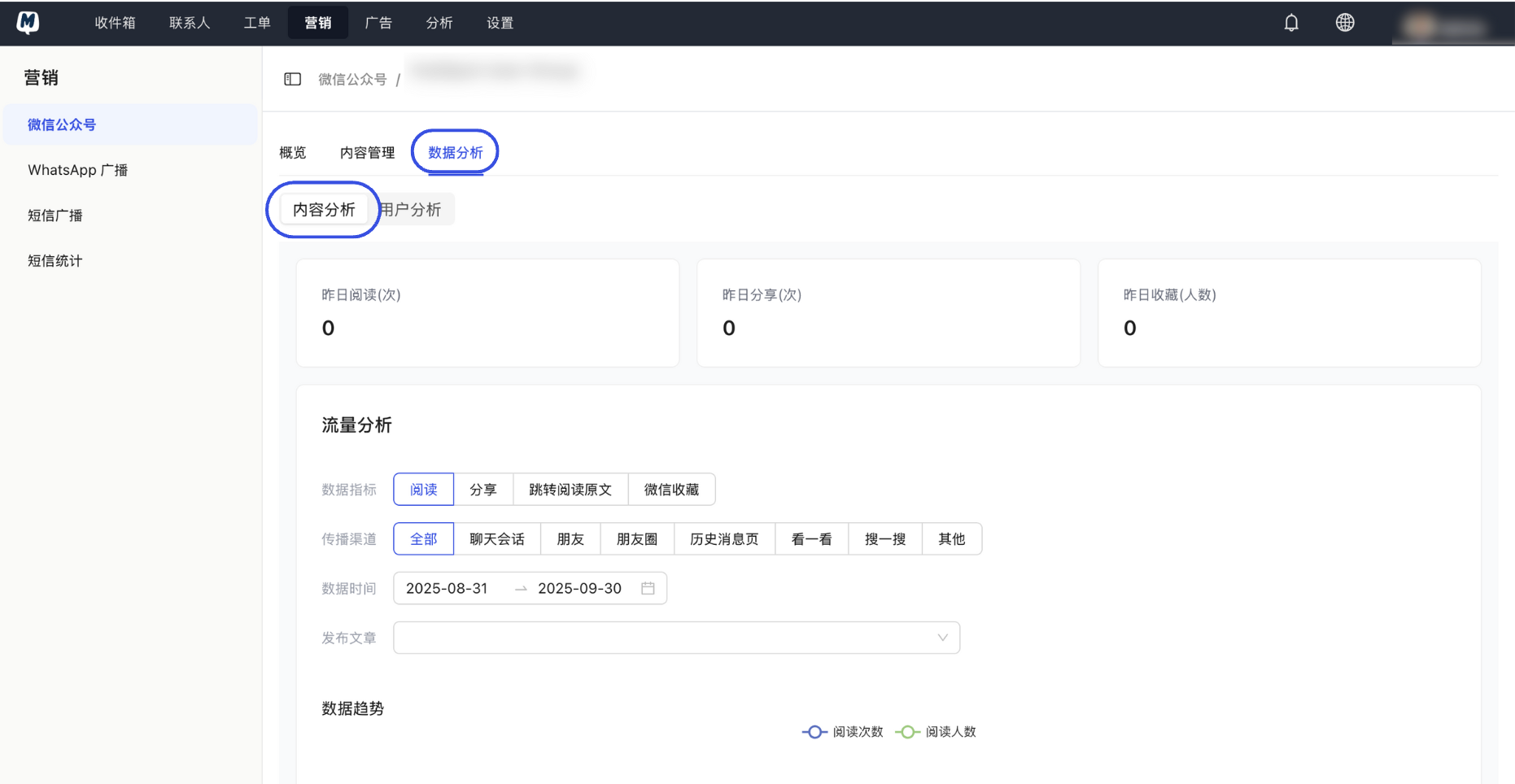
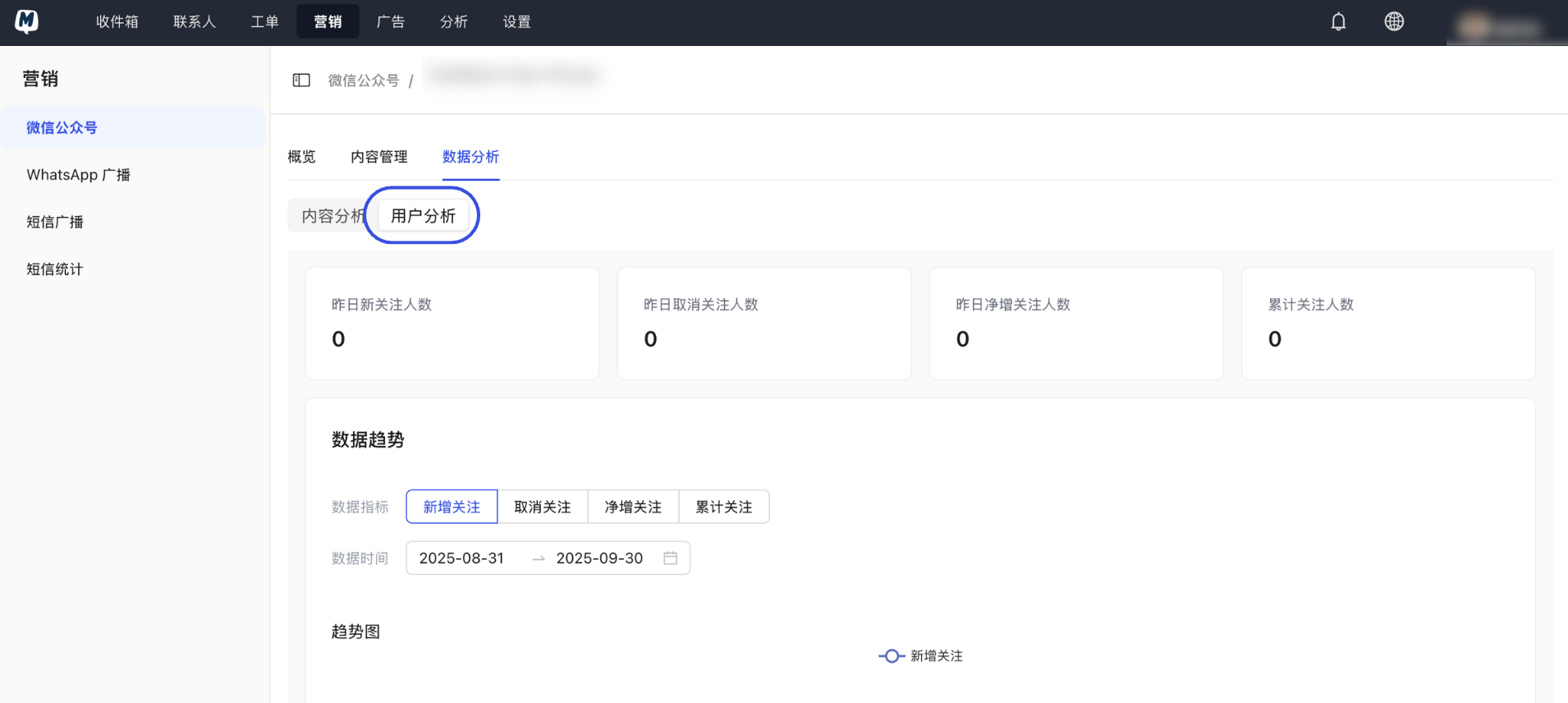
Switch Analysis Dimensions Select different analysis directions from the top tabs based on your needs:
- Content Analysis: View reads, likes, "Wow" clicks, and sharing trends for each post.
- User Analysis: Track changes in total followers, as well as detailed fluctuations in new follows and unfollows.
-
View Individual Post Details In the Content Analysis list, click on a specific "Published Article" entry to expand and view the in-depth interaction data for that piece of content.
Data from the official WeChat API is typically updated daily. This means you will not see real-time read and interaction data on the same day a post is published. We recommend waiting 24 hours after publishing before checking MsgBox for a complete review report.
Operating Tips
- Long-term Tracking: Periodically comparing the "Read-to-Share ratio" of different post topics can help you discover which content has the most viral potential.
- Timing Optimization: Combine this with the "Message Time Distribution" found in the MsgBox General Data Analytics to push content when your followers are most active, leading to higher open rates.
Related Guides: