How to Connect a WeChat Official Account?
By connecting your WeChat Official Account, you can centrally manage private messages, synchronize draft content, and utilize AI Agents for automated customer service replies within MsgBox.
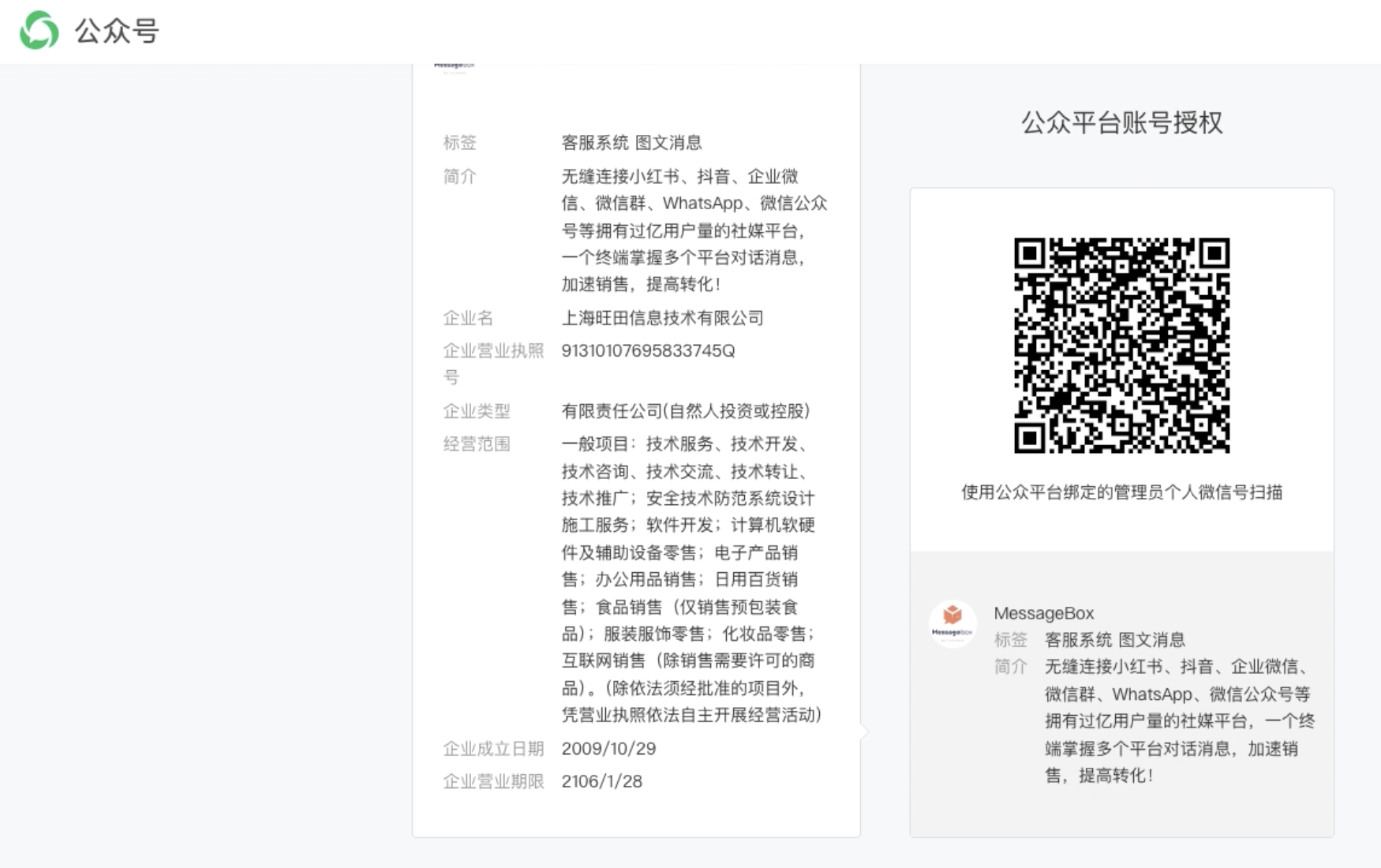
When performing the authorization, you must use the personal WeChat account of the Administrator of that WeChat Official Account to scan the QR code. Non-administrator accounts (such as operator accounts) will not be able to complete the authorization.
Steps
-
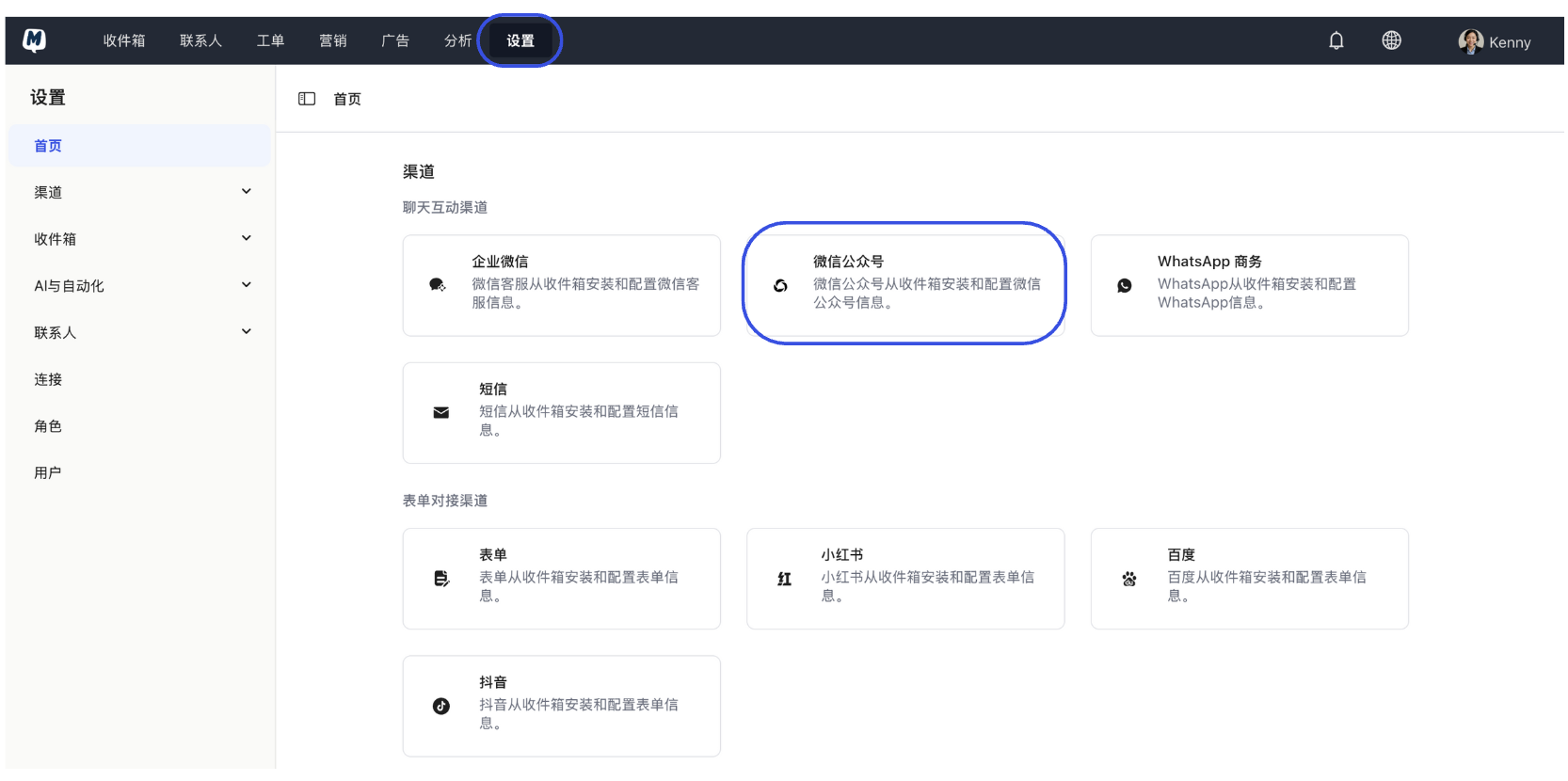
Initiate Addition Go to Settings > Channels and click the "WeChat Official Account" option.
-
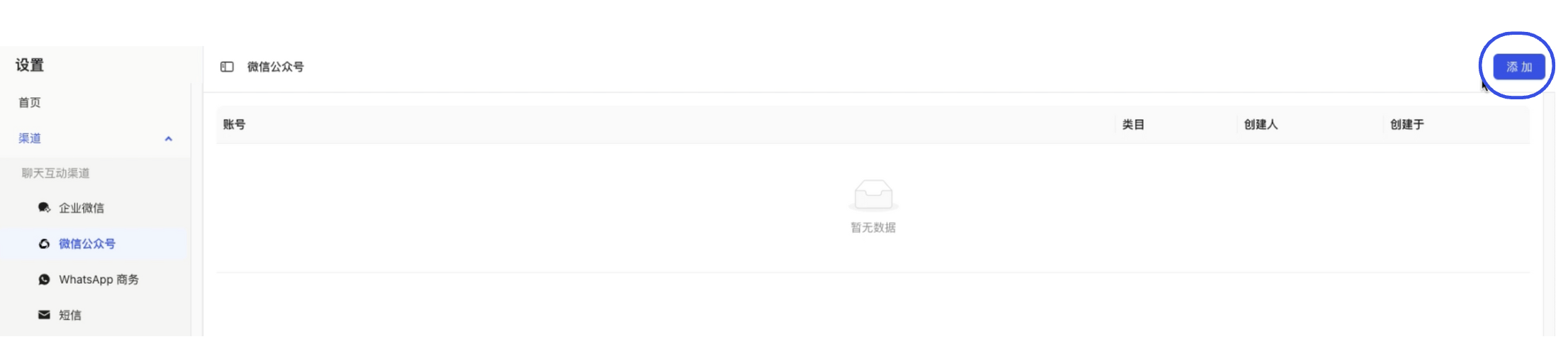
Click Add Button On the WeChat Official Account management page, click "Add" in the top right corner.
-
Scan for Authorization The system will automatically redirect to the official WeChat Official Accounts Platform authorization page. Please use the administrator's personal WeChat to scan the QR code on the page and confirm the authorization on your phone.
-
Confirm Connection Status Upon successful authorization, the page will automatically return to MsgBox, and you will see the successfully connected Official Account information in the list.

FAQ
Q: What should I do if it says "Insufficient Permissions" after scanning? A: Please confirm whether the personal WeChat account used for scanning is the "Primary Administrator" of the Official Account. If you are only an "Operator" or "Developer," please contact the primary administrator to perform the operation.
Q: Can I synchronize previous chat history after connecting? A: Due to WeChat API rules, you can only receive new fan messages after connecting. To manage content, please refer to the links below.
Next Steps: