How to Create and Edit Xiaohongshu Forms?
With Xiaohongshu forms created via MsgBox, you can configure the API link within the JuGuang (聚光) platform to capture advertising leads in real-time. You can flexibly design fields and decide whether to automatically sync data to your CRM system.
Phase 1: Creation and Basic Configuration
-
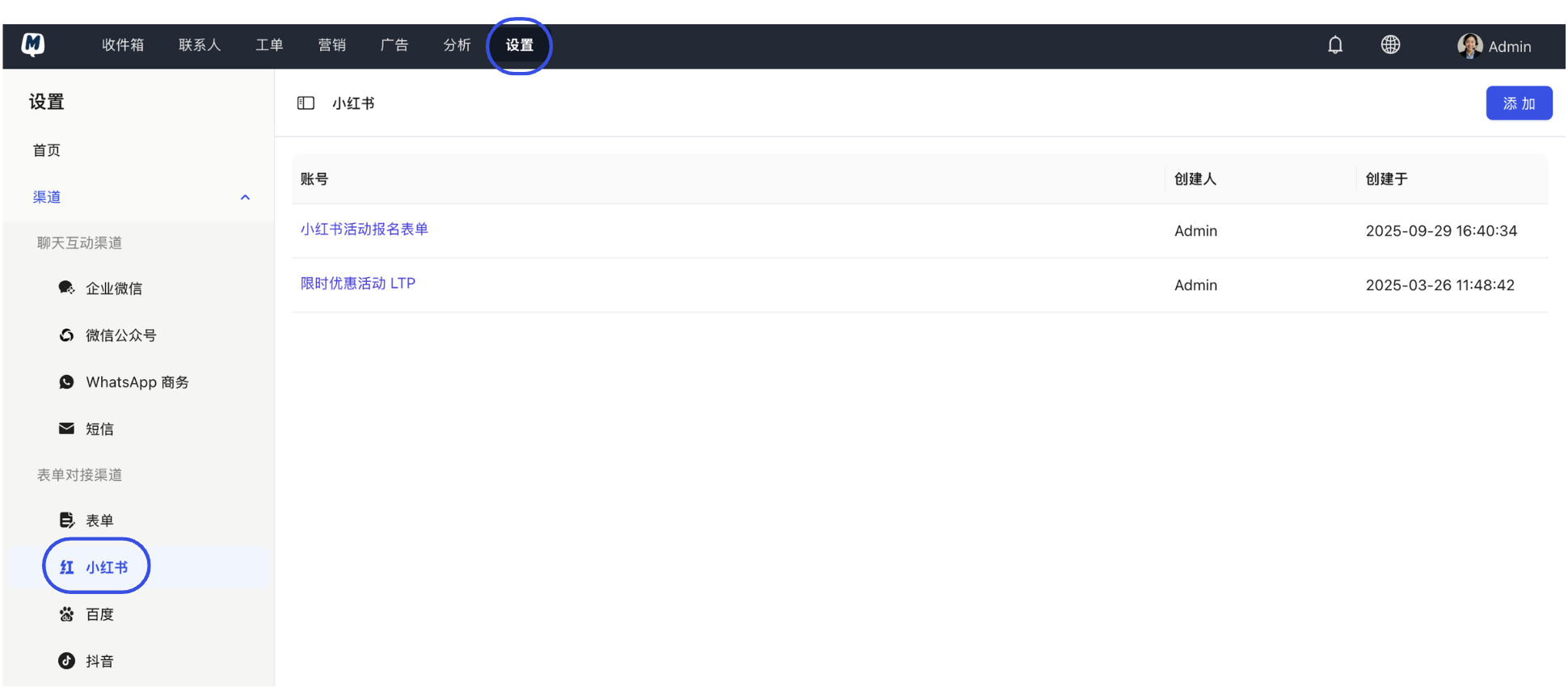
Enter Settings Go to Settings > Channels > Xiaohongshu.
-
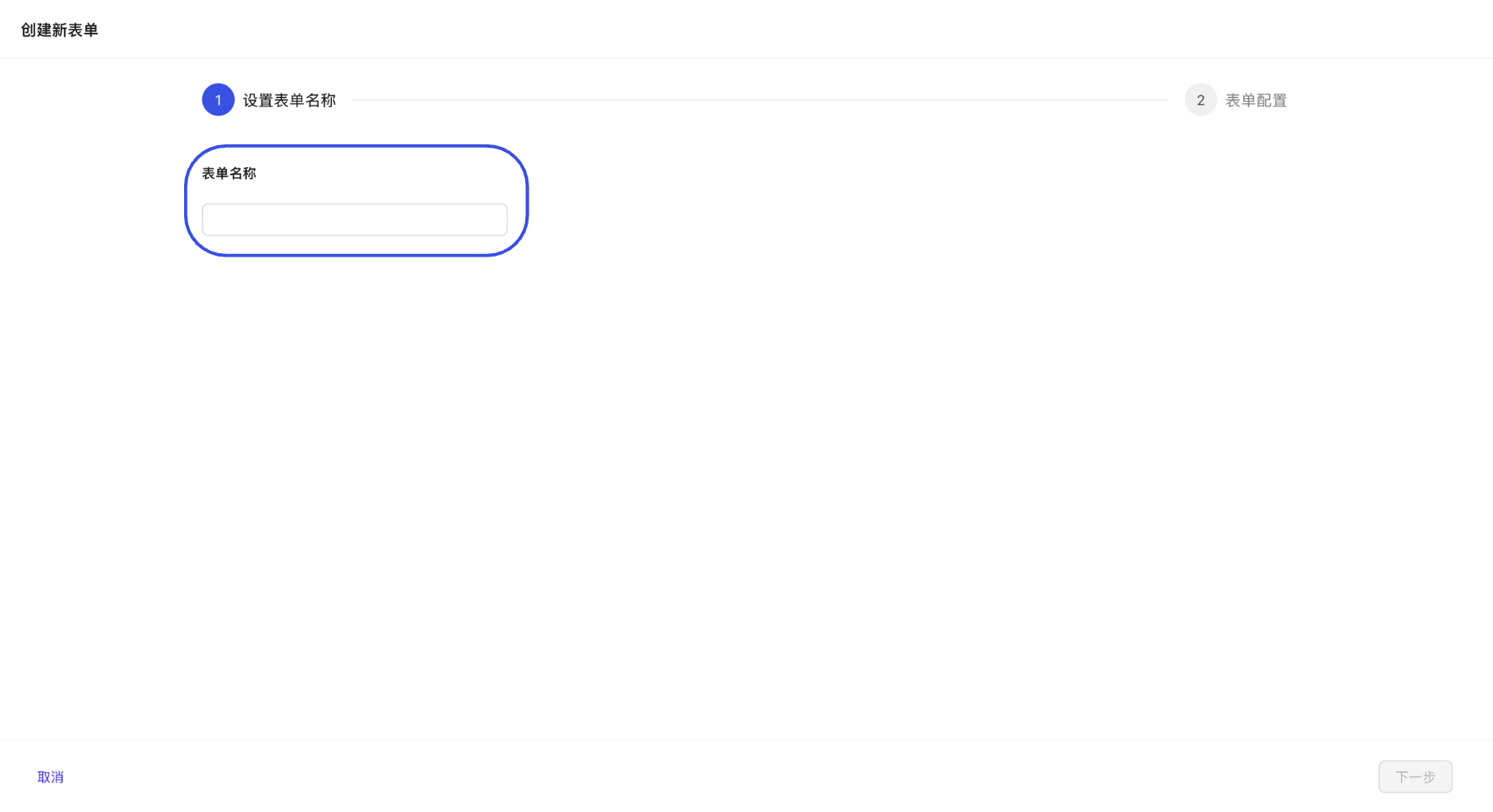
Add New Form Click "Add" and set a form name (we recommend naming it "Ad Campaign Name + Date" for easier review later).
-
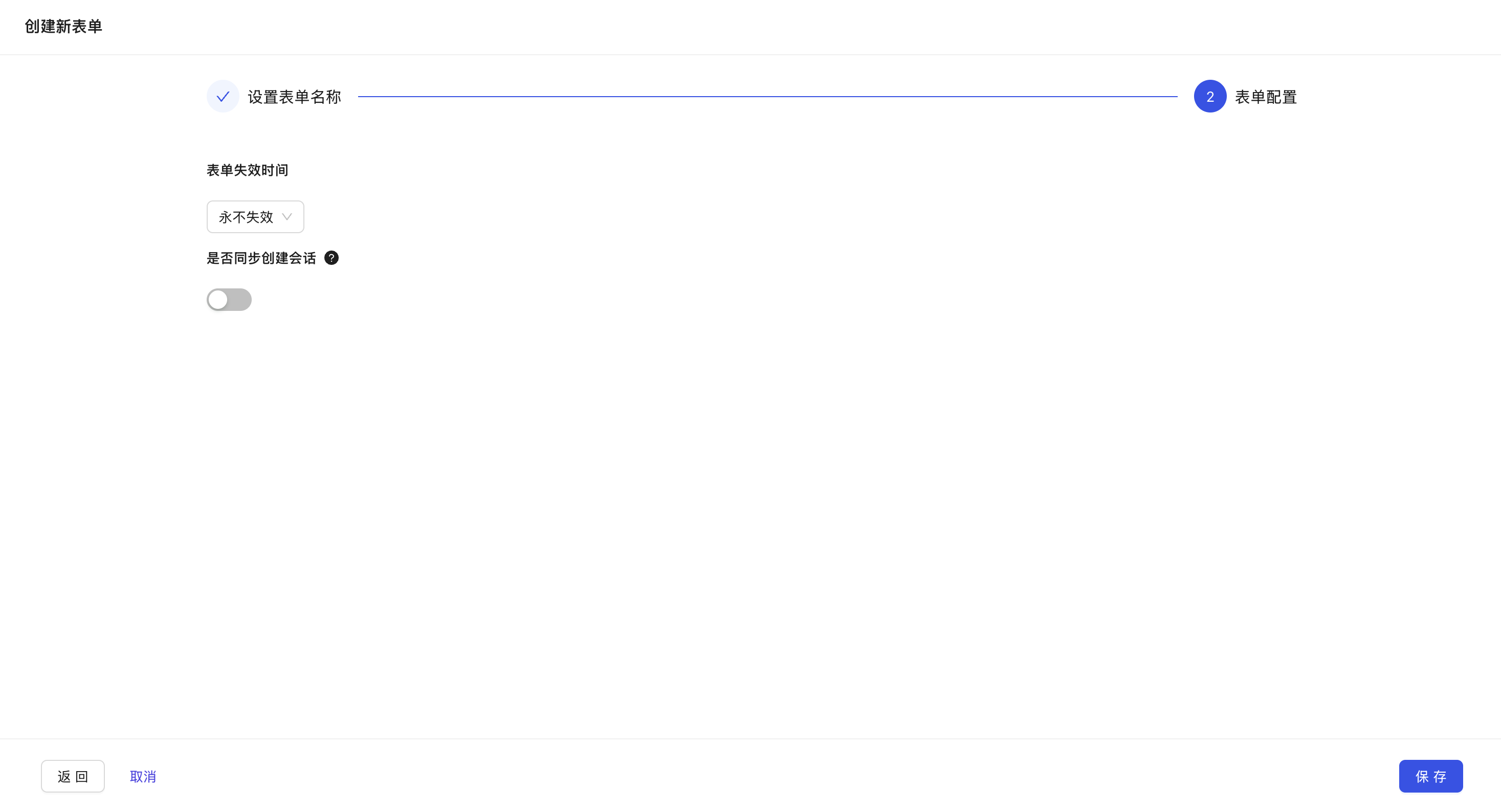
Set Operational Logic
- Form Expiration: Set to "Never Expire" or "Expire on a Specific Date." Once expired, MsgBox will stop receiving submissions even if they occur on the Xiaohongshu side.
- Synchronously Create Conversation: Highly Recommended. When enabled, a new conversation is automatically created in the Inbox for every new lead submitted, allowing agents to follow up immediately.
Phase 2: Form Field Design
-
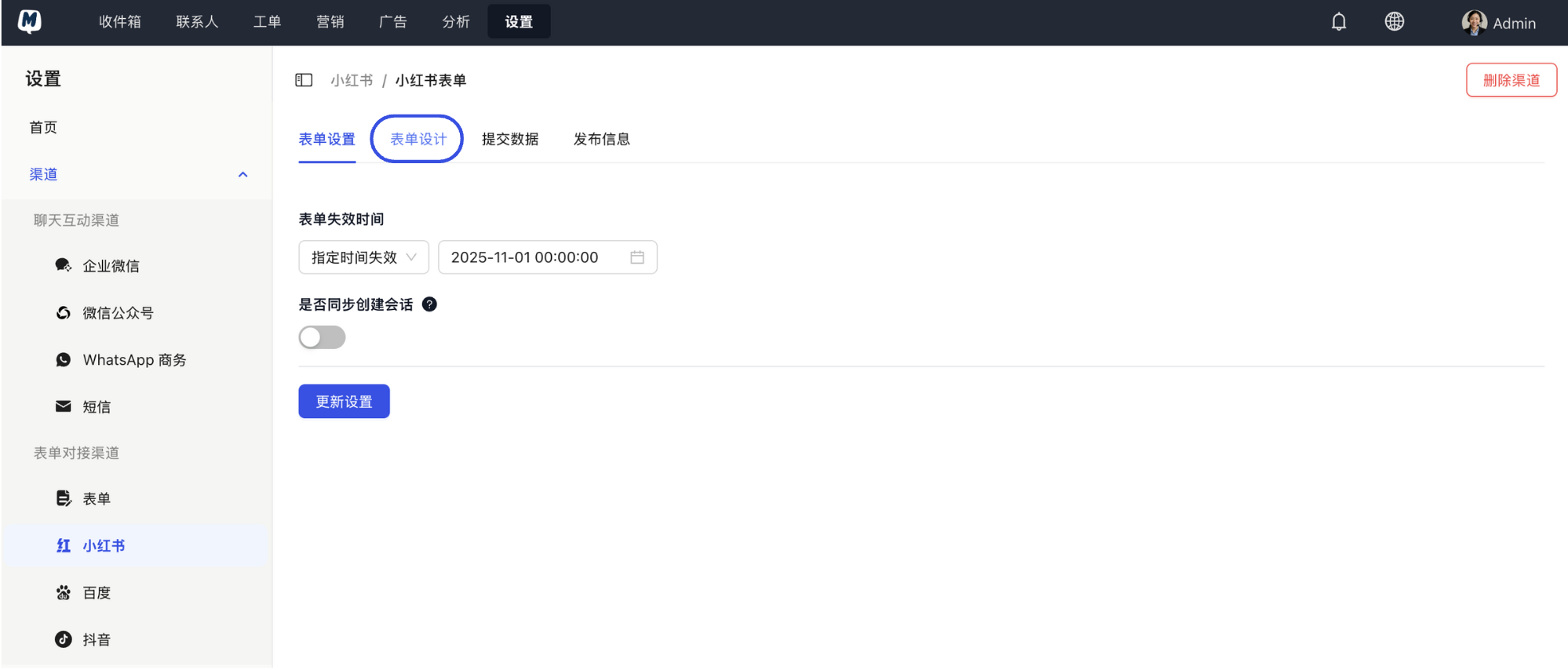
Enter Designer On the form details page, click "Form Design."
-
Add Field Types Click "Add Field" and select based on your needs: Text (Name), Phone Number, Radio Buttons (Product of Interest), etc.
-
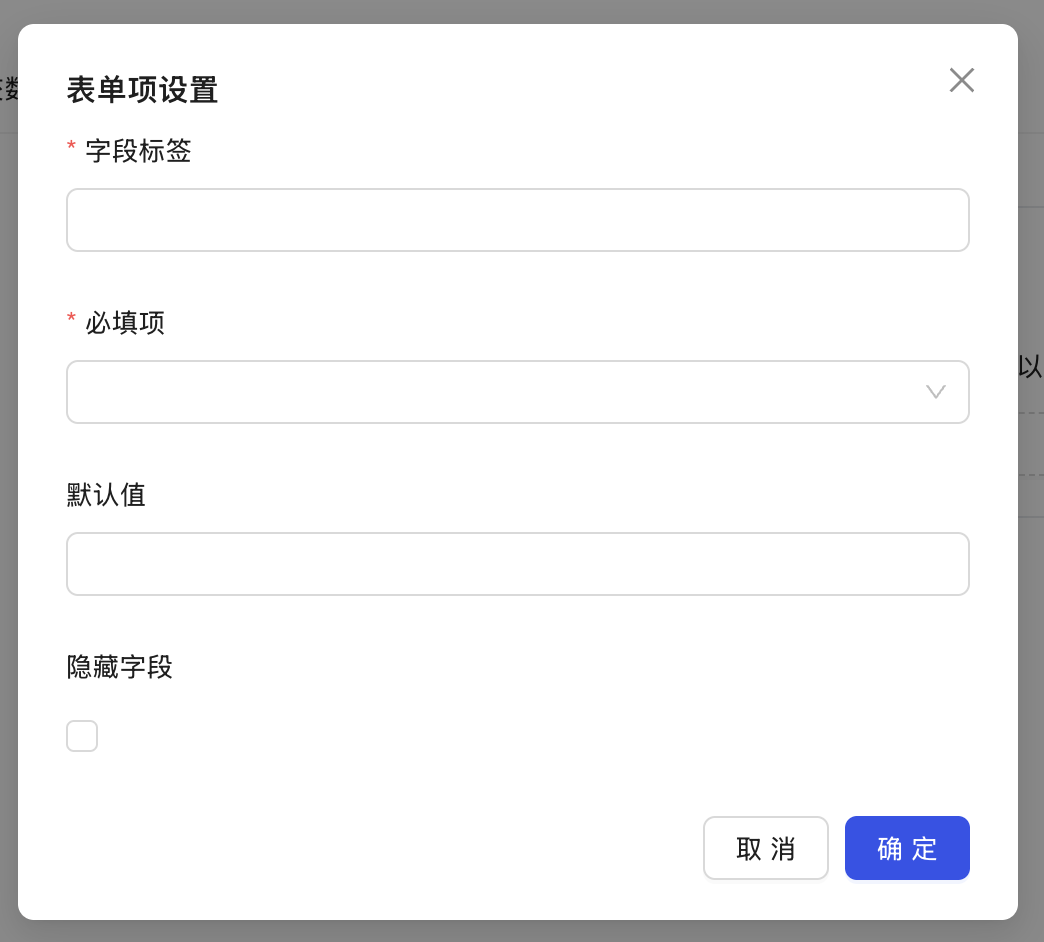
Set Labels and Validation Fill in the field label (the prompt seen by the customer), set whether it is a "Required Field," and click "Confirm."
Phase 3: Contact Sync Settings (Optional)
Perform these steps if you want form data to automatically update your contact database rather than just existing as records.
-
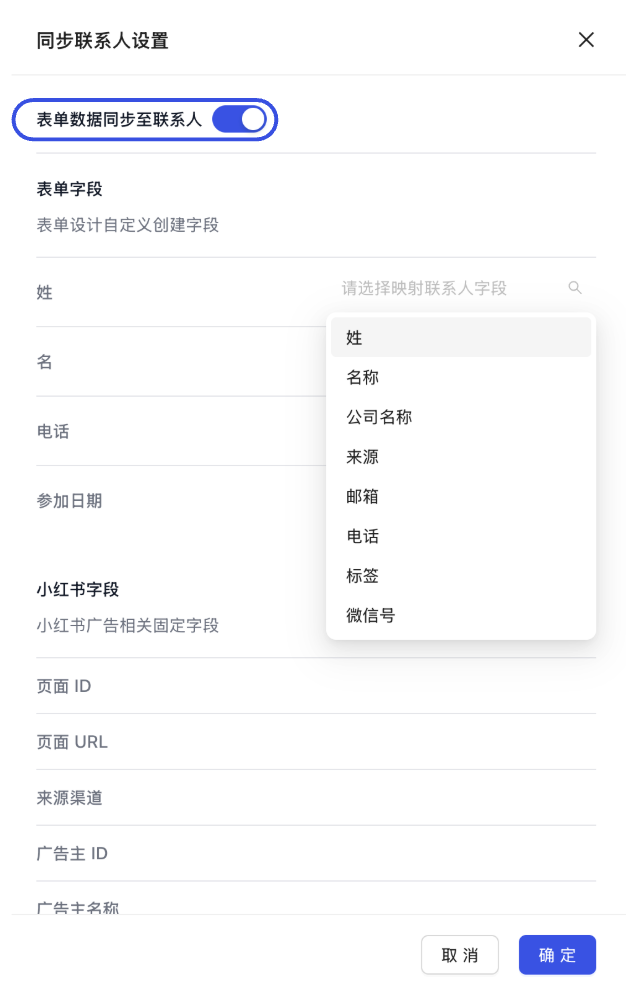
Enable Sync Toggle Click "Contact Sync Settings" and switch on the "Sync Form Data to Contacts" toggle.
-
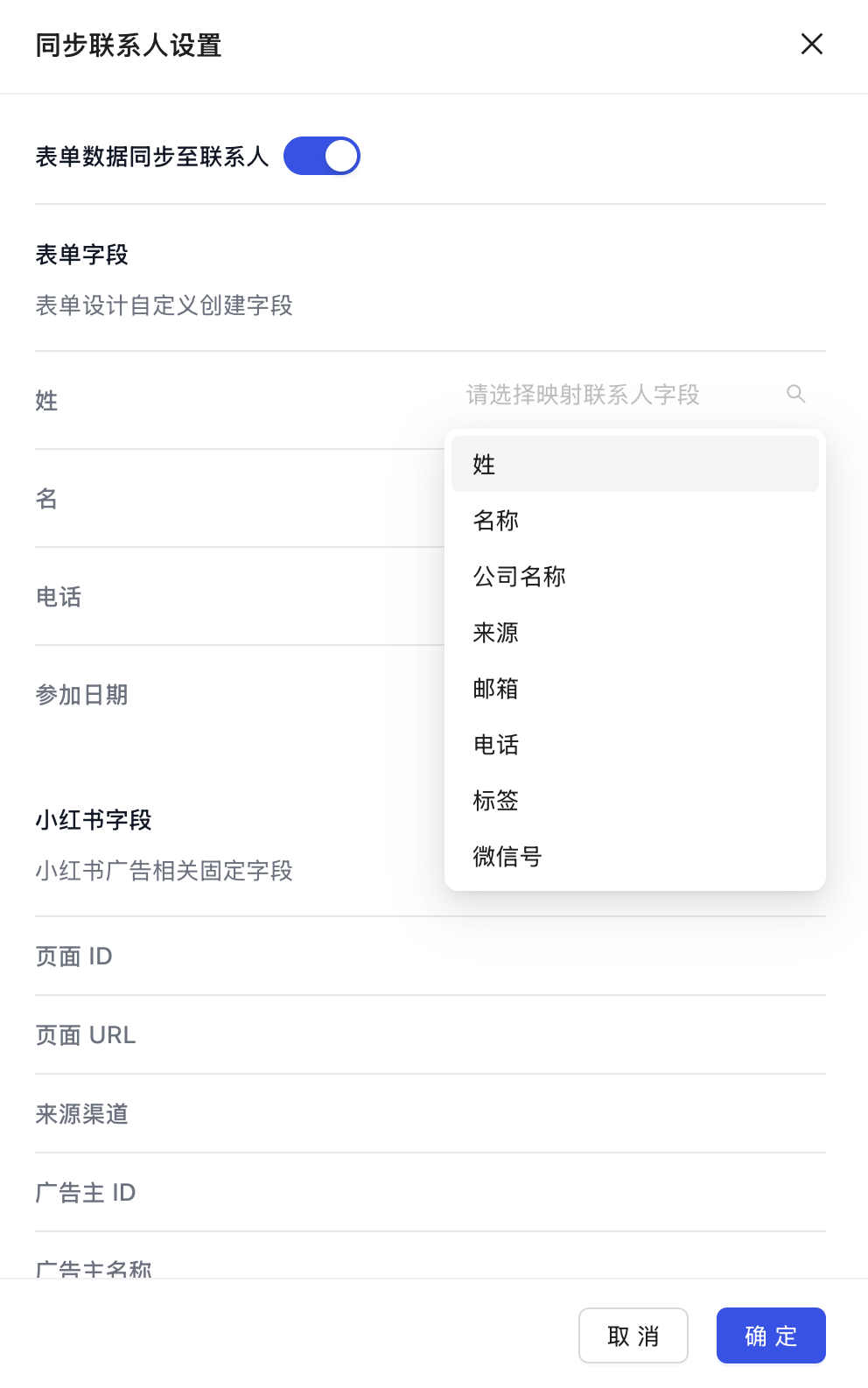
Map Field Relationships
- Left Side: The form fields you just designed.
- Right Side: Choose the corresponding contact attribute (e.g., Name to Name, Phone to Mobile Phone).
-
Save and Apply After clicking "Confirm," click "Save" in the top right corner.
Before configuring the form, ensure you have connected and authorized your Xiaohongshu JuGuang Platform account. Without authorization, leads generated by the form cannot be pushed in real-time via API.
Related Guides: