Create a WhatsApp Business Account
Before integrating WhatsApp into MsgBox, you need to have a standalone WhatsApp Business account within the Meta (Facebook) backend.
Steps
-
Log in to Meta Business Suite Go to Meta Business Suite.
- If you have an account: Log in and select your existing "Business Portfolio."
- If you don't have an account: Follow the on-screen prompts to create a new Business Portfolio.
-
Locate WhatsApp Account Settings Click the Settings (gear icon) in the bottom left corner, then select Accounts > WhatsApp accounts in the navigation bar.
-
Initiate Creation Click the blue "+ Add" button on the page and select "Create a new WhatsApp Business account" from the dropdown menu.
-
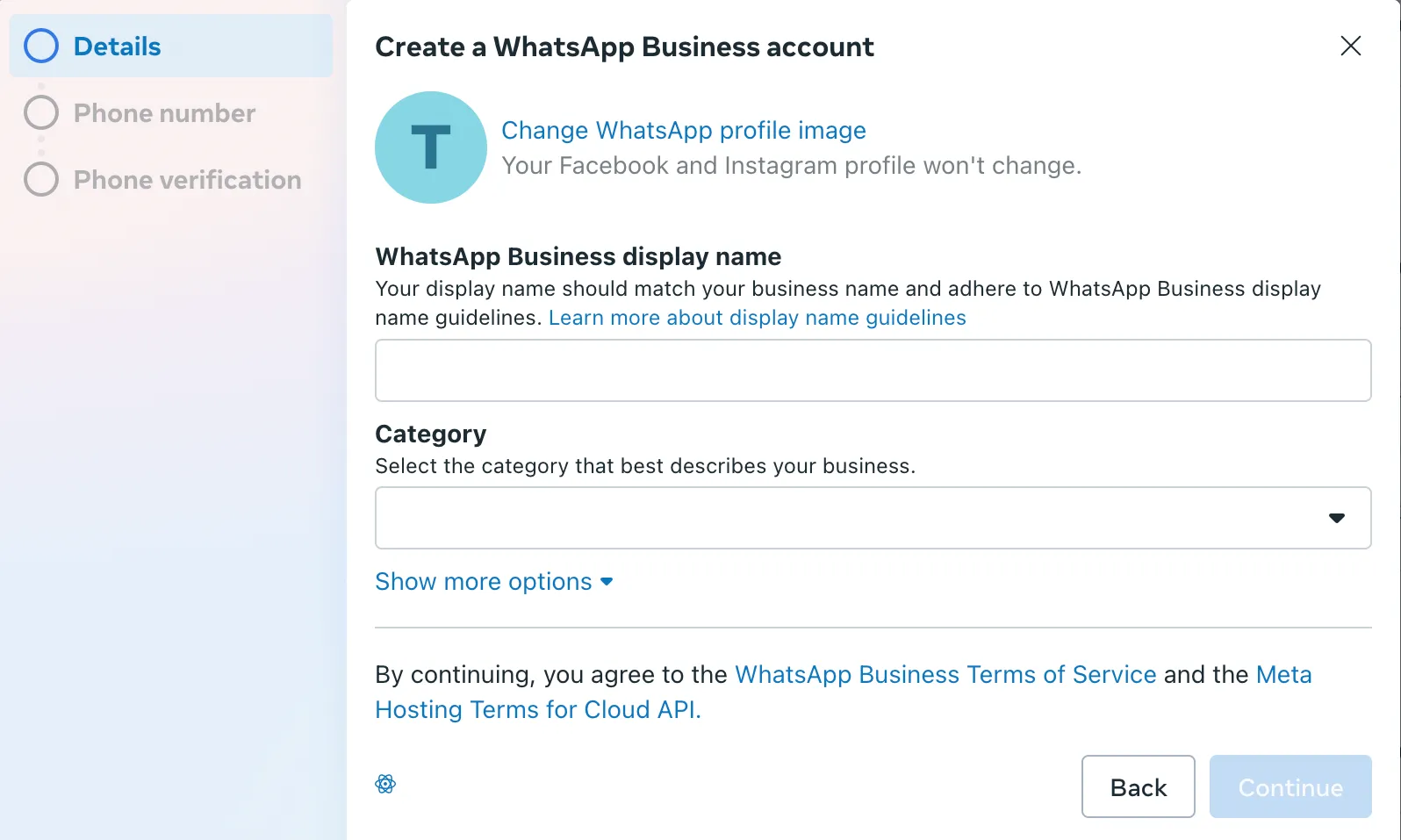
Complete Account Configuration In the pop-up window, follow the Meta instructions to set up your account name, timezone, and business category.
Tips and Resources
- Business Verification: Although you can start creating an account immediately, it is recommended that you complete business identity verification in the "Security Center" later to obtain higher message sending limits and more features.
- Official Developer Guide: If you need to understand more complex creation methods (such as embedded signup via API), please refer to the Meta Official Documentation.
Next Steps: