How to Send WeChat Official Account Message Templates?
With MsgBox, you can send WeChat Official Account template messages to your followers directly from the inbox. This is suitable for both active conversations and as an important means to re-engage customers after the 48-hour session window has closed.
Steps
1. Locate the Send Entry
The entry location varies slightly depending on the current state of the conversation:
- Scenario A: Session Expired (Over 48 hours)
Click the "Send Template" button directly in the center of the chat window.
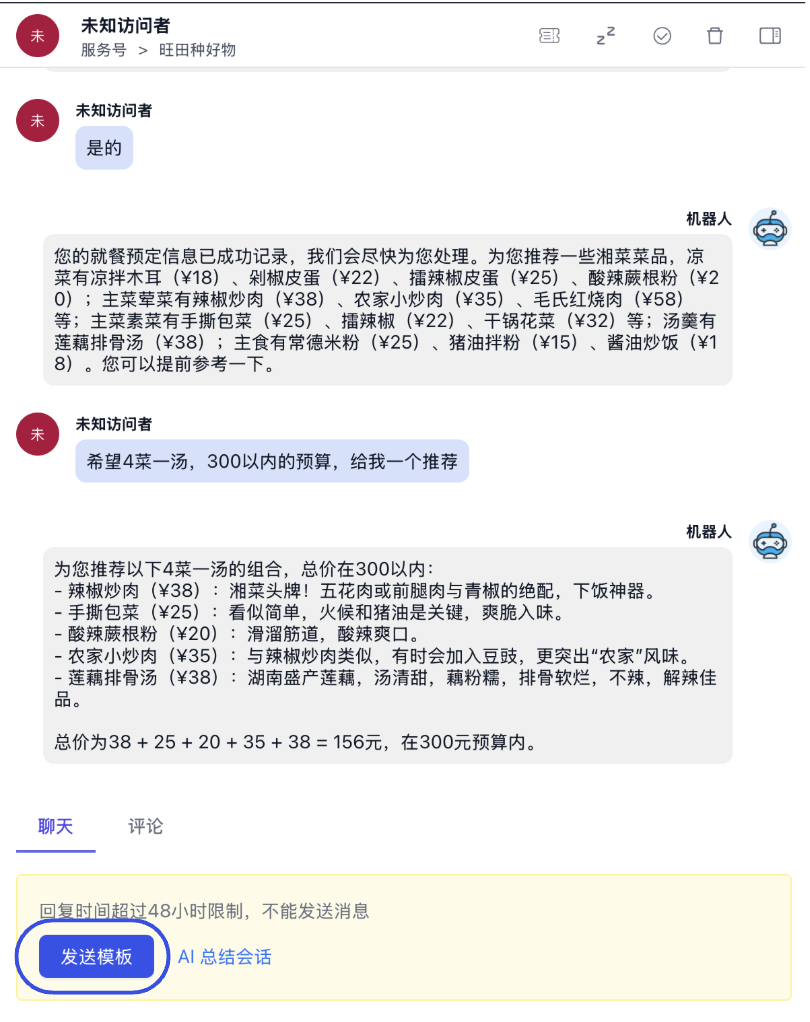
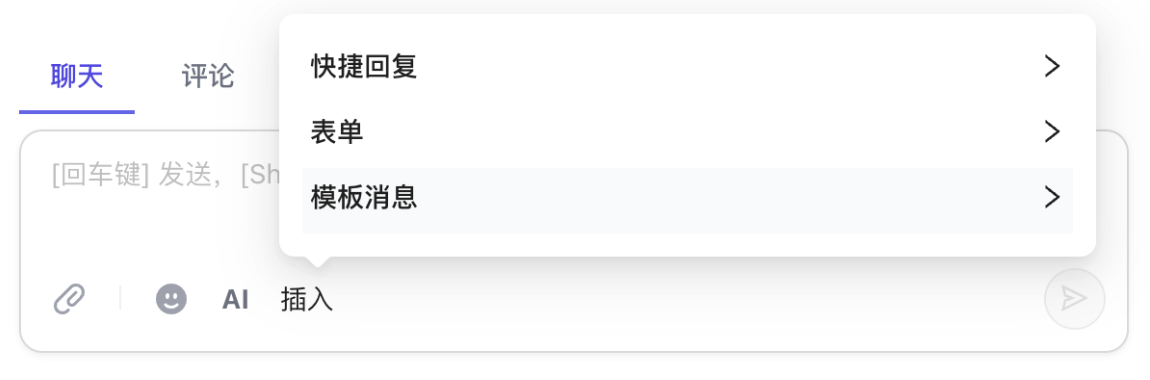
- Scenario B: Session Active (Ongoing conversation)
Click "Insert" in the chat box toolbar and select "Template Message" from the pop-up menu.
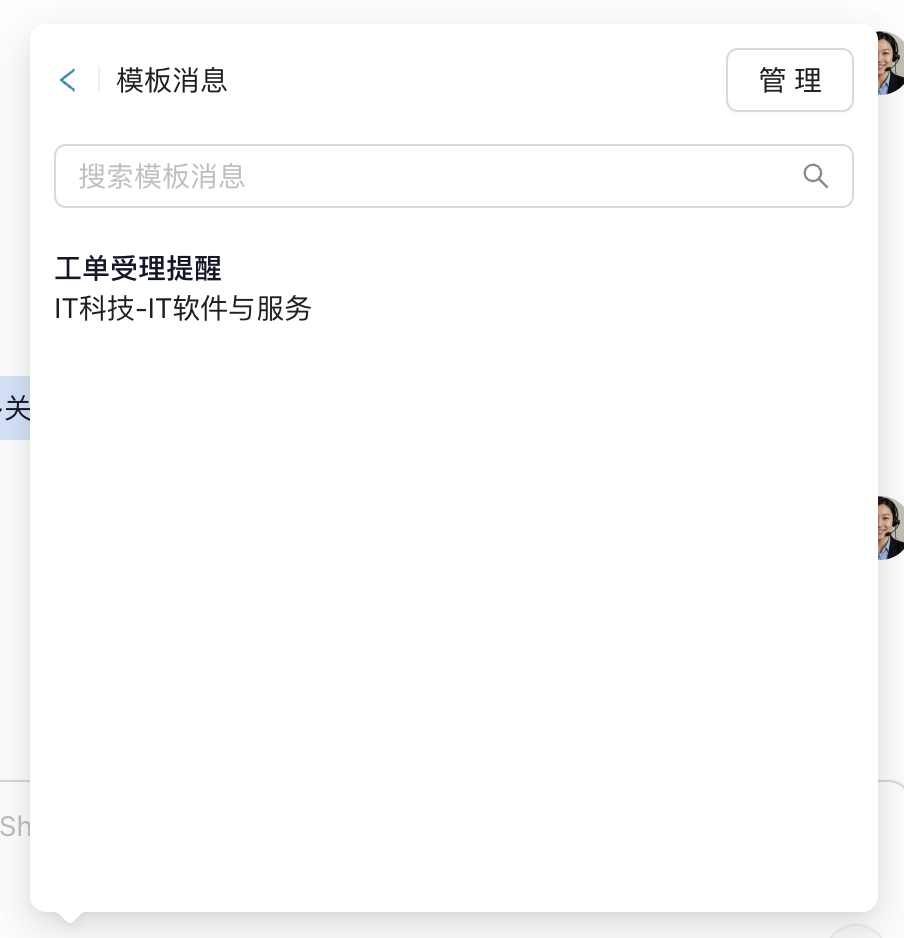
2. Select a Message Template
From the template list, select the specific "Template Message" title you wish to send.
3. Fill in Personalized Variables
Fill in the corresponding personalized information (such as name, order number, time, etc.) based on the fields defined in the template.
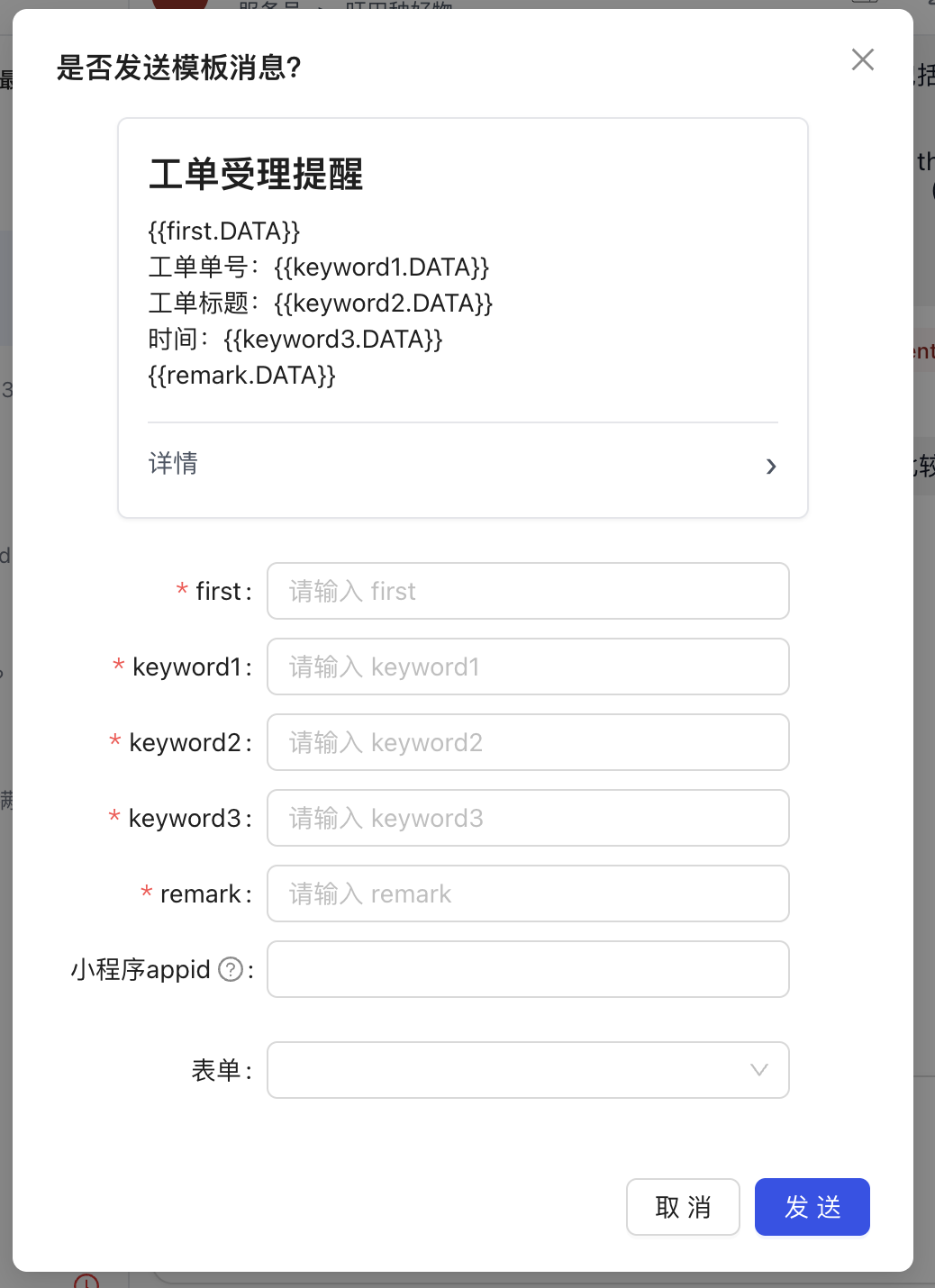
4. Preview and Send
After confirming that the content is accurate, click "Send".
Before sending, you need to complete the template synchronization process. How to sync WeChat Official Account message templates?
Due to official WeChat restrictions, standard customer service messages can only be sent within 48 hours of the follower's last interaction. Template messages allow you to bypass this restriction for scenarios such as service notifications and business reminders.