How to Connect WhatsApp Business?
Connecting your WhatsApp Business (WABA) account via the official API allows your team to achieve multi-seat collaboration, automated replies, and large-scale broadcasting within MsgBox, while enjoying more stable account performance than standard versions.
Steps
-
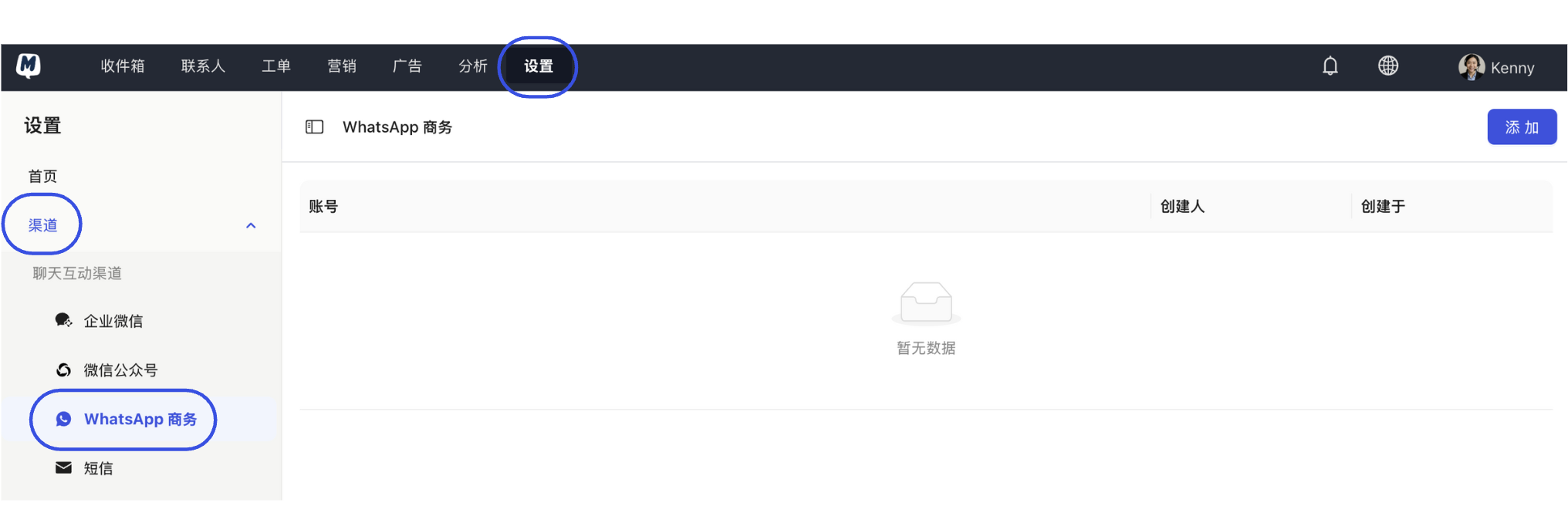
Enter Channel Settings Go to Settings > Channels > WhatsApp Business.
-
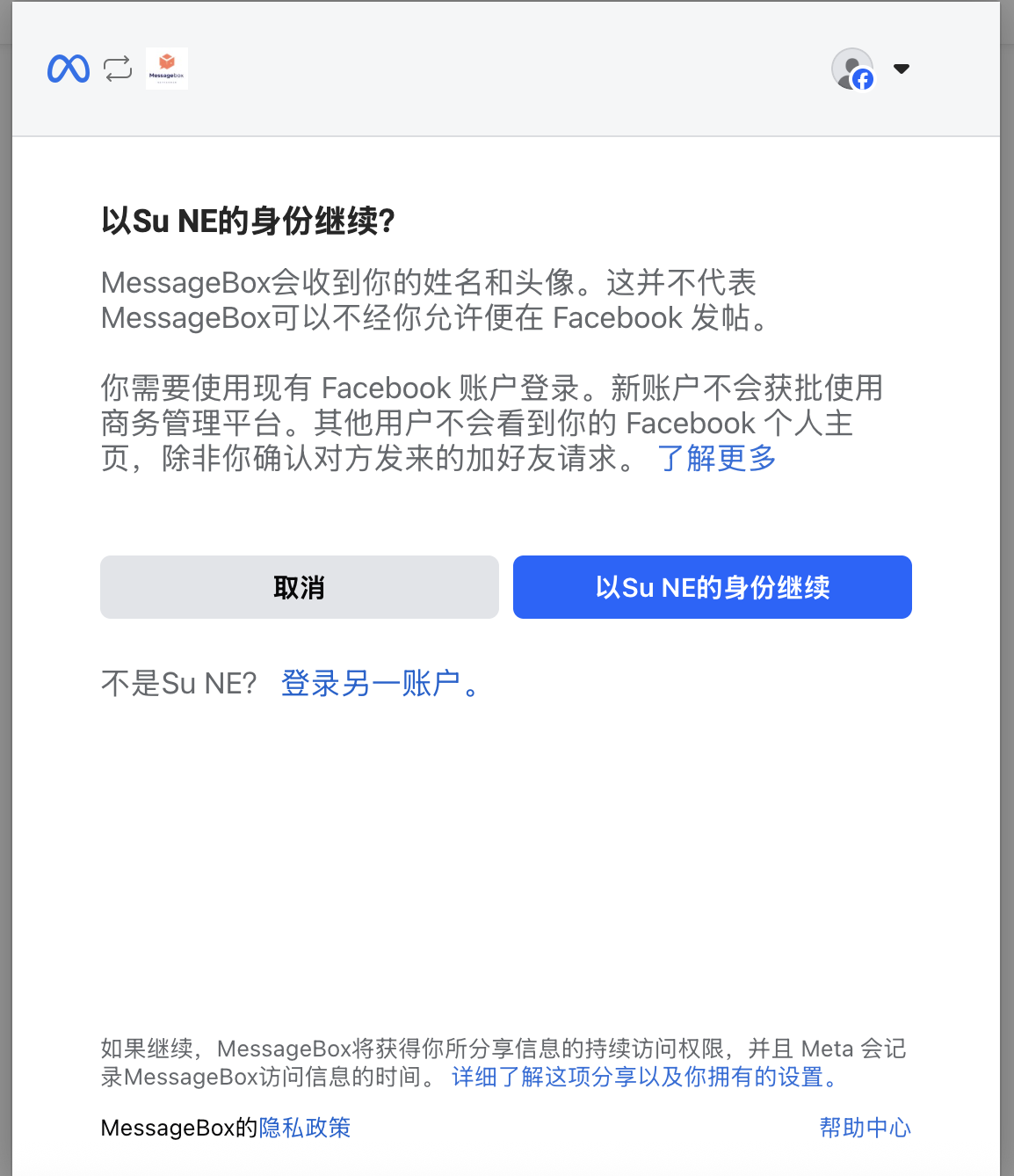
Initiate Meta Authorization Click "Add". The system will guide you to the Facebook login page. Please log in with a Facebook account that has administrator permissions.
-
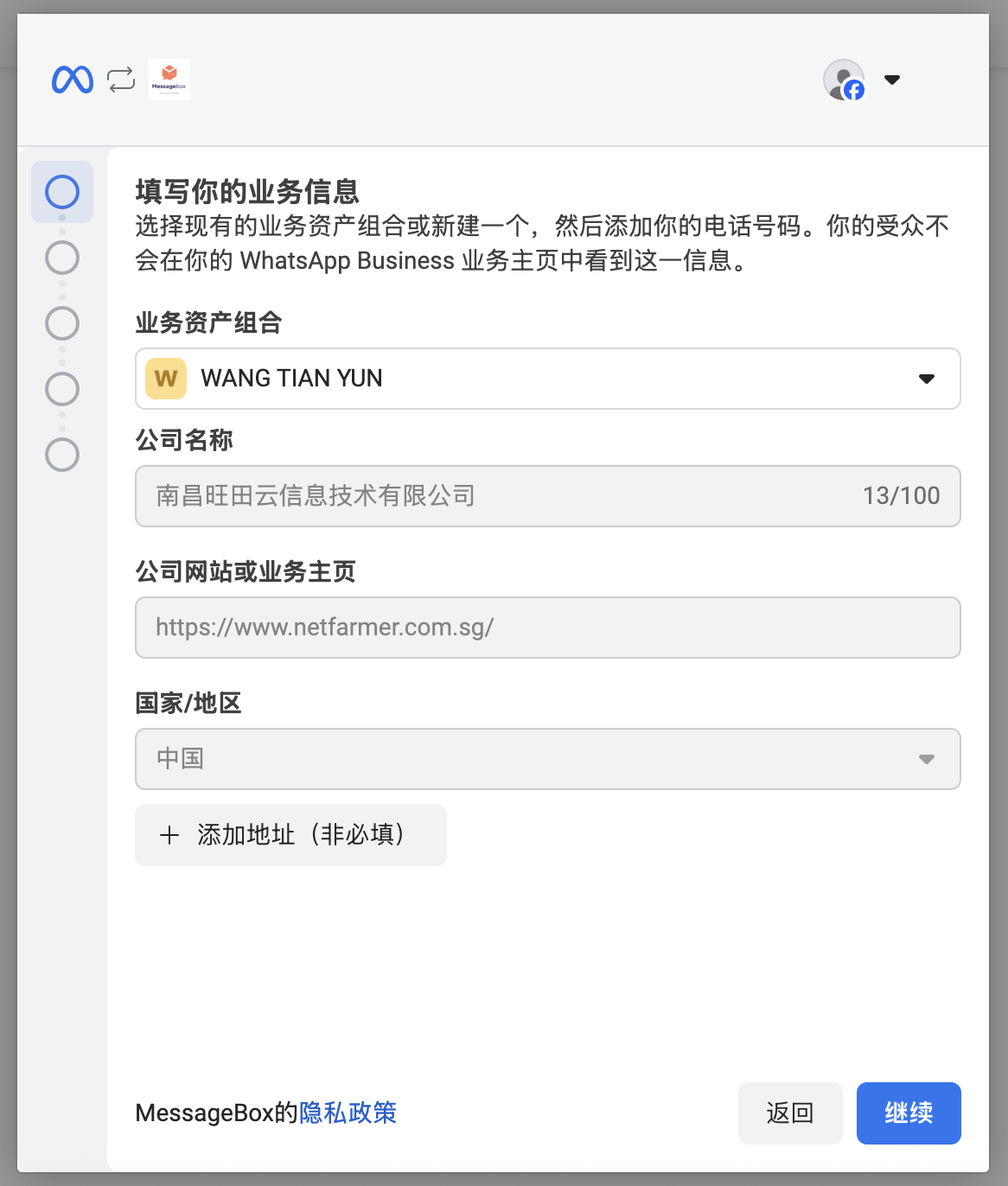
Configure Business Assets Click "Get Started", then select or create a new Meta Business Portfolio (BM). Ensure you fill in accurate business name and website information.
-
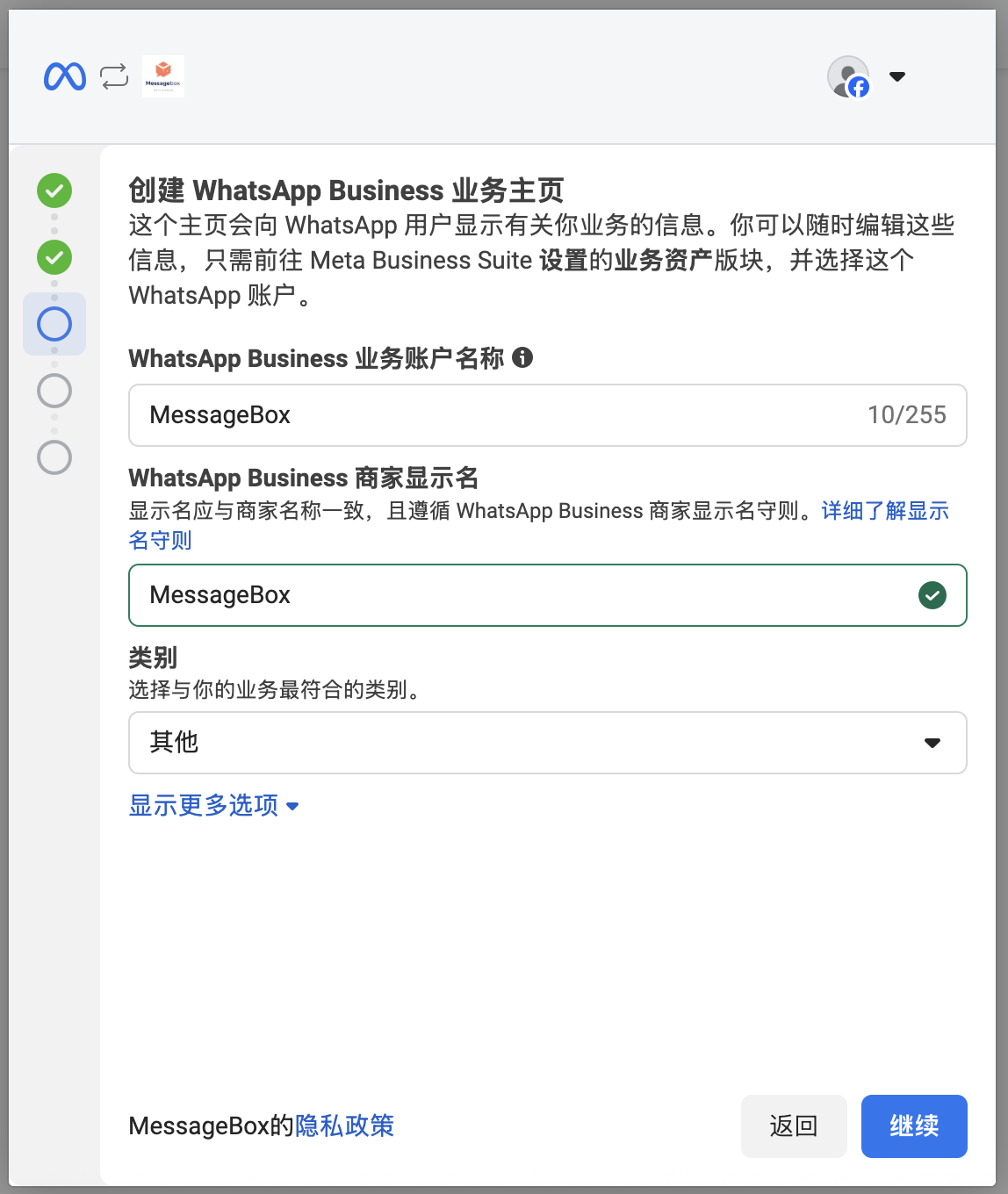
Create WhatsApp Business Account Follow the guide to create a new WhatsApp Business account and complete the Display Name and business category.
-
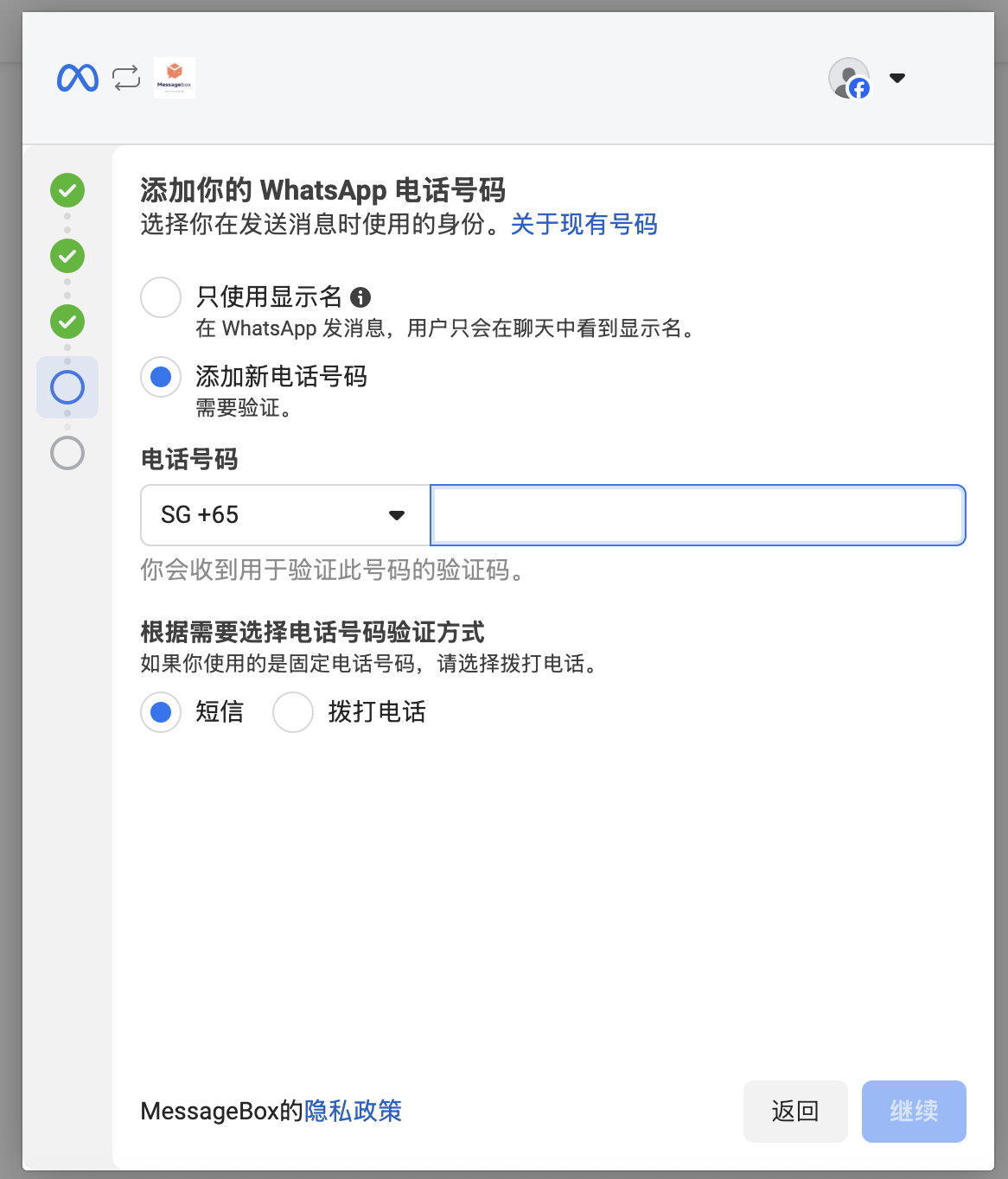
Verify Phone Number Enter a phone number that has not been linked to a personal or business WhatsApp App, and choose your verification method (SMS or Voice).
-
Complete Connection Enter the verification code and click "Continue" until you see the "Finish" prompt.
-
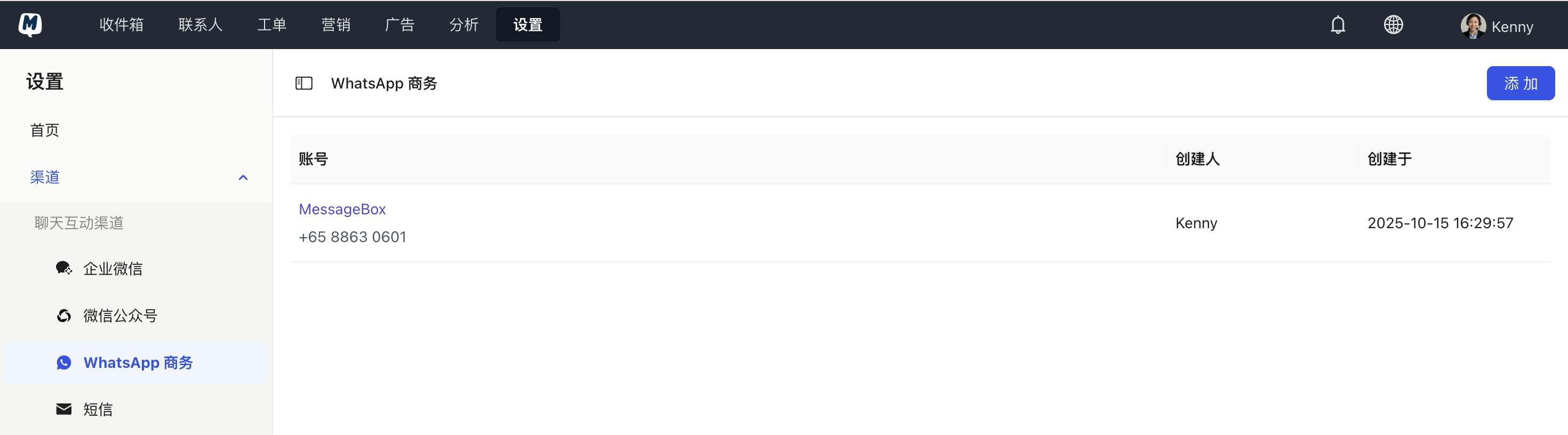
Return and Confirm The page will automatically redirect back to MsgBox. If successful, you will see the newly added number and its current status in the channel list.
- Number Uniqueness: The phone number used must be "clean." If the number is currently logged into a WhatsApp App on a phone, you must delete that account on the phone first.
- Business Verification: While you can complete the connection first, to ensure long-term stability and unlock higher messaging quotas, you must complete Business Verification in Meta Business Suite.
- Permission Requirements: The user performing this action must have Administrator permissions for the Meta Business Manager (BM).
Recommended Next Steps
Once connected, to drive business growth, we recommend immediately performing the following:
- Sync Message Templates: To proactively reach out to customers outside the 24-hour conversation window.
- Configure AI Agents: Enable 24/7 automated replies for your WhatsApp channel.
- Set Up HubSpot Sync: Sync WhatsApp contacts to your CRM system in real-time.
Related Help Documents: