How to Disconnect a WeChat Official Account?
To completely disconnect and ensure information security, you need to perform a deletion in the MsgBox backend and revoke the application authorization on the WeChat Official Accounts Platform.
Deleting the channel on the MsgBox side alone will not automatically revoke the authorization on the official WeChat platform. It is recommended that you follow these two phases to complete a full unbinding.
Phase 1: Delete the Channel in MsgBox
-
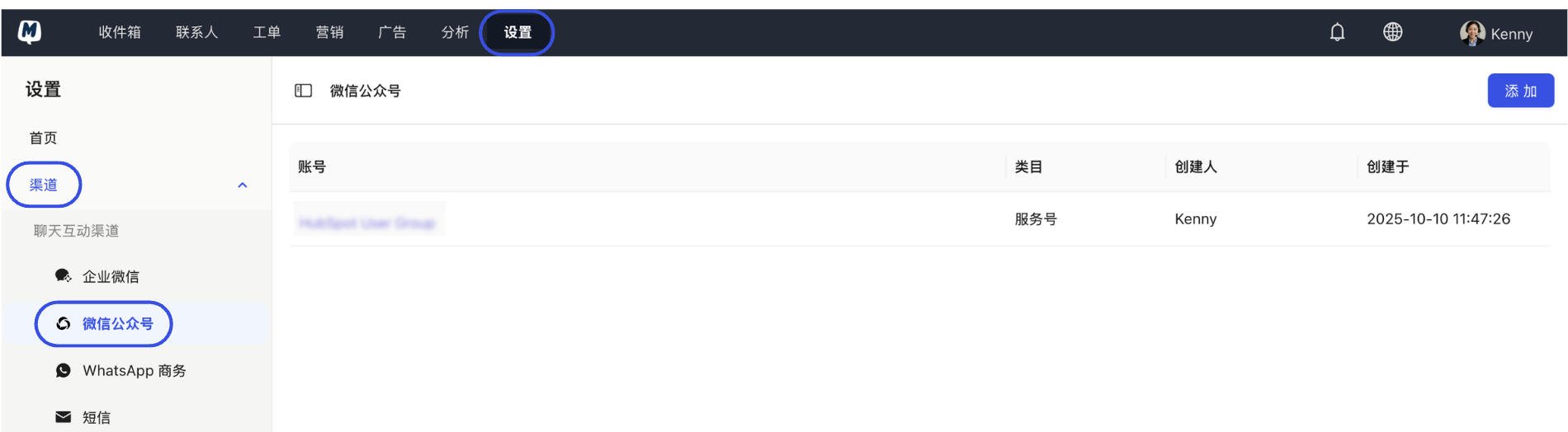
Enter Settings Go to Settings > Channels > WeChat Official Account.
-
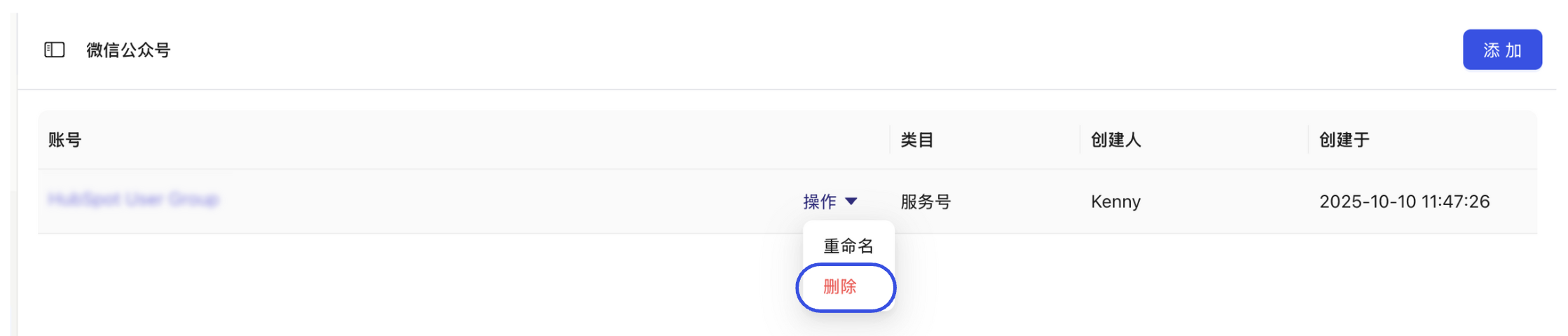
Execute Deletion Click the "Action" button to the right of the target account, select "Delete", and confirm.
Phase 2: Revoke Authorization on the WeChat Official Accounts Platform
-
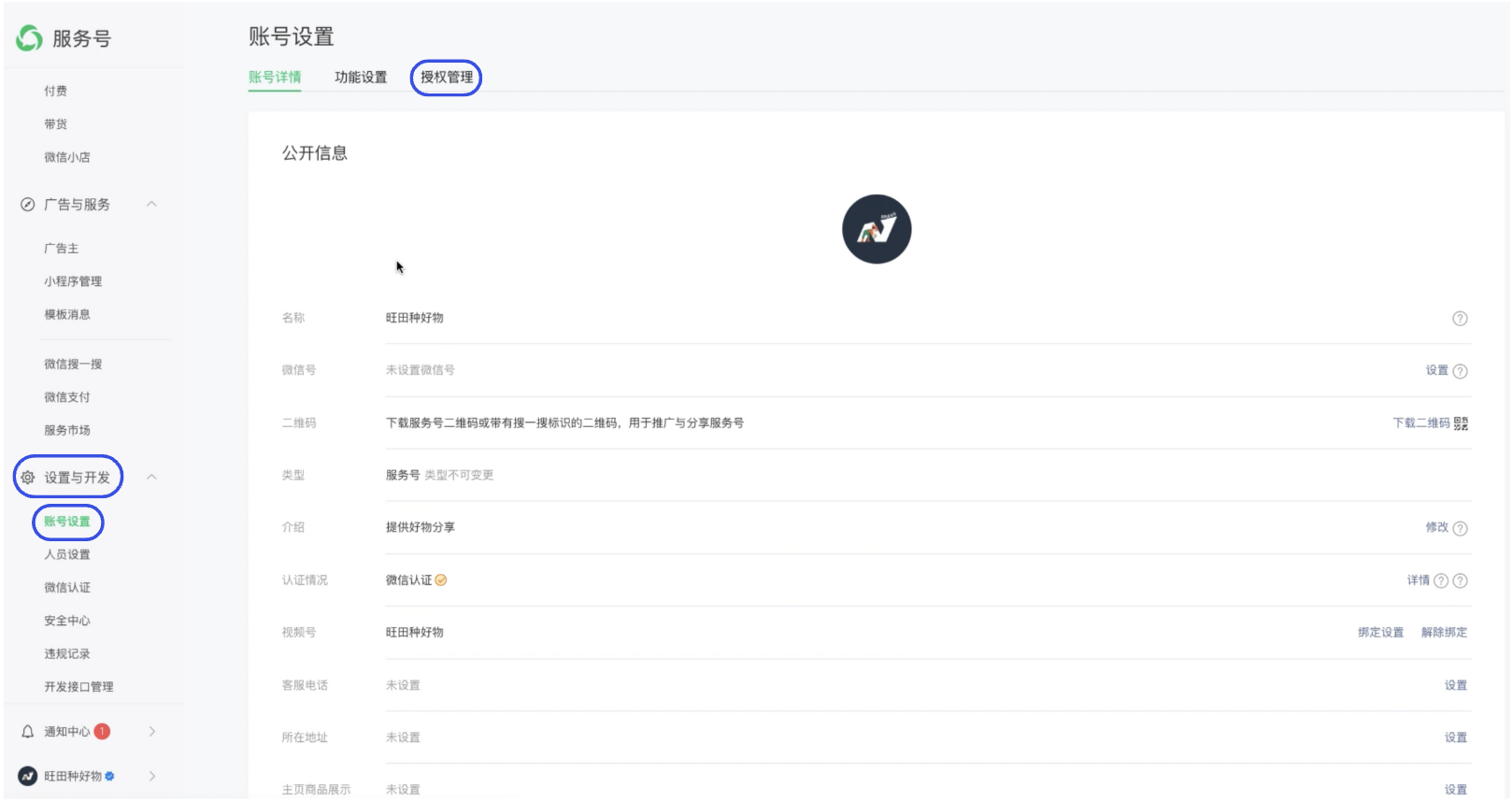
Log in to WeChat Backend Log in to the WeChat Official Accounts Platform, and navigate to Settings & Development > Account Settings > Authorization Management in the left menu.
-
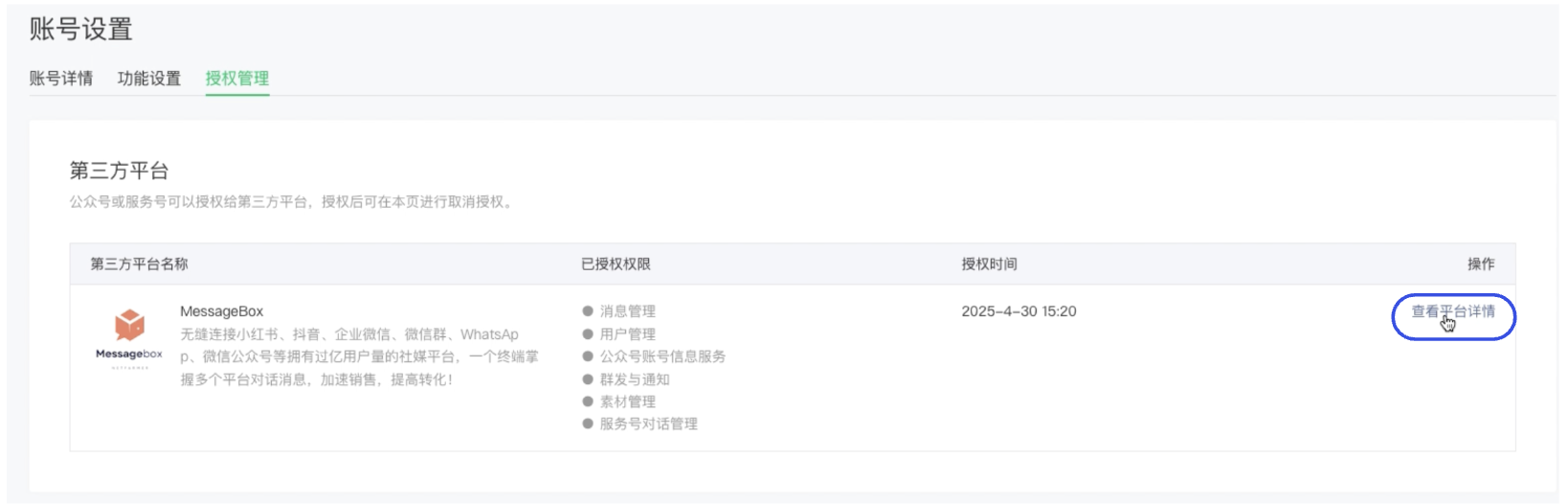
View Third-Party Platforms Find MsgBox (the display name may be Message Box) in the list and click "View Platform Details" on the right.
-
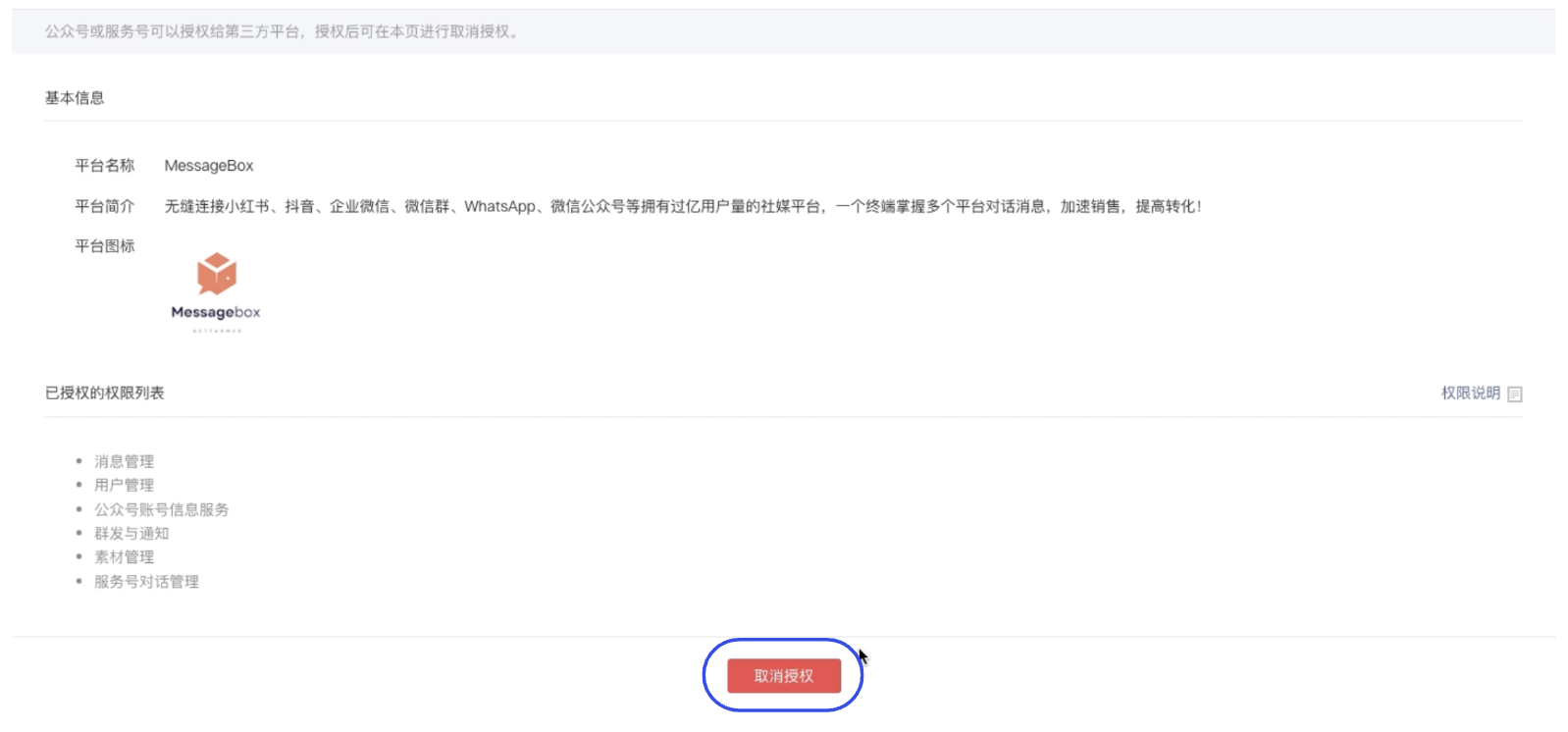
Formally Revoke Authorization Click "Revoke Authorization" at the bottom of the page and click "Confirm" in the pop-up window.
-
Confirm Result Return to the Authorization Management page. If MsgBox is no longer displayed in the "Third-Party Platforms" list, the disconnection was successful.
Notes
- Administrator Permissions: When performing the "Revoke Authorization" action on the WeChat Official Accounts Platform, you must use the personal WeChat account of the administrator bound to the account to scan and confirm.
- Data Retention: After disconnecting, MsgBox will no longer be able to receive new messages. However, basic profiles of previously synchronized contacts (such as data already synced to the Contacts module) are typically retained until you manually delete them.
Follow-up Guides: