How to Disconnect WeChat Work (WeCom)?
If you need to unbind MsgBox from WeChat Work, please follow the steps below in the WeChat Work Admin Platform.
Note
After disconnecting:
- MsgBox will no longer receive messages from WeChat Customer Service.
- Existing message synchronization and automated workflows will become invalid immediately.
- It is recommended to ensure all ongoing customer conversations are properly handled before proceeding.
Steps
-
Log in to the WeChat Work Admin Platform Log in to the Official WeChat Work Admin Platform with an administrator account.
-
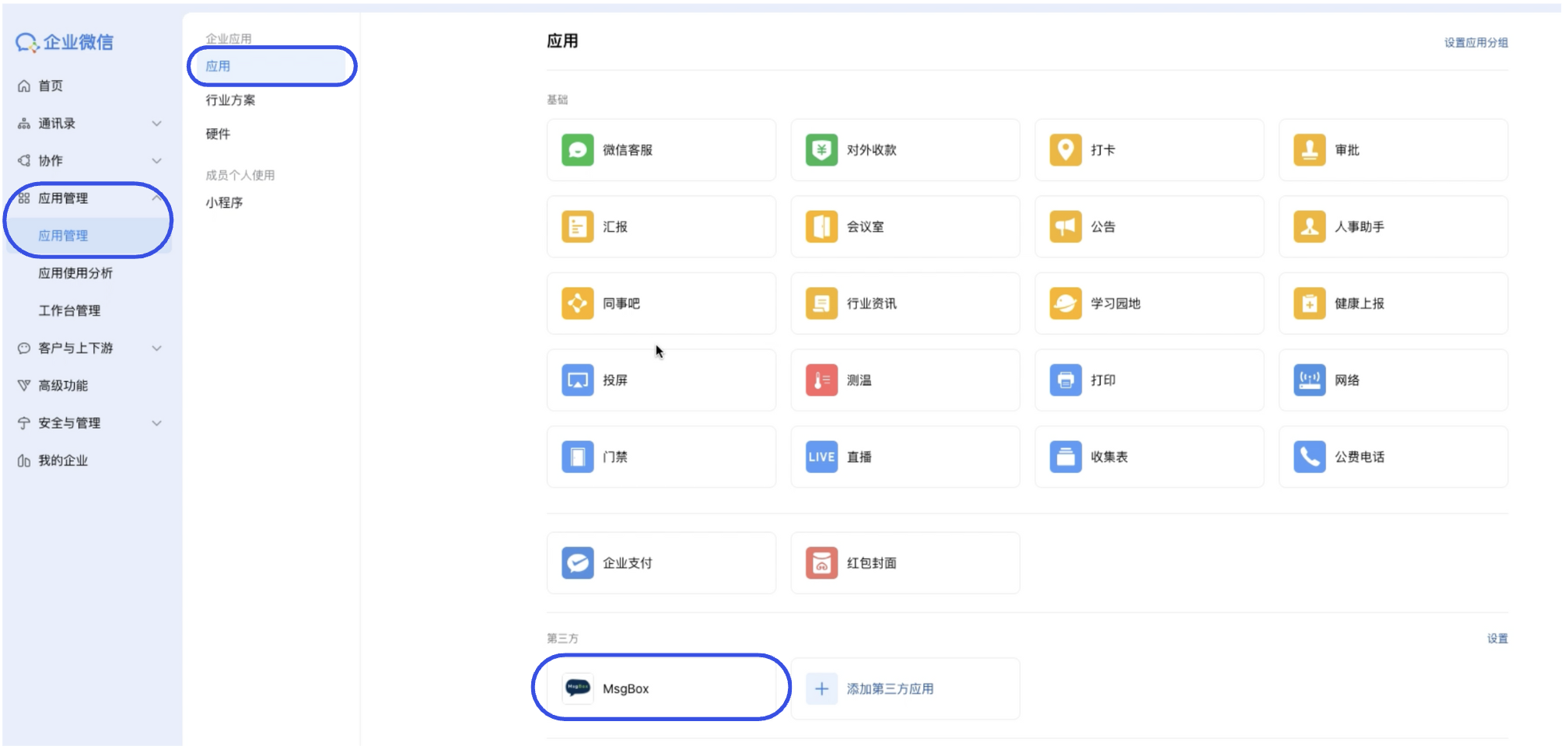
Locate the MsgBox App Click App Management > Apps in the navigation bar. Find and click "MsgBox" in the "Third-party" or "Self-built" app list.
-
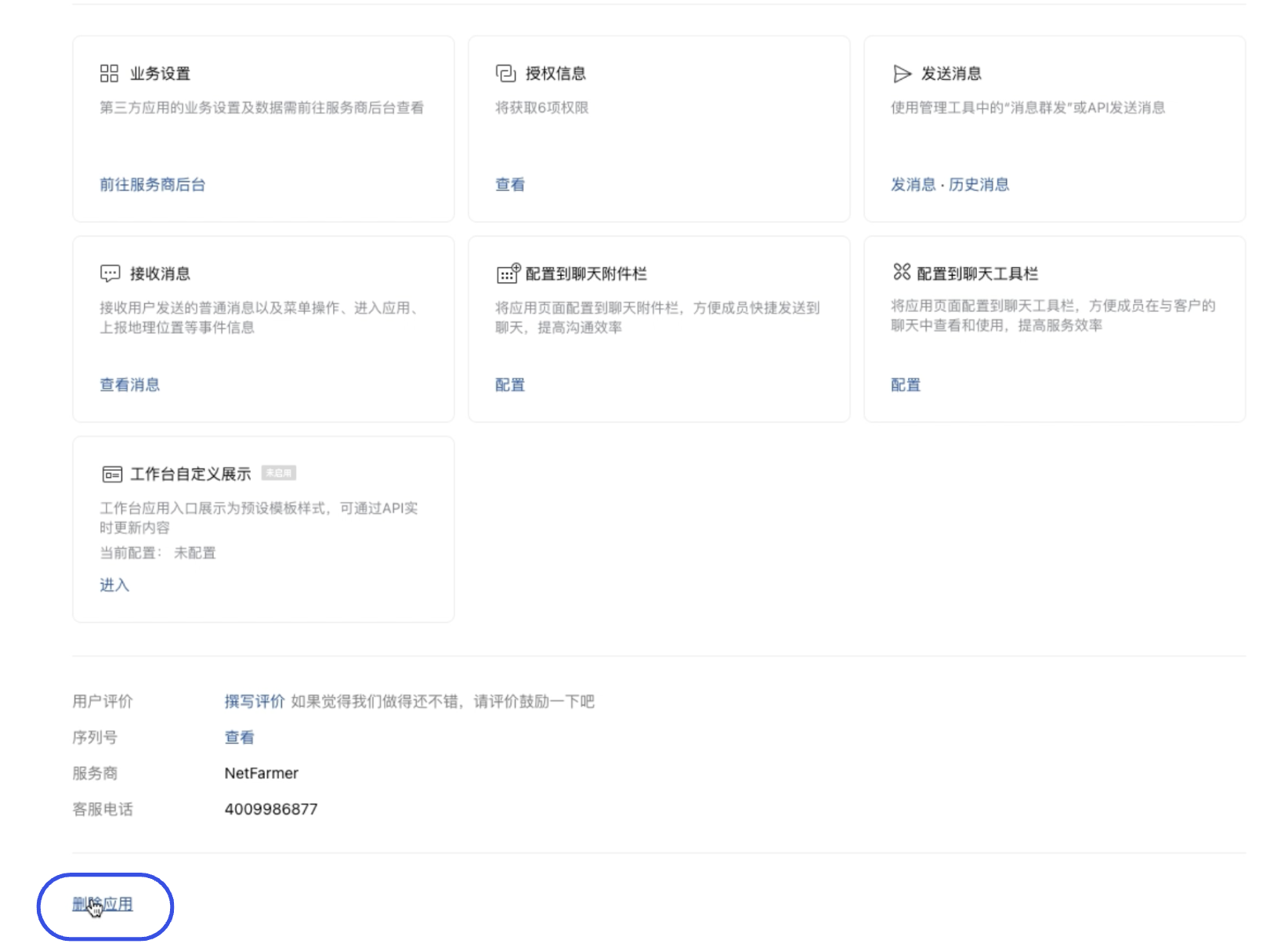
Execute Deletion On the MsgBox details page, scroll to the bottom, click the "Delete App" button, and confirm.
-
Confirm Disconnection Once deleted, the authorization relationship between MsgBox and your WeChat Work will be officially terminated.
Follow-up: If you wish to re-bind the account, please refer to: How to Connect WeChat Work (WeCom)?